




An HVAC technician may start the morning with a planned maintenance visit and end it with an emergency no-cooling call across town. Between those jobs, schedules change, equipment records matter, customers need updates, and paperwork keeps piling up.
That is exactly why the HVAC field service app has become such an important part of daily field work. One 2026 industry analysis reports that 67% of field service organizations now use fully integrated mobile solutions, showing how quickly service operations are moving onto mobile devices.
This comparison looks specifically at apps technicians use during real service calls, not diagnostic calculators or training tools. We focus on usability, field workflow, pricing, and the features that genuinely affect the workday.
There is no universal winner. The best option depends on your team size, service process, and budget, and the differences become clearer once you do side by side comparison.
What Is an HVAC Field Service App?
An HVAC field service management app is a mobile platform that connects technicians in the field with dispatchers, office staff, customer records, and job information. Using a smartphone or tablet, technicians can manage service calls without returning to the office for updates or paperwork.
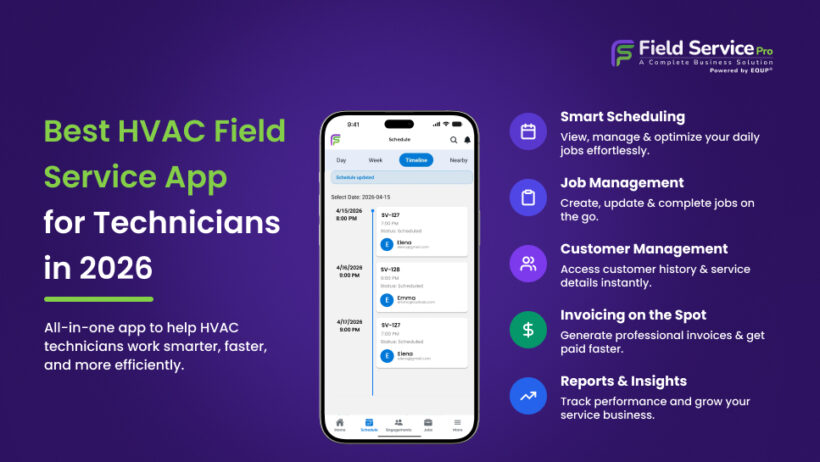
A typical HVAC technician software for mobile allows technicians to:
- View schedules and dispatch assignments
- Get GPS directions to job sites
- Access customer details and equipment service history
- Update work orders with notes, photos, and completed checklists
- Create estimates using built in pricebooks
- Collect digital approvals and customer signatures
- Generate invoices and accept onsite payments
- Field service time tracking and job status update in real time
Unlike refrigerant calculators, diagnostic tools, load calculators, or training apps, an HVAC field service app manages the entire service call from dispatch to payment. It keeps technicians connected throughout the job while office teams use the same platform for scheduling, customer management, reporting, billing, and communication.
Best HVAC Field Service Apps for Technicians
Before reviewing each platform in detail, here’s a side by side comparison of the top HVAC field service app options. It highlights who each platform is best suited for, how pricing is structured, and the features that set it apart, making it easier to identify the solutions that match your business before exploring the full reviews below.
| Software | Best For | Starting Pricing* | Pricing Model | Mobile App | Unlimited Users | Standout Feature |
| FieldServicePro | Growing HVAC business | $199/mo | Flat rate | ✅ | ✅ | CRM, field service, payments, and marketing in one platform |
| Jobber | Small HVAC business | $39/mo | Per user | ✅ | ❌ | Easy onboarding and intuitive workflow |
| Service Fusion | Teams needing predictable pricing | $245/mo($208/mo billed annually) | Flat rate | ✅ | ✅ | Unlimited users on every plan |
| ServiceTitan | Large HVAC companies | Custom quote | Custom | ✅ | ❌ | Enterprise dispatch, reporting, and HVAC pricebook |
| Housecall Pro | Residential HVAC contractors | $59/month (annual) | Per user | ✅ | ❌ | Memberships and customer communication |
| FieldEdge | QuickBooks based businesses | Custom quote | Custom | ✅ | ❌ | Native QuickBooks integration and Proposal Pro |
| Workiz | Field sales and customer communication | Standard, Pro, Ultimate, Enterprise | Tiered | ✅ | ❌ | Good Better Best proposals and integrated calling |
Disclaimer: Pricing shown reflects publicly available information at the time of writing. Software vendors frequently update plans, features, and pricing, so always verify current details before making a purchase decision.
1. FieldServicePro (Best for Growing Teams with Flat Rate Pricing)
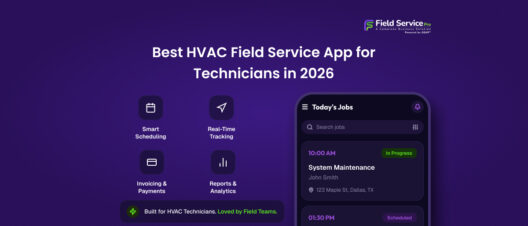
FieldServicePro brings field operations, field service CRM, scheduling, billing, payments, communication, and marketing tools into one platform. Its HVAC technician app lets field staff view assigned visits, update job progress, access customer records, complete forms, add photos, track time, and work with invoices from mobile devices.
Best for: Growing HVAC companies that want broader business management tools without paying for each additional user.
Pricing: Starter costs $199 per month and Growth costs $299 per month. Both currently include unlimited users.
Pros
- Flat rate pricing with unlimited users
- Combines field service, CRM, payments, and marketing
- Strong mobile workflow for technicians
- Scheduling, dispatch, estimates, invoicing, and automation in one system
Cons
- Higher starting cost than some entry-level alternatives
- Newer platform with limited independent customer reviews so far
2. Jobber (Best for Small HVAC Businesses)
Jobber is a popular HVAC service software designed for small service businesses that want an easy to learn platform for scheduling, customer management, and billing. Its clean interface makes it a practical choice for companies with a small office team and a few technicians.
Best for: Small HVAC businesses that need straightforward scheduling, dispatching, and customer management.
Pricing: Jobber pricing plans currently start at $39 per month for Core, with higher tiers adding more users and advanced features. Verify current pricing before purchasing.
Pros
- Simple mobile workflow for technicians, including job details, customer history, estimates, invoices, and payments
- Built-in route optimization and GPS tools help improve daily scheduling
- Easy-to-use interface with strong customer management features
- Well-suited for small teams with limited training requirements
Cons
- Several advanced features are reserved for higher plans
- Per-user pricing can become more expensive as your team grows
3. Service Fusion (Best Unlimited User Alternative)
Service Fusion is a cloud-based service software for HVAC businesses built for trade businesses that want predictable software costs as they grow. Its biggest advantage is that every plan includes unlimited users, making it an attractive option for companies adding more technicians, dispatchers, and office staff.
Best for: HVAC businesses that want unlimited user pricing without sacrificing core field service features.
Pricing: Service fusion pricing starts at $245 per month with monthly billing or about $208 per month when billed annually. All plans include unlimited users.
Pros
- Unlimited users on every plan
- Technician app supports work orders, photos, notes, invoices, and job updates
- Strong scheduling, dispatch, inventory management, and reporting capabilities
- Integrates with QuickBooks for accounting workflows
Cons
- Inventory management and job costing require higher-tier plans
- GPS fleet tracking is available as a paid add-on rather than a standard feature
4. ServiceTitan (Best for Large HVAC Companies)
When an HVAC business grows beyond a handful of technicians, daily operations become harder to manage. ServiceTitan is built for that stage, giving larger companies one platform to coordinate dispatching, sales, customer records, inventory, and business performance. Its field app also supports offline work, allowing technicians to continue using key functions when internet access is limited.
Best for: Medium to large HVAC companies managing high service volumes across multiple teams.
Pricing: ServiceTitan uses custom pricing based on business size and requirements. Pricing is available only through a sales consultation.
Pros
- Advanced scheduling and dispatch tools for complex operations
- HVAC-focused pricebook with flat-rate estimating and equipment tracking
- Inventory management, business analytics, and detailed reporting
- Mobile access with offline support for field technicians
Cons
- Pricing is not publicly available, making budget comparisons more difficult
- The platform requires more training than many solutions aimed at smaller HVAC businesses
5. Housecall Pro (Best for Residential HVAC)
Housecall Pro is a good fit for residential contractors that want an easy system for managing daily service work. Its HVAC scheduling software helps dispatch jobs, while technicians can create estimates, update jobs, manage through a work order app, access equipment records, and collect payments from the field. Maintenance memberships and automated customer reminders also support recurring service businesses.
Best for: Residential HVAC companies and owner-operated businesses.
Pricing: Housecall Pro pricing starts at $79 per month for one user. Higher plans add team management and advanced business tools.
Pros
- Easy to learn and use
- Built an HVAC invoicing app and payment processing
- Membership plans and equipment history
- Strong customer communication tools
Cons
- Team costs increase as users are added
- Several advanced features require higher-tier plans
6. FieldEdge (Best for QuickBooks-Based Businesses)
Already using QuickBooks to manage your finances? FieldEdge is designed to extend that workflow into the field. As an HVAC dispatch software, it keeps scheduling, customer records, invoicing, and accounting connected, helping reduce duplicate data entry. Technicians can access the flat rate pricebook, update work orders, and create professional proposals with Proposal Pro, while office staff manage dispatch from a single system.
Best for: HVAC businesses that depend on QuickBooks and want stronger office-to-field coordination.
Pricing: Custom pricing only. FieldEdge requires a sales consultation. Plans include 2(select), 4(premier), or 6(elite) mobile app licenses depending on the tier, with additional licenses available.
Pros
- Deep QuickBooks Online and Desktop integration
- Comprehensive flat rate pricing database
- Proposal Pro supports Good Better Best estimates
- Reliable dispatch and technician management
Cons
- No public pricing for direct comparison
- Proposal Pro is included only with the Elite plan unless purchased separately
Checkout our exclusive comparison of ServiceTitan vs Field Edge
7. Workiz (Best for Field Sales and Customer Communication)
Workiz combines mobile HVAC software with tools that help technicians sell and complete jobs during a service visit. Teams can create Good Better Best proposals, accept mobile payments, and keep customers updated through built in calling and messaging features.
Best for: HVAC companies focused on improving field sales and customer communication.
Pricing: Plans include Standard, Pro, and Ultimate. Ultimate requires a custom quote.
Pros
- Good Better Best proposals
- Mobile payments and customer messaging
- Built-in phone system
- Strong scheduling and dispatch
Cons
- Many advanced features are limited to higher plans
- Extra communication features may require paid add-ons
How We Evaluated These HVAC Field Service Apps
Choosing the right HVAC service technician software takes more than comparing feature lists. We reviewed each platform using official product documentation, current pricing information where available, independent user reviews, and technician feedback to understand how it performs in real service environments.
Transparent evaluation methods that combine vendor information with independent research are widely recommended when comparing field service software.
Our evaluation focused on:
- Technician mobile usability
- Dispatch experience
- Equipment and service history
- Estimating workflow
- Payment collection
- Route optimization
- Pricing model
- Team scalability
- Independent user reviews
- HVAC-specific functionality
Rather than ranking every platform the same way, we checked each field service management software reviews, identified which solution delivers the best value for different team sizes, workflows, and business goals.
Which HVAC Field Service App Should You Choose?
The right HVAC field service app depends on how many technicians you manage today and how much you expect your business to grow. Here are our recommendations based on common HVAC business sizes.
Small Teams (1 to 3 Technicians)
If you run a small operation, focus on software that is easy to learn, affordable, and quick to implement. Jobber and Housecall Pro are strong choices because they cover scheduling, invoicing, payments, and customer management without unnecessary complexity.
Growing Businesses (4 to 10 Technicians)
As your workload increases, scheduling, automation, and predictable pricing become more important. FieldServicePro offers unlimited users with a flat rate pricing model, while Service Fusion is another solid option for businesses that want to scale without paying for every additional user.
Large HVAC Operations
Larger companies often need advanced dispatching, inventory control, reporting, and operational visibility across multiple teams. ServiceTitan is well-suited for enterprise HVAC businesses, while FieldEdge is a strong alternative for companies that rely on QuickBooks and want deeper financial integration.
Choose a Platform That Grows With Your HVAC Business
The best HVAC field service app is the one your team will actually use every day. There are several benefits of choosing right field service management software. A smooth technician workflow, dependable scheduling, and predictable long-term costs will usually deliver more value than a long list of features.
If you are looking to replace multiple business tools with one platform, FieldServicePro is worth considering. It brings dispatching, CRM, invoicing, payments, and technician mobility together under a flat rate pricing model with unlimited users, making it a practical option for growing HVAC companies.
Request a demo to see how it fits your team’s workflow before making a decision.
Frequently Asked Questions
Large HVAC operations often need advanced dispatching, reporting, inventory management, and field oversight. ServiceTitan is built for complex service organizations, while FieldServicePro is another option for growing businesses that want unlimited user pricing.
Yes. Most modern field service platforms let technicians prepare estimates from a phone or tablet while onsite. Many also support digital approvals, allowing work to begin without waiting for office staff.
Most leading platforms, including FieldServicePro, Jobber, Housecall Pro, FieldEdge, and ServiceTitan, store customer equipment records and previous service history, helping technicians arrive with better job context.
Offline support depends on the platform. ServiceTitan allows technicians to continue many core job activities offline and automatically synchronizes updates after the device reconnects. Other platforms may offer limited offline functionality.
Several platforms offer QuickBooks integration, including FieldEdge, Service Fusion, Jobber, Housecall Pro, Workiz, and ServiceTitan. The depth of synchronization varies, so review the supported workflows before choosing a platform.
Yes. Most leading field service platforms allow technicians to accept card or digital payments onsite and generate invoices immediately after completing the job, helping businesses get paid faster.