



$49 a month sounds simple. Until you discover that the real bill depends on how many people use the software, how many jobs you run, which features you need, and what sits outside the base plan.
That is what makes field service software pricing difficult to compare. Two platforms can look miles apart on price and still end up costing a growing service business roughly the same once the extras are counted.
Some vendors publish clear plans. Others rely on custom quotes. Many introduce limits around users, visits, messaging, payments, onboarding, or advanced tools.
So instead of asking which platform looks cheapest, this guide asks the more useful question:
What will the software actually cost your business once everything is included?
How Much Does Field Service Software Cost in 2026?
Field service software pricing in 2026 can vary from free or budget friendly options for very small businesses to several hundred dollars per month for established teams. Larger companies may need a tailored quote based on their size, requirements, and level of support.
When comparing field service software, look beyond the monthly subscription and consider how users, service volume, features, and support affect the total cost. The wide price range can be misleading if you compare plans by cost alone. Different providers calculate charges in different ways, which means two plans with similar monthly fees may offer very different value.
A better way to judge the cost of field service management software is to look at what causes the bill to rise over time, such as team growth, higher service volume, advanced features, or additional operational needs.
Field Service Software Pricing Comparison for 2026
A quick look at field service software pricing shows why the monthly fee alone is a poor comparison point. User allowances, job capacity, plan requirements, and separately priced tools can change what you eventually spend.
Pricing verified: August 2026. Prices can change. Confirm the vendor’s official pricing page before purchasing.
| Software | Official pricing | Users included | Annual option | Main cost trigger |
| FieldServicePro | Starter $199 monthly. Growth $299 monthly | Unlimited | $1,999 and $2,999 yearly | Service visit capacity |
| Jobber | Core $49. Connect $139. Grow $199. Plus from $499 monthly | Varies by plan and team size | Lower rates available, including introductory annual offers | Team size and plan |
| Housecall Pro | Basic $79. Essentials $189. MAX $329 monthly | 1, 5, and 8 | $59, $149, and $299 monthly equivalent | Users and optional products |
| Workiz | Request pricing | Not publicly stated | Not publicly disclosed | Package and separate products |
| Service Fusion | Starter $245. Plus $382. Pro $627 monthly | Unlimited | $208, $325, and $533 monthly equivalent | Feature access and add ons |
| ServiceM8 | Free $0. Paid plans $29 to $349 monthly | 1 on Free. Unlimited on paid plans | Not highlighted | Monthly job allowance |
| Kickserv | Start $60. Run $119. Scale $199 monthly | 5, 10, and 20 | Save 20% annually | Users and integrations |
| FieldPulse | Request pricing | Based on seat type | Custom quote | Number and type of seats |
| ServiceTitan | Request pricing | Based on technicians | Custom quote | Technician count and package |
| FieldEdge | Request pricing | 2, 4, or 6 mobile licences by plan | Not publicly listed | Team size, licences, and added features |
1. FieldServicePro
FieldServicePro charges $199 monthly for Starter and $299 for Growth, with unlimited users on both. Costs rise with service capacity rather than headcount: Starter allows 600 monthly visits and Growth allows 1,000. Setup assistance and dedicated support hours are included, and there is a 15 day free trial.
2. Jobber
Reading Jobber pricing requires more than checking the first figure. For a more detailed breakdown, see our guide to Jobber alternative and how its plans compare as your team grows. For one user, standard monthly rates are $49 for Core, $139 for Connect, and $199 for Grow, while Plus begins at $499 with five users. Annual billing currently includes introductory discounts, so compare the promotional period with the rate you will pay once that offer ends.
3. Housecall Pro
With Housecall Pro, both billing frequency and team size matter. Basic costs $79 monthly for one user, Essentials costs $189 for up to five, and MAX costs $329 for up to eight. Annual equivalents fall to $59, $149, and $299. Payment processing is separate, with card rates currently starting at 2.59%. If you are comparing alternatives, review Housecall Pro pricing alongside the total costs of other field service platforms.
4. Workiz
Workiz currently lists Standard, Pro, and Ultimate but does not attach public dollar prices to them. You need a quote before calculating the subscription against other options. The proposal also deserves a close read because Genius Phone, Genius Answering, and Genius Marketing are sold separately, even though jobs, invoices, estimates, and clients are listed as unlimited across the core plans.
5. Service Fusion
Service Fusion removes seat count from the calculation by including unlimited users across Starter, Plus, and Pro. Monthly prices are $245, $382, and $627, while annual prepaid equivalents are $208, $325, and $533. Starter is less complete than the headline price may suggest, since job costing, inventory, customer portal access, recurring invoicing, and several other capabilities are add ons.
6. ServiceM8
ServiceM8 prices paid plans by job capacity rather than staff count. Starter costs $29 for 50 jobs each month, Growing $79 for 150, Premium $149 for 500, and Premium Plus $349 for 1,500 plus. Every paid tier includes unlimited users. ServiceM8 Phone is separate and currently begins at $19 monthly, so include it only if your business needs the phone system.
7. Kickserv
Kickserv bundles user allowances into its three published tiers. Start costs $60 for five users, Run $119 for ten, and Scale $199 for twenty. Paying annually saves 20%. Your subscription can still grow through integrations, with QuickBooks Desktop on Run currently listed at an additional $50 monthly, making optional connections worth checking before choosing a tier.
8. FieldPulse
FieldPulse does not publish a standard dollar amount. Quotes are built around seat count, with separate full access and limited field seats. That distinction can matter when most technicians need field tools but only a smaller office team requires broader administrative access. Ask the vendor to separate each seat type in the quote so you can see exactly what team growth would cost.
9. ServiceTitan
ServiceTitan offers Starter, Essentials, and The Works, but its official page requires you to request pricing and describes the model as per technician. For anyone researching the best ServiceTitan Alternatives, an actual quote is a useful comparison point. Businesses comparing the platform can also review ServiceTitan pricing and alternative options before requesting a quote. Avoid treating third party estimates as ServiceTitan prices because the vendor does not publish a standard dollar rate for these packages.
10. FieldEdge
FieldEdge also keeps dollar pricing behind a quote. Select includes two mobile app licences, Premier includes four, and Elite includes six, while pricing can vary with team size and additional features. Contract flexibility deserves attention too: upgrades are available when needed, but the company says a downgrade takes effect only when your current contract period ends.
Field Service Software Pricing Models Explained
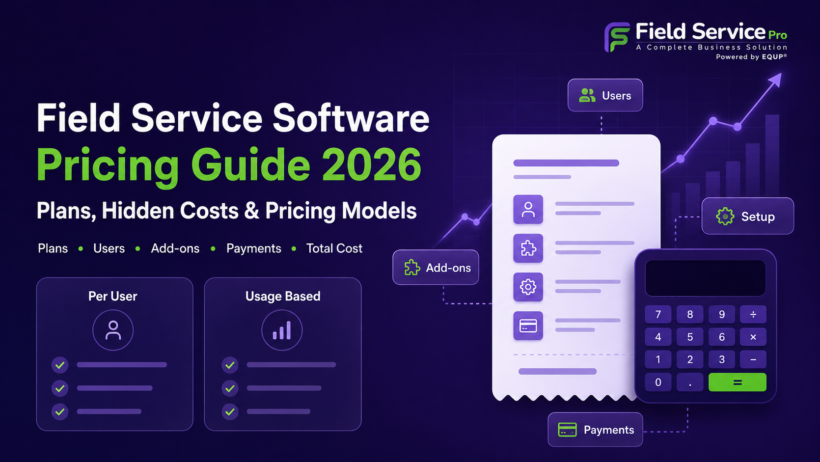
Understanding FSM software pricing starts with knowing what causes the bill to increase. Some providers charge for every person who logs in, while others tie cost to technicians, usage, capacity, or a custom combination of factors.
1. Per User Pricing
With per-user field service pricing, every employee account adds to the monthly bill. This model can work well for smaller teams, but costs rise directly as you hire.
Check whether dispatchers, administrators, managers, and technicians all require the same licence. Some providers offer lower-cost field access, which can reduce unnecessary spending when technicians need fewer administrative features.
2. Per Technician Pricing
Per technician pricing bases the subscription mainly on the number of field workers rather than everyone using the platform.
This can suit companies with a relatively small technician team and a larger office staff. Before choosing it, confirm who the vendor counts as a technician and whether temporary workers, subcontractors, supervisors, or part-time field staff affect the total field service management software cost.
3. Bundled Seat Pricing
Bundled pricing includes a fixed number of users within each package. For example, a plan might cover five or ten people before additional access changes the price.
This structure can make field service pricing easier to estimate while your team stays within the allowance. Once you exceed it, however, you may need extra seats or a higher plan, so check the cost of your next likely team size.
4. Flat Rate and Unlimited User Pricing
An unlimited user field service software plan does not increase the subscription simply because another employee needs access. This can make budgeting easier for companies expecting to hire more technicians, dispatchers, or office staff.
Unlimited users should not be confused with unlimited usage. A provider may still restrict monthly jobs, service visits, messages, storage, or other activity, creating a different reason to upgrade.
5. Usage Based Pricing
Usage based plans connect cost or plan selection to how much you actually use the system. That could include jobs, visits, calls, texts, transactions, storage, or AI activity.
This model can suit businesses with predictable workloads. Seasonal companies may find it harder to budget because demand can change sharply. Even routine decisions such as manual vs automated scheduling may affect how heavily certain features or automations are used. Businesses evaluating scheduling-related costs can also compare the capabilities included in field service scheduling software.
6. Hybrid Pricing
Hybrid pricing combines a base subscription with other charges such as seats, feature packages, add ons, or usage fees. Many Field service software products use some variation of this structure because different businesses need different levels of access and functionality.
The model is not necessarily expensive, but it requires careful calculation. A low base rate can look attractive until essential tools, additional users, communication features, or a work order app capability increase the final monthly spend.
7. Custom Quote Pricing
Custom quote pricing means there is no universal amount displayed for every buyer. The provider usually builds a proposal after reviewing team size, employee roles, locations, required features, integrations, and other operational needs.
Hidden Field Service Software Costs That Change the Real Price
The subscription fee is only one part of what you may spend. Extra seats, feature requirements, transaction fees, communication usage, implementation work, and contract terms can materially change the final cost.
1. Additional Users, Technician Licences and Plan Upgrades
User related costs usually increase in three ways:
- You add another paid seat.
- Your team exceeds the users included in the current plan.
- You need a feature available only on a higher tier.
A higher plan can sometimes cost less than purchasing several additional seats individually.
Before deciding, ask one practical question: Does a technician who only needs jobs and forms require a full access license? Limited access roles can significantly reduce unnecessary seat costs. When comparing technician-related costs, businesses should also consider whether field service time tracking capabilities are included in the base plan or require an upgrade.
2. Features and Add-ons
A low starting price becomes less useful if essential functions sit outside the base subscription.
Check whether your chosen plan includes:
- Job costing
- Inventory management
- GPS and routing
- Customer portal access
- Recurring billing
- API access
- Custom reporting
- Accounting integrations
- Marketing tools
- Call answering
Build your comparison around the features you will actually use rather than the cheapest available plan. Customer management is another area to evaluate, so businesses can use this field service CRM buyers guide when comparing CRM-related capabilities.
3. Payment Processing Fees
Payment costs should be calculated separately from the software subscription because they grow with transaction volume.
Review:
- Credit card percentage rates
- ACH fees
- Fixed transaction charges
- Refund fees
- Chargeback fees
- Instant payout charges
A business processing a large annual payment volume can spend more on transaction fees than on the software itself.
Annual payment cost = processed volume × processing percentage + fixed transaction fees + payout, refund, and dispute fees
4. Phone, SMS, Email and AI Charges
Communication tools can create a second recurring bill alongside the main subscription.
Look separately at:
- Phone system subscriptions
- Call minutes
- SMS and MMS usage
- Email allowances
- AI answering
- AI conversations or minutes
AI deserves particular attention in 2026 because some capabilities are metered by usage. Treat expected AI consumption as an operating cost rather than assuming it is fully included because the feature appears on the plan page.
5. Setup, Onboarding, Migration and Training
Implementation costs depend on how much work is required before the new system is ready for daily use.
- Data preparation may involve cleaning duplicate customer records, correcting addresses, removing outdated inventory, and preparing active agreements.
- Migration can include customers, jobs, equipment records, estimates, invoices, photos, attachments, and recurring agreements.
- Configuration may require setting up roles, permissions, workflows, service areas, templates, taxes, integrations, and payment methods.
- Training can involve separate sessions for administrators, dispatchers, technicians, sales staff, and managers.
Also budget for parallel running. During migration, you may temporarily pay for both the old system and the new one.
6. Contracts, Renewals and Exit Costs
The price at signup does not tell you how flexible the agreement will be later.
Check:
- Minimum contract length
- Monthly or annual commitment
- Whether annual billing is prepaid
- Automatic renewal terms
- Required cancellation notice
- Renewal pricing
- Rules for reducing seats
- Downgrade restrictions
- Cancellation charges
- Data export options
- Attachment export
- Access after cancellation
These details matter most when your team shrinks, your requirements change, or you decide to move to another platform.
What Does Field Service Software Cost for 5, 10 and 25 Users?
This comparison is not meant to identify a cheapest option. Costs can change based on user limits, workload, feature access, technician licensing, and custom pricing, so team size alone does not tell the full story.
| Team size | Estimated monthly range | What buyers must check |
| 5 users | About $50 to $250+ | Included seats, job limits, feature access, technician roles |
| 10 users | About $100 to $300+ | Whether pricing rises by seat, plan, or workload |
| 25 users | About $200 to $600+ or custom quote | Usage limits, add ons, support, API access, communications, contract terms |
For smaller teams, it is also useful to compare the features and pricing considerations covered in this guide to field service software for small business.
Is FieldServicePro Pricing a Good Fit for a Growing Field Service Team?
FieldServicePro is designed for teams that want predictable software costs as they add technicians, dispatchers, managers, or office staff. Starter costs $199 per month and Growth costs $299, with unlimited users included on both plans. This means hiring another employee does not automatically create another software charge.
For a growing business comparing field service management software, that structure can make future budgeting simpler, particularly when other pricing models charge for each additional seat.
Both plans include the mobile app, onboarding assistance, dedicated support hours, and payment functionality without an additional FieldServicePro transaction percentage. You can also explore the platform through a 15-day free trial before committing.
You can check our current pricing plans and compare them with your existing software spend and expected team growth to see which option fits your business.
Compare the Total Cost, Not the Starting Price
A low monthly price can look attractive until growth, usage, and everyday operations start changing the bill. That is why the smarter comparison is not who looks cheapest on the pricing page, but which option remains sensible once your business is actually using it.
If you are deciding how to choose field service management software, build two numbers first: your first-year cost and your expected annual cost after promotions, setup, and one-time expenses disappear.
FieldServicePro is one option to consider if you prefer unlimited users and simpler cost planning as headcount increases.
The right choice is the one whose pricing still makes sense a year from now.
FAQs
Common pricing models include per user, per technician, bundled seat, flat rate, volume based, hybrid, and custom quote pricing. Each model scales differently, so the best fit depends on your team size, workload, feature needs, and expected growth.
Not always. Some platforms charge by technician, but others price by user, bundled seats, flat subscription, service volume, or custom contract. Always check what the vendor counts as a billable user before comparing plans.
Potential extra costs include add ons, additional users, payment processing, SMS and phone usage, AI features, onboarding, migration, integrations, support, hardware, and renewal increases. These expenses can materially change the total cost beyond the advertised subscription.
It depends on team size and workload. Flat rate pricing can become more attractive as headcount grows because adding users may not increase the subscription, but you still need to check job, visit, or other usage limits.
You may need to upgrade, pay overage charges, purchase extra capacity, or face temporary restrictions, depending on the provider. Ask exactly what happens when a limit is exceeded before signing so there are no surprises later.
Annual billing often includes a discount, but it is not automatically the better option. Check whether payment is required upfront or monthly under a one year commitment, then compare savings with cash flow needs and cancellation flexibility.