

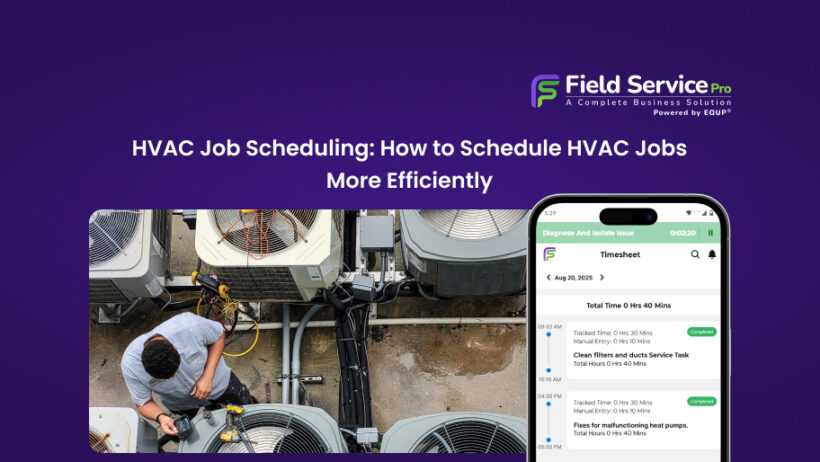

Manual HVAC job scheduling has a limit and most growing service businesses hit it faster than they expect. Double bookings pile up. Drive time between jobs gets inefficient. Emergency calls that come in after hours go straight to voicemail. During peak cooling and heating season, when call volume can spike anywhere from 5 to 8 times your normal daily load, even a well-run team starts to crack under the weight of spreadsheets, sticky notes, and group chats.
The result is expected. Missed revenue, burned-out dispatchers, and customers who call someone else next time.
HVAC scheduling software exists specifically to break this cycle. It replaces the chaos of manual coordination with a single, connected system that handles job booking, technician dispatch, customer notifications, and maintenance scheduling, all in one place. But with dozens of platforms on the market, choosing the right one seems difficult.
In this guide, you’ll learn exactly what HVAC service scheduling software does, which features actually matter for field service teams of different sizes, and how to evaluate your options without wasting a month on demos that lead nowhere. Whether you’re running a two-truck residential operation or managing a commercial HVAC team across multiple sites, this guide covers what you need to make a confident decision.
What Is HVAC Scheduling Software?

HVAC scheduling software is a purpose-built digital platform that manages your entire service operation, from the moment a customer books an appointment to the second your technician closes out a job, and an invoice hits the client’s inbox. It’s also commonly referred to as HVAC service scheduling software.
Scheduling is just one layer. This guide on the best HVAC field service software explains how scheduling fits into the full business system. al depth. Business owners want better systems, not theory.
How Service Scheduling Software Is Different From a Generic Calendar
A standard calendar tells you when something is happening. HVAC scheduling software tells you who should be there, how to get there, what tools they need, and whether the customer is under a maintenance contract.
Let’s see what sets it apart from any off-the-shelf calendar or basic booking tool:
- Skill-based dispatch: Assigns jobs based on technician certifications and specializations, so a commercial refrigerant recovery job doesn’t land in a residential AC installer’s queue by accident.
- GPS routing and real-time tracking: Optimizes daily routes across multiple stops, cutting drive time and fuel costs while giving dispatchers live visibility into where every tech actually is.
- Work order management: Generates detailed job documentation automatically, including equipment history, required parts, and site notes, not a sticky note handed through a truck window.
- Maintenance contract scheduling: Automatically queues recurring seasonal visits tied to customer service agreements, so no preventive maintenance call ever slips through the cracks again. For businesses running service agreements, HVAC maintenance software ensures recurring visits are automatically scheduled and never missed.
A shared calendar will never flag that your only EPA 608-certified tech is double-booked on a refrigerant job. HVAC scheduling software will, and it’ll reroute around it before your dispatcher even picks up the phone.
Who Actually Uses It
Solo HVAC contractors use it to stop running their entire operation from a combination of memory, sticky notes, and phone call reminders. When you’re the owner and the technician, you can’t afford a missed callback or an overbooking, scheduling software acts as your virtual dispatcher.
Small residential teams (2–10 technicians) get the biggest operational lift. At this size, manual coordination breaks down fast. Technicians stepping on each other’s schedules, dispatchers managing chaos on whiteboards, service windows missed during peak season. Software brings structure without requiring a dedicated operations manager.
Mid-size commercial HVAC companies rely on it for a different reason entirely, i.e. contract compliance. Commercial clients expect documented preventive maintenance visits, detailed service reports, and guaranteed response windows. Managing that manually across dozens of client sites is a liability.
The residential vs. commercial distinction matters here because the use cases diverge significantly. Residential scheduling is largely reactive. A homeowner’s AC fails, they call you. Once jobs are scheduled, HVAC dispatch software helps assign the right technician based on location and availability.
Commercial scheduling is largely proactive. Planned maintenance visits, multi-site coordination, and contract-driven timelines that have to be tracked months in advance.
Good HVAC scheduling software handles both, but the features you’ll lean on hardest depend on which side of that line your business sits.
Signs You Need HVAC Scheduling Software

Most HVAC business owners look for scheduling software because something broke. A double-booked tech showed up at the wrong house, a $4,000 maintenance contract quietly lapsed, or peak season hit, and much more happened.
If you’re still on the fence about whether your current system is “good enough,” these 8 signals will tell you the right answer.
1. You’re Managing 5+ Technicians on a Whiteboard or Spreadsheet
A whiteboard works fine when it’s just you and one other tech. The moment you cross into 5 or more field employees, manual coordination becomes a full-time job. Spreadsheets don’t update in real time. Whiteboards don’t notify your tech when a job changes. And neither one tells you that two of your guys are scheduled at the same address at 10 AM on Thursday. If your dispatcher starts their morning by redrawing the same board they drew yesterday, that’s not a workflow. It becomes a daily fire drill.
If you’re managing both scheduling and dispatch, using a unified HVAC service software system removes the need for multiple tools.
2. Double-Bookings Have Happened More Than Once This Month
One double-booking is a mistake. Two in the same month is a system’s problem. Every time two technicians show up at the same job, or worse, neither shows up because each assumed the other was going, you’re wasting labor hours as well as damaging customer trust that took months or years to build. HVAC is a referral-heavy business. A homeowner who got stood up doesn’t quietly move on; they tell their neighbors.
3. Emergency Calls During Peak Season Go Unanswered
July heatwaves and January cold snaps are your highest-revenue windows, and also when your scheduling system is most likely to crash under pressure. If inbound emergency calls are falling through during peak demand because your dispatcher can’t see who’s available, where they are, or how long their current job will take, handing your revenue directly to a competitor who has a faster answer. Real-time availability visibility is the difference between capturing that call and losing it.
4. Techs Arrive at Jobs Without the Right Parts or Information
A technician pulling up to a job without the equipment history, the correct part, or even basic notes about what the customer reported, that’s a scheduling failure. When job details live in someone’s head, on a sticky note, or in a text message chain, critical information doesn’t make it to the field. The result is a tech who has to make a second trip, a customer who waited half a day for nothing, and a job that should have taken 2 hours stretching into tomorrow.
5. Customers Keep Calling to Ask “Where Is the Technician?”
If your front desk is fielding a steady stream of “Is someone still coming?” calls, that’s a symptom of 2 problems at once. First, customers have no visibility into their appointment status, and second, your team has no reliable way to give them a real answer. Modern HVAC service scheduling software solves this with automated appointment reminders, real-time technician tracking, and status notifications that go out without anyone picking up a phone. If your dispatcher is spending their afternoon tracking down techs to answer ETA questions, that time is being stolen directly from dispatch.
6. You Spend 2+ Hours Per Day on Scheduling Alone
Sit down and actually count the hours. Phone calls to confirm jobs. Text threads to shuffle appointments. Manually updating a spreadsheet every time something shifts. Calling techs to check their location. If your scheduling process is consuming 2 or more hours daily, and for most growing HVAC operations managing this manually, it is that’s 40 to 50 hours a month of administrative overhead. That time has a real cost, whether you’re paying a dispatcher to do it or doing it yourself instead of selling or running jobs.
7. Maintenance Contract Renewals Are Slipping Through the Cracks
Maintenance agreements are some of the most predictable, highest-margin revenue in the HVAC business. They’re also the easiest to accidentally ignore when you’re managing everything manually. A customer whose spring tune-up was supposed to happen in April and never got scheduled not just loses trust in your service but also starts wondering whether they need a new HVAC company. Tracking renewals and recurring visits in a spreadsheet or on a calendar requires someone to actively remember. HVAC scheduling software remembers automatically, and it prompts the right action before the window closes.
8. You Can’t See, in Real Time, Where Your Techs Are
If a customer calls at 2 PM asking when their tech will arrive, and your response is “let me call him and find out,” you don’t have a dispatch operation. Real-time GPS visibility isn’t a luxury feature reserved for large fleets. It’s a basic operational necessity the moment you have more than 2 or 3 techs in the field. Without it, you can’t accurately estimate arrival times, you can’t reroute around a job that’s running long, and you have no way to verify that your field team is where they’re supposed to be.
If 3 or more of these scenarios feel uncomfortably familiar, your current scheduling system isn’t scaling with your business and it’s actively working against it. That’s precisely the problem HVAC job scheduling software is built to fix.

Must-Have Features of HVAC Scheduling Software
Not all HVAC scheduling platforms are built the same. Some are overhyped calendar tools with a mobile app bolted on. Others are genuinely built for the operational realities of running field technicians across multiple job sites, service windows, and maintenance contracts simultaneously.
Below, we’ve listed important features to look for before you commit to any platform.
1. Drag-and-Drop Job Scheduler With Technician Availability View
The dispatch board is the nerve center of your operation, and it needs to work the way your brain works, i.e. visually. A proper drag-and-drop scheduler lets you see your entire day, week, or month at a glance, with jobs color-coded by technician, job type, priority level, or service zone. Rescheduling a job shouldn’t require deleting an entry and re-entering it somewhere else. It should take 3 seconds and a mouse drag.
More importantly, the availability view eliminates the guesswork that causes double-bookings. When a tech’s calendar is blocked because of an ongoing job, a parts run, or a personal day, that conflict shows up immediately, before you confirm anything with the customer.
2. Skill-Based and Location-Based Dispatch
Sending the nearest available technician sounds efficient until that technician hasn’t worked on the specific commercial chiller system the customer has on-site. Skill-based dispatch makes sure the right tech gets assigned based on certifications, specializations, and equipment experience.
Location-based logic and your dispatcher are now working with a system that factors in both competency and geography simultaneously. When a job changes or a tech runs long, real-time dispatch updates push directly to the technician’s mobile app. No phone call required, no message lost in a text thread.
3. Customer Self-Booking and Automated Reminders
Every customer who books online is a customer who didn’t tie up your front desk for 6 minutes. Self-booking portals let homeowners and commercial facility managers schedule service appointments at 11 PM on a Sunday without waiting for business hours. And the job lands directly in your dispatch queue, fully formed, without manual data entry. The automated reminder side of this feature is where the numbers get genuinely compelling.
4. GPS Tracking and Route Optimization
Real-time GPS visibility gives your dispatcher an accurate, live picture of where every technician is at any given moment. When a customer calls asking for an ETA, the answer is immediate and accurate instead of “let me find out and call you back.”
Route optimization goes a step further by sequencing a technician’s daily jobs in the most efficient geographic order, accounting for traffic, job duration estimates, and service windows. Conservative estimates from field service research put the time savings at 2 to 3 hours of windshield time per technician per week.
5. Recurring Maintenance Contract Scheduling
Maintenance agreements are the most reliable revenue stream in the HVAC business, and they’re also the most quietly breakable. When recurring visits are tracked manually in spreadsheets, on calendars, or in someone’s memory, an estimated 30% of contracts lapse simply because the follow-up never happens. The customer doesn’t cancel; the service just never gets scheduled, and eventually they move on.
HVAC scheduling software with built-in maintenance contract management auto-generates recurring jobs based on contract terms. The system schedules the visit, notifies the customer, and queues it for dispatch without anyone on your team having to remember it exists. That’s the difference between a maintenance agreement program that pays for itself and one that quietly bleeds revenue.
6. Mobile App for Field Technicians
A technician who arrives on-site with full access to the customer’s equipment history, previous service notes, warranty status, and job-specific checklists performs better than one working from memory or a paper work order. The mobile app is what bridges your back-office system to the field in real time.
Disapprovingly, the best HVAC field service apps include offline functionality because cell coverage on commercial rooftops, in mechanical rooms, and in rural residential areas is frequently unreliable. Jobs shouldn’t stall because of a dead signal zone. Technicians need to be able to complete work orders, capture photos, and update job status even when they’re offline, with the data syncing automatically once connectivity resumes.
7. Work Order Management
Digital work orders replace the paper forms that get coffee-stained in a truck cab and scanned illegibly 3 weeks later. A proper work order in HVAC scheduling software includes structured fields for job details, equipment information, parts used, labor time, technician notes, and customer sign-off. All of this is captured on a mobile device and stored automatically in the customer’s record.
Photo documentation is particularly valuable. Before-and-after photos attached to a work order protect you from liability disputes and give commercial clients the documentation their facilities teams require.
8. Integrations With QuickBooks, Marketing Automation, and Payment Processing

Scheduling software that doesn’t talk to your accounting system creates a data entry tax. Every completed job has to be manually re-entered somewhere else before it becomes an invoice. For most HVAC businesses, QuickBooks sync is the baseline integration requirement. Completed work orders should flow directly into billable invoices without anyone retyping job details.
Beyond accounting, marketing automation allows you to remind your customers about new offers, special discounts and price drops. This way you can stay in touch with them. On the other hand, connected payment processing means customers can pay at job completion from their phone or from an emailed invoice link. This accelerates your cash cycle without adding an accounts receivable step.
Residential vs. Commercial HVAC Scheduling: Key Differences
HVAC scheduling software isn’t one-size-fits-all. Before evaluating any software, it helps to be clear on which side of this line your business sits, or whether you’re managing both simultaneously.
Residential HVAC Scheduling Needs
Residential work is high-volume and fast-moving. Jobs typically run 1-3 hours, technicians may complete 5-8 calls in a single day, and customers expect the same communication experience they get from any modern service business.
The features that matter most on the residential side are customer-facing:
- Online Self-Booking
- Automated SMS and Email Reminders
- Real-Time Technician Tracking
- Mobile Payment Processing
Dispatching is quite simple, usually one tech, one address, one job. Speed and customer communication quality are the competitive differentiators.
Commercial HVAC Scheduling Needs
Commercial scheduling operates on an entirely different logic. A single client might mean a property management company with 12 buildings across 3 cities, each with its own equipment inventory, compliance documentation requirements, and service history. Job scope is larger, teams rather than solo technicians are frequently deployed, and project-level scheduling that spans days or weeks is common.
The software requirements shift accordingly:
- Nested client and site profiles that keep multi-location accounts organized.
- Compliance form management for work that requires sign-off documentation, and dispatch tools.
- Contract maintenance on the commercial side also tends to be more complex.
| Feature Need | Residential | Commercial |
|---|---|---|
| Typical job duration | 1–3 hours | 4–16+ hours |
| Technicians per job | 1 | 1–4+ (crew-based) |
| Dispatch complexity | Low–Medium | High |
| Client profile structure | Single site | Multi-site, nested |
| Customer communication priority | High (SMS, reminders) | Medium (account managers) |
| Compliance documentation | Minimal | Extensive |
| Payment workflow | At job completion | Invoiced, net terms |
| Self-booking portal | Essential | Rarely used |
If your business is primarily residential, prioritize platforms with strong customer communication tools, a clean self-booking experience, and a mobile app your technicians can actually use quickly between back-to-back calls. Operational simplicity matters more than deep customization.
If you’re running commercial accounts, the non-negotiables shift to multi-site client management, crew scheduling capability, and robust work order documentation.
And if you’re running both, which is common for mid-size HVAC companies, look for software that handles the full spectrum without forcing you to choose a mode.
How HVAC Scheduling Software Handles Peak Season Demand
There are 2 months every year that reveal exactly how good, or how fragile, your scheduling operation really is. In most parts of the country, that’s July and January. The first heat wave of summer or the first serious cold snap of winter can push daily call volume from a manageable 15–20 service requests to well over 100 in the span of 48 hours. That’s not an exaggeration. Industry data consistently shows that HVAC service call volume spikes 5 to 8 times above baseline during extreme weather events.
Manual scheduling simply was not built for that kind of surge. A dispatcher who handles 20 jobs a day with a spreadsheet and a phone becomes a bottleneck the moment that number doubles. Jobs get stacked on top of each other. Technicians get sent to the wrong addresses. High-priority emergency calls sit in a voicemail queue while your team is chasing a non-urgent tune-up across town. By the time you’ve sorted the mess, 3 customers have already left one-star reviews, and 2 of them have called a competitor.
The busiest weeks of your year should not also be your most disorganized ones.
How scheduling software handles the surge
The core advantage of HVAC scheduling software during peak season is both its speed and structure. When your system already knows each technician’s location, availability, skill set, and current job load, you’re not starting from zero every time a new call comes in. You’re making decisions from a live picture of your entire operation.
Emergency calls get flagged and prioritized automatically, with instant notifications pushed to the technician closest to the job, and not just whoever picks up the radio first. Customers get real-time ETA updates by text, which cuts the “where is my tech?” call volume dramatically and frees your dispatcher to focus on the jobs that actually need human judgment.
Online booking runs around the clock, so the calls that come in at 11 PM on the hottest night of August don’t go to voicemail. Such calls go straight into your schedule queue, with the customer already confirmed and a job slot held. By morning, your dispatcher walks into a day that’s already half-organized instead of starting from a blank calendar with 40 messages to return.
Thus, the bottom line is that HVAC service scheduling software doesn’t just help you survive peak season but also turns the busiest weeks of the year into your most efficient ones.
HVAC Scheduling Software Pricing: What to Expect in 2026

Pricing is where most buying decisions either click into place or stall out entirely. The good news is that HVAC scheduling software does not have to cost what enterprise platforms charge. The range is wide enough that a two-truck residential operation and a 30-technician commercial company can both find something that fits. But you must know what you’re actually paying for at each tier.
Typical pricing tiers
Most platforms fall into one of three categories. Below is what you get at each level and who it’s genuinely built for:
| Tier | Monthly cost | Best for | What’s included |
|---|---|---|---|
| Entry | $39 – $65 | Solo operators, 1–2 techs | Core job scheduling, basic calendar, customer records, mobile access |
| Mid-tier | $100 – $300 | Teams of 3–15 technicians | Multi-tech dispatch, GPS tracking, CRM, invoicing, QuickBooks integration, online booking |
| Enterprise | $400 – $600+ | Large teams, multi-location | Full suite, including payroll, marketing, advanced reporting, custom workflows, dedicated support |
What drives the price up
The base subscription is rarely the full number. Most platforms are priced by technician seat. This means a team of 8 pays meaningfully more than a team of 3 on the same plan. Beyond headcount, the variables that push monthly costs higher are add-on modules (marketing automation, payroll processing, customer portal access), the number of physical locations you’re managing, and whether you need API access to connect with tools outside the platform’s native integrations.
The ROI: what poor scheduling actually costs you
The actual question isn’t “can I afford scheduling software?” It should be “What is disorganized scheduling costing me right now?”
Between double-booked jobs, inefficient routing, missed emergency calls during peak season, and maintenance contracts that lapse because no one followed up, small HVAC service businesses can lose an estimated $80,000 to $150,000 in annual revenue to scheduling failures alone. That number accounts for lost jobs, wasted technician drive time, and customer churn from a poor service experience.
A mid-tier HVAC scheduling platform at $200 per month costs $2,400 per year. Most HVAC operations that switch from manual processes recover that cost within 60 to 90 days. This happens not through dramatic operational overhauls, but simply by eliminating the daily friction that quietly drains time and revenue.
Want the full breakdown of what field service software costs across different platform types? Read: Cost of Field Service Management Software — Complete Guide
FAQs
When a customer books a service call, HVAC job scheduling software assigns the job to an available technician based on location, skill set, and current workload. The technician receives the job details instantly on their mobile app. The system tracks job progress in real time, sends automated status updates to the customer, and logs completed work into the business’s records. This happens all without a dispatcher manually coordinating each step.
The best HVAC scheduling software for small businesses balances ease of use with the core features a growing team actually needs. These features include drag-and-drop scheduling, GPS dispatch, automated customer reminders, and mobile access for field technicians. Platforms like FieldServicePro are built specifically for teams of 2–15 technicians and offer these capabilities without the bloated pricing or complex onboarding of enterprise tools like ServiceTitan.
Yes, most modern HVAC scheduling platforms include emergency call prioritization that flags urgent jobs and instantly notifies the nearest available technician.
Most mid-tier and enterprise HVAC service scheduling software includes a native QuickBooks integration or a direct API connection. This allows completed work orders to flow automatically into your accounting software as invoices, thus eliminating double data entry and reducing billing errors.
HVAC scheduling software typically costs between $100 and $600+ per month depending on team size and features. Entry-level plans for solo operators or small crews start around $39-$65/month/per user. Mid-tier plans covering multi-tech dispatch, GPS, CRM, and integrations run $100–$300/month/2-3 users. Enterprise platforms with advanced reporting, payroll, and multi-location management can exceed $400–$600/month. Most platforms price by the number of technician seats.
HVAC scheduling software focuses on organizing and assigning jobs in advance, such as managing calendars, booking windows, and appointment slots. Dispatching software handles the real-time coordination of getting a technician to a job, including routing, live GPS tracking, and instant communication.
The Bottom Line on HVAC Scheduling Software
Disorganized scheduling is not a minor inconvenience. It’s a slow drain on revenue, technician morale, and customer trust. The businesses that get HVAC scheduling right are not necessarily the ones with the largest teams or the biggest budgets. They’re the ones that stopped trying to run a field service operation on tools that were never built for it.
The right HVAC scheduling software does not ask you to change how your business works. It fits around your dispatch process, your technicians’ workflow, and your customers’ expectations. It pays for itself, for most operations, within the first 60 to 90 days. At that point, the question is not whether you can afford it, but how much longer you can afford not to have it.
If you’re ready to move from reactive chaos to a schedule that actually runs itself, the next step is straightforward – pick a platform built for HVAC service teams, run one real week of jobs through it, and see what changes.
With FieldServicePro, scheduling, dispatch, and job tracking happen in one place so your day runs smoothly even during peak season.