



You signed up for a free trial. The onboarding call ran 90 minutes. By day three you still could not log a finished job without contacting support, and by day seven you were back on your spreadsheet.
That is a common story for lean HVAC teams, and it rarely means the owner is bad with technology. It usually means the platform was designed for a company with a dedicated dispatcher, an office manager and someone whose job is administering the software.
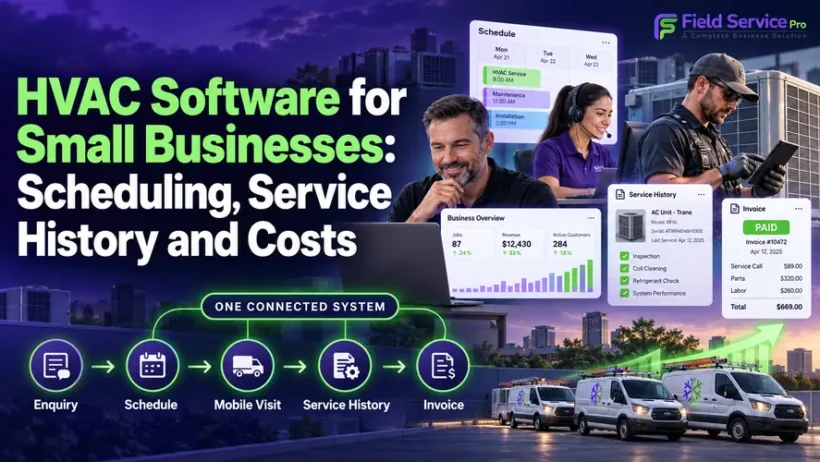
This guide is the starting point for HVAC owners with roughly 1 to 10 technicians. It explains what the software should do, how a job moves from enquiry to invoice, what to check in dispatch, mobile work orders and service history, how maintenance visits fit in, what it costs, and how to run a trial that tells you the truth. Where a topic deserves more depth, it links to a dedicated guide.
What is HVAC Software for Small Businesses?
HVAC software for small businesses is a field service management system that lets a lean team take an enquiry, schedule and dispatch a technician, complete the job on a phone or tablet, record what was done on which piece of equipment, and invoice and collect payment, all in one place. It is sometimes called HVAC small business software, HVAC service software for small business, or HVAC service business software. The names differ; the job is the same: replace the mix of calendar, text threads, paper tickets and spreadsheets with one record of every customer, system and visit.
For a team of this size, the test is not how many features a platform has. It is whether the owner, the person answering the phone and the technician in the attic can each do their part without training, and whether the whole chain from first call to paid invoice stays connected.
What the owner, the office and the technician each need
In a small HVAC company, one person often wears several hats, but the three roles still need different things from the software. Judge any platform from each seat.
The owner needs a clear view of the business without assembling it by hand: jobs booked, jobs completed, invoices outstanding, and revenue by job type or technician. If answering “how did we do last month?” means opening three spreadsheets, reporting is not working. Owners also need pricing that does not jump sharply with every hire.
The office or dispatcher needs to capture an enquiry quickly, see technician availability on a single schedule, assign or move a job in a few clicks, and keep customers informed without making calls. When the person booking jobs is also running service calls, every extra step costs real time.
The technician needs the job details, address, access notes, equipment record and past visits on their phone before arriving, a way to record work, add photos, build a quote and collect a signature or payment on site, and an app that does not fail in a basement or on a rooftop.
If a platform serves only one of these seats well, the other two will work around it, and that is how data ends up back in text messages and notebooks.
An enquiry-to-invoice example
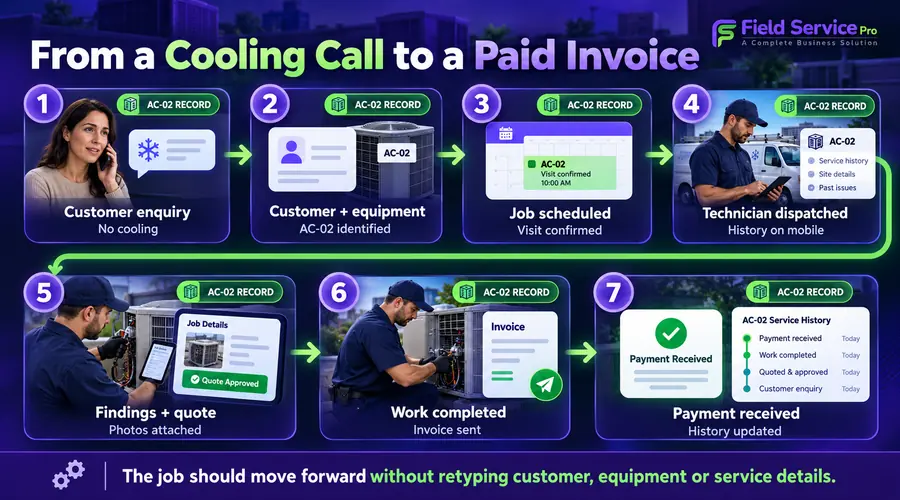
A useful way to evaluate any system is to follow one ordinary job from end to end. Here is a typical residential repair call for a team of four technicians.
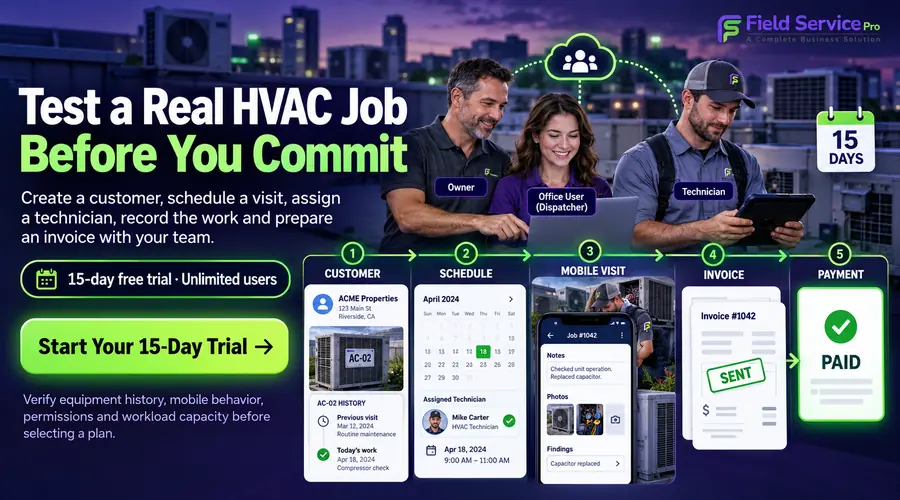
- Enquiry. A homeowner calls on a hot afternoon about an air conditioner that is running but not cooling. The office creates the customer record, or finds the existing one, and sees there are two systems at the address and a service visit last spring.
- Scheduling. The dispatcher checks availability, books the slot, and assigns a technician. A confirmation goes to the customer automatically.
- Dispatch. The technician sees the job on their phone with the address, the customer’s notes, and the history of the specific unit.
- On site. The technician arrives, with an on-the-way notice already sent. They diagnose a failed capacitor, record findings and photos against the correct unit, and build a quote for the repair on the spot.
- Approval and work order. The customer approves and signs on the phone. The quote converts to the work order without anyone retyping it.
- Completion and invoice. The technician marks the job complete, adds parts and labor, and sends the invoice, collecting card payment before leaving if the customer wishes.
- Back office. The invoice and payment sync to the accounting system. The visit is added to the equipment history. A follow-up or maintenance reminder is queued.
Watch for where your current process breaks in this chain. For most small teams it is steps 3 and 6: technicians arrive without context, and invoices wait until the end of the day, or the end of the week. Software earns its cost by closing those gaps, not by adding steps.
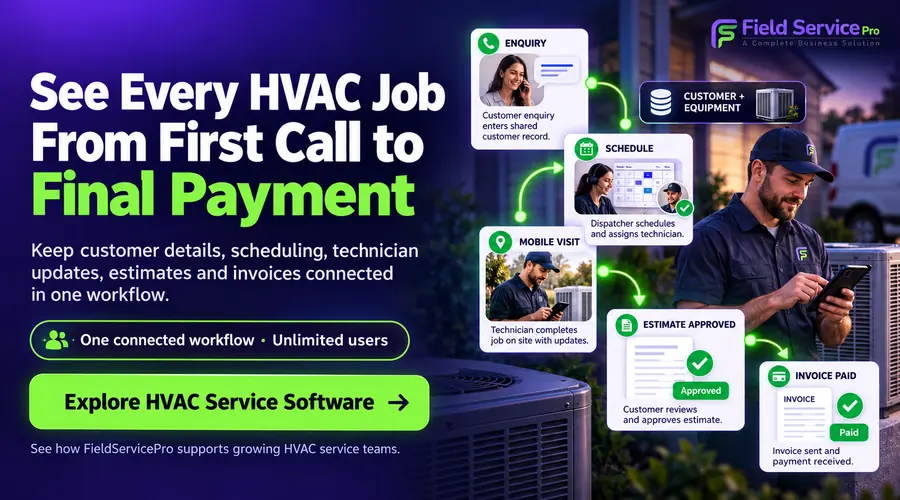
Dispatch: keeping one schedule everyone trusts
Dispatch problems in small HVAC teams usually come from having more than one source of truth, such as a wall calendar, a shared sheet, a group chat, and the dispatcher’s memory. The result is double bookings, missed texts and a morning spent confirming who is going where.
Good small-team dispatch comes down to a few practical things:
- One calendar that office staff, owners and technicians all see, updated in real time.
- Fast assignment. You should be able to book, move or reassign a job in a few clicks while the customer is still on the phone.
- Visibility of who is free and roughly where, so urgent calls can be slotted sensibly.
- Automatic customer messages: confirmations, day-before reminders and on-the-way alerts, so the office is not sending them by hand.
- Immediate notification to the technician when a job is added or changed, without a separate message.
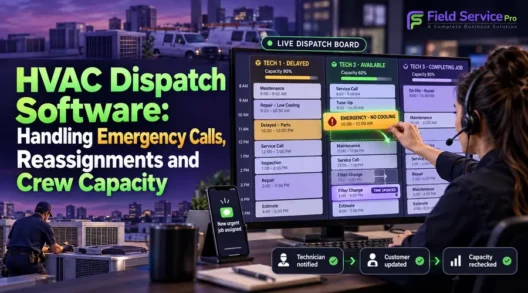
At two or three trucks, you do not need route-optimization algorithms. You need a schedule that is accurate and quick to change. As volume grows, our guides on HVAC scheduling software and HVAC dispatch software go deeper on both.
Mobile work orders that work in the field
The mobile app is where small-team software succeeds or fails, because that is where technicians record the work. A work order should hold everything needed to do and document the job, and it should be usable on a rooftop or in a plant room.
Check that the mobile work order lets a technician:
- Open job details, customer notes and access instructions before arriving.
- Complete checklists or job forms for the type of visit.
- Add notes and photos, and attach them to the right piece of equipment.
- Create a quote on site and, once approved, convert it into the work order without re-entry.
- Capture a customer signature.
- Send an invoice and take payment from the same screen.
- Work offline and sync automatically once the signal returns.
The offline point deserves a real test. Basements, rooftops and commercial buildings often have poor signal. During a trial, put the phone in airplane mode and try to open a job, add a note and photo, and mark it complete. If any step fails, the app will fail on a real job too. For more on what technicians need day to day, see our guide to HVAC service technician software.
Equipment and customer history
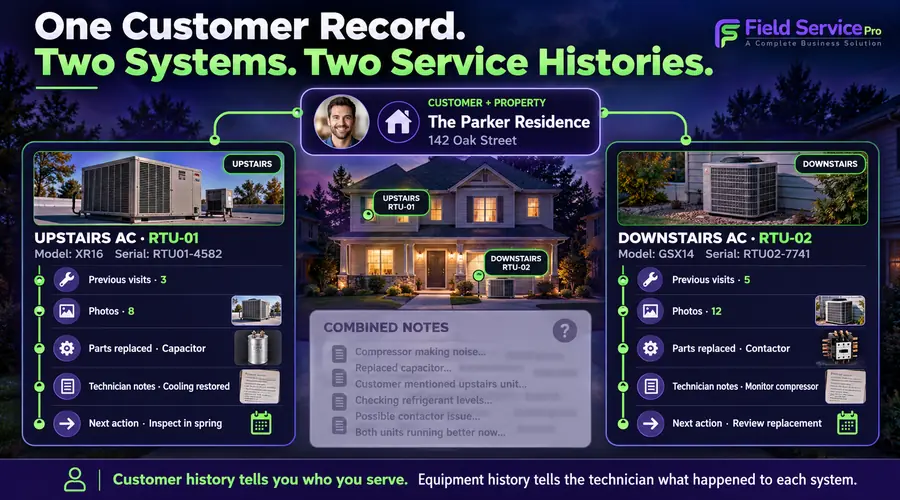
Customer history answers “who is this and what have we done for them?” Equipment history answers the question HVAC actually depends on: “what is installed, how old is it, and what has been done to it?”
The distinction matters. A home may have an upstairs and a downstairs system, or a furnace and a separate air conditioner, with different ages, models and repair records. If all notes sit in one customer record, technicians have to sort through irrelevant entries on every visit, and the customer who calls to ask whether the capacitor was replaced last summer gets put on hold.
What to look for:
- Records at the unit level, not just the customer level, with model, serial number, install date and location where available.
- Visit history per unit: past repairs, parts replaced, readings and technician notes.
- Photos and documents attached to the equipment or the job.
- Access from mobile, so the technician sees history before reaching the door, and the office can answer a call in seconds.
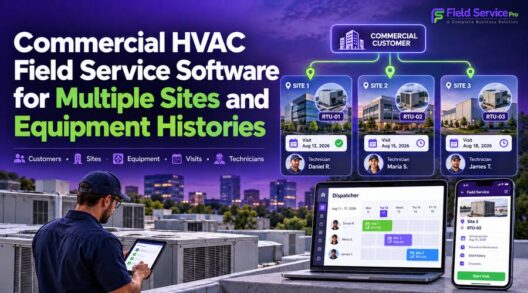
- Multiple properties per customer, which becomes important for landlords and small commercial accounts. Larger multi-site operations are covered in our guide to commercial HVAC field service software.
Good history also feeds revenue. A technician who can see that a system is 14 years old, has had two repairs in two years and has no maintenance agreement is better placed to have a useful conversation about replacement or a service plan.
Maintenance visits and recurring work
Recurring maintenance gives a small HVAC company steadier income than relying on the phone ringing, but only if it is easy to run. Many small teams track agreements in a spreadsheet and rely on someone remembering to book spring and fall visits.
Check whether the software can:
- Store a service agreement against the customer and the specific equipment it covers.
- Create the recurring visits automatically from that agreement, rather than leaving a dispatcher to book each one by hand. Some systems track contracts but still need someone to create every job when it falls due.
- Send reminders before seasonal visits and before an agreement expires.
- Use a maintenance checklist so every visit is recorded consistently against the unit.
- Bill recurring agreements without manual invoicing.
For a fuller look at running agreements and planned maintenance, read our guide to HVAC maintenance and management software.
Costs and workload limits
Pricing for this category varies widely. The figures below are indicative ranges for planning, not quotes, and you should confirm current pricing with any vendor before deciding.
| Team stage | Typical monthly range | What you usually need |
|---|---|---|
| Solo operator (1 truck) | About $39 to $65 | Scheduling, mobile invoicing, basic customer and equipment records |
| Small team (2 to 5 technicians) | About $75 to $200 | Multi-technician dispatch, mobile access for all, automated reminders, accounting sync |
| Growing operation (6 to 10 technicians) | About $150 to $350 | Maintenance agreements, reporting, fuller CRM, office roles and permissions |
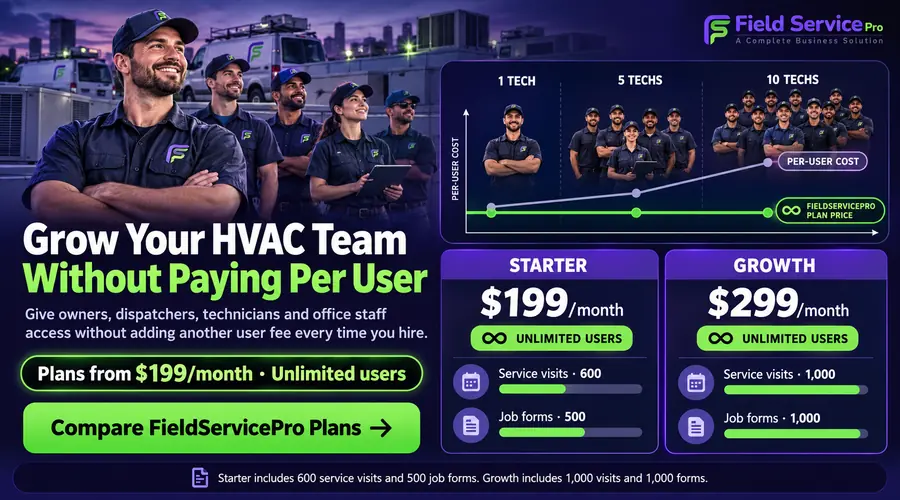
Per-seat versus flat pricing. Per-seat plans scale with every hire. At $35 per technician, three technicians cost $105 a month, ten cost $350 and twelve cost $420. That is not wrong, but model it for the team you expect to have in a year, not only the one you have today. Also ask what is billed separately: office users, extra modules, payment processing, onboarding or support.
Workload limits. The right size of system depends on how much work one or two people can realistically manage. A useful rule: if the software needs a dedicated administrator, it is too big. Features such as AI-driven dispatch across large crews, marketing attribution dashboards, advanced payroll rules, multi-location management and custom workflow builders can be valuable at scale, but they add cost and complexity before a lean team can use them. Choose a platform that handles the daily chain well and can add capability as you grow, so you do not have to switch when you hire your sixth or eighth technician.
For a wider look at what field service platforms charge, see our cost of field service management software guide and our field service software pricing comparison. Current FieldServicePro plans are on the pricing page.
A trial checklist for small HVAC teams
Run the trial yourself, with your own jobs, not in a guided demo. Use real customers (or realistic test ones) and keep a note of anything that needs a workaround.
Setup
- Can you import or add customers and equipment in a single sitting?
- Can you add technicians and give them mobile access without a call to support?
The 3-minute test
- Create a customer, schedule a job, assign it, complete it and send an invoice in about three minutes without help.
Dispatch
- Can you move a job and see who is free at a glance?
- Does the technician get the change on their phone immediately?
- Do customers get confirmations and reminders in your business name?
Mobile and offline
- Can a technician complete a whole job, with notes, photos and signature, in airplane mode?
- Does everything sync without manual steps afterwards?
History and equipment
- Can you record two systems at one address as separate units with their own history?
- Can you find a past repair in under ten seconds?
Quotes, invoices and payments
- Can a technician quote on site and convert the approved quote into a work order without retyping?
- Can you take card payment from the mobile app?
- Does the accounting sync handle invoices, payments and refunds, and is it native or via a third-party connector?
Maintenance
- Can you create an agreement that generates recurring visits automatically?
Cost
- What will the plan cost at your headcount today and in a year? What is charged on top?
If the vendor cannot show you the workflow a three-technician team uses in its first week, treat that as useful information.
Go deeper: guides for specific needs
This page is the overview. These guides cover individual topics in more detail:
- HVAC service software: how FieldServicePro supports HVAC service businesses, product by product.
- Best HVAC field service software: a comparison of options for growing businesses.
- HVAC scheduling software and HVAC dispatch software: booking and assigning work.
- HVAC service technician software: the mobile experience in the field.
- HVAC maintenance and management software: agreements and recurring visits.
- Commercial HVAC field service software: multiple sites and equipment histories.
- Cost of field service management software: pricing models and budgeting.
Frequently asked questions
It is a field service management platform for owner-operators and teams of roughly 2 to 10 technicians. It covers scheduling, dispatch, mobile work orders, equipment and customer history, invoicing and payments in one system, without heavy setup or a dedicated administrator.
Indicative ranges run from about $39 to $65 a month for a solo operator, about $75 to $200 for a team of two to five, and higher for larger teams that need maintenance agreements and reporting. Confirm current prices with each vendor, and check whether pricing is per seat or flat.
The best choice is the one your team will actually use from the first week. Look for quick scheduling, a mobile app that works offline, unit-level equipment history, on-site invoicing and reliable accounting sync. Our comparison of the best HVAC field service software covers named options.
Yes, when you are the technician, dispatcher and bookkeeper, one system replaces several separate tools and cuts down the paperwork that tends to pile up at the end of the day.
It varies. Platforms built for small teams should let you add customers, technicians and job templates in a single session. If a vendor needs several onboarding calls before you can schedule a first job, that is worth weighing.
Enterprise platforms are built for larger crews with dedicated dispatchers and administrators, and carry more configuration, permissions and cost. Small-business software focuses on the daily workflows a lean team actually runs.
The bottom line
Running an HVAC business on spreadsheets, text threads and paper invoices works until it does not: a double booking, an invoice that never went out, a technician who arrives without knowing what was done last time. The right software connects the chain from enquiry to invoice and keeps a usable record of every customer and system, without demanding more time than it saves.
If you want to see how that works for a team your size, explore FieldServicePro’s HVAC service software, check the pricing, or schedule a demo.