


It’s a typical summer afternoon, and your HVAC dispatcher is juggling five technicians using nothing more than phone calls, sticky notes, and a whiteboard. An urgent call comes in. Someone’s AC has stopped working in peak heat. The dispatcher scrambles to figure out who’s closest, but there’s no real-time visibility. Two technicians accidentally get assigned to the same job, while another nearby request goes unnoticed. The customer waits, gets frustrated, and leaves a 1-star review.
This kind of chaos isn’t rare; it’s what many HVAC businesses deal with daily when dispatching is handled manually. Missed opportunities, delayed responses, and poor coordination don’t just hurt operations but also impact revenue and reputation.
This is exactly where HVAC field service dispatch software changes the whole scenario. Not with complicated technology or a system that takes 3 months to learn, but with one live view of your team, your jobs, and your schedule that everyone can see and act on in real time. When the next emergency call comes in, you are not guessing who is closest. The answer is right in front of you.
The rest of this guide breaks down exactly how HVAC dispatch software works, what to look for when choosing one, and why the right tool pays for itself faster than most small HVAC businesses expect.
What Is HVAC Dispatch Software?
At its core, HVAC dispatch software is a tool that helps you manage which technician goes to which job and tracks everything that happens between the moment a customer calls and the moment the job is marked complete. It sits between your office and your field team, replacing the phone calls, the whiteboard updates, and the back-and-forth texts with one shared system that everyone works from.
Dispatching is only one part of the system. If you’re comparing complete solutions, this guide on the best field service software for HVAC businesses breaks down how everything connects.
It Is Not Just a Scheduling Tool

Most people hear “dispatch software” and think it is just a fancier calendar. But, it is not.
A generic scheduling tool can tell you that a job is booked at 3 PM on Tuesday. That is where it stops. HVAC service scheduling software goes several steps further. It shows you which of your technicians is currently free, who is geographically closest to the job site, whether that tech has the certifications the job requires, and how long their current job is expected to run before they are available. While scheduling handles time slots, HVAC scheduling software focuses on planning jobs efficiently before dispatch even begins.
When an emergency call comes in and you need to reshuffle the entire afternoon, you can do that in a couple of clicks instead of 20 mins of phone calls. That alone changes how your day feels and how your customers experience your business.
HVAC dispatch software is the system that gets the right technician to the right job at the right time, automatically, not manually.
How HVAC Dispatch Software Works: The Complete Job Flow
Most experts share their experiences about what HVAC dispatch software does. Very few actually show you how it works from the moment a customer picks up the phone to the moment your tech drives away from the job site.
This part is worth understanding because once you see the full flow, you stop thinking of dispatch software as an admin tool and start seeing it as the operating backbone of your entire service business.
Below is a detailed breakdown on how a complete job moves through HVAC field service dispatch software, start to finish.
Step 1: The Customer Books a Call
It starts with an inbound request through a phone call, an online booking form, or a message through your website/WhatsApp. However the customer reaches you, the software captures it and creates a job card automatically.
That job card is not just a name and address. It pulls in the customer’s full history, like previous service visits and any notes your team has logged over the years. Before a technician is assigned, the office already knows they are a recurring customer, their system is a 2019 Carrier unit, and the last visit flagged a refrigerant issue worth monitoring.
That context used to live in someone’s memory or a folder in a filing cabinet. Now it is attached to every job from the moment it is created.
Step 2: The Job Appears on the Dispatch Board
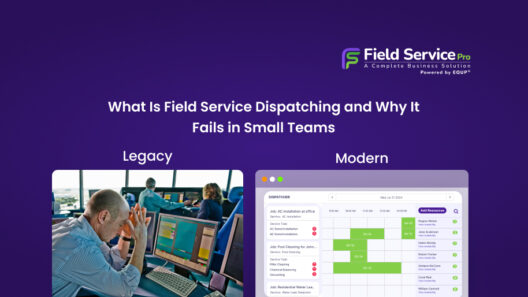
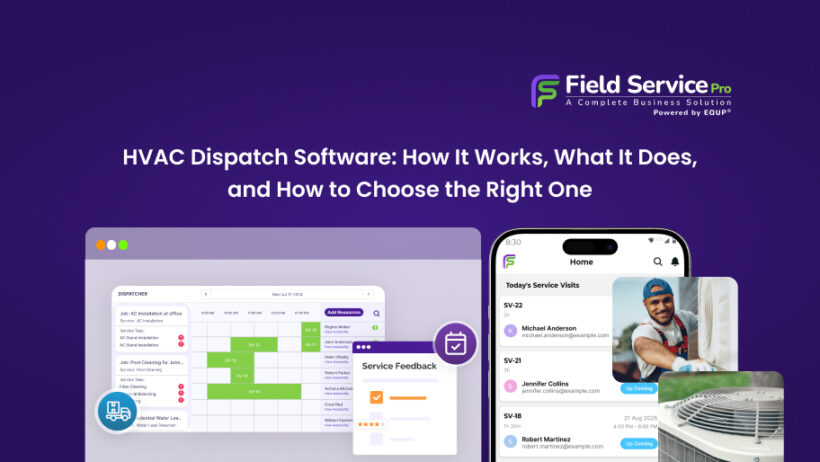
The new job card lands on the dispatch board, which is a live, visual overview of your entire day. Your dispatcher can see every open job, every technician’s current status, and where each truck is on the map, all in one screen.
Nothing gets lost in a text thread. Nothing sits in someone’s inbox waiting to be forwarded. The job is visible, unassigned, and ready to be acted on the moment it comes in.
Step 3: The Right Tech Gets Assigned
This is where HVAC dispatch software earns its keep. Instead of the dispatcher calling around to figure out who is free, the software surfaces the best available option based on real data. This includes – who is geographically closest to the job site, whose current job is nearly complete, and whether the tech has the certification or experience the job requires.
Some platforms do this automatically with smart assignment logic. Others surface a ranked suggestion and let the dispatcher confirm. Once assigned, technicians rely on HVAC service technician software to access job details, update status, and complete work on-site.
Step 4: The Tech Is Notified Instantly
The moment the job is assigned, the technician gets a push notification on their mobile app. Not a phone call. Not a text. A full job brief – customer name, address, job type, access instructions, equipment details, and service history is delivered directly to their phone before they have even started the engine.
Your tech shows up informed. They already know what they are walking into. That changes the entire tone of the visit for the customer. It also saves the back-and-forth calls that eat up both the dispatcher’s and the tech’s time on the road.
Step 5: The Tech Updates the Job Status in Real Time
From the moment the tech leaves for the job, the mobile app becomes the communication channel between the field and the office. Status updates move through a simple sequence:
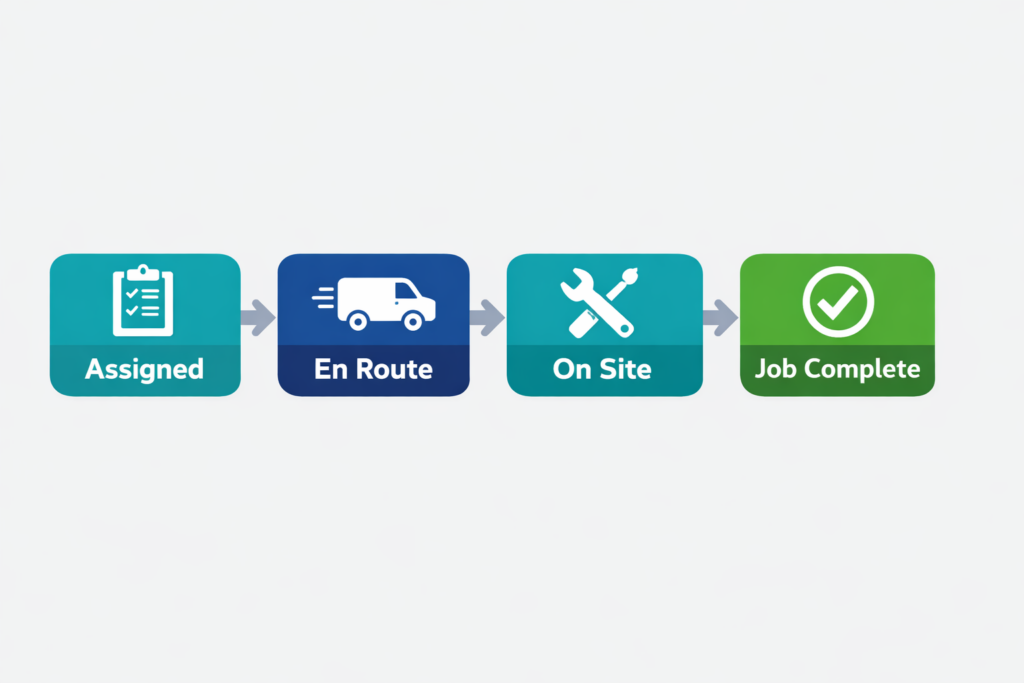
Each update is time-stamped and visible to the dispatcher in real time. The office knows when the tech arrived. They know if the job is running long. They can see when it wraps up without making a single phone call.
If a customer calls to ask where their tech is, the dispatcher does not have to guess. The answer is right there on the screen.
Step 6: The Invoice Goes Out Before the Tech Leaves
Once the job is marked complete, the software generates an invoice directly from the work order. The labor, parts, and any additional charges are already logged; the tech entered them on-site through the app.
The invoice goes to the customer by email or SMS before the van pulls out of the driveway. No end-of-day invoicing batch. No jobs that slip through and get billed a week late. Payment can often be collected on-site through the same app.
This step alone is where a lot of HVAC businesses quietly recover thousands of dollars a month that were previously slipping through late or unbilled.
Step 7: The Office Stays in Control Through the Whole Day
While all of this is happening across your fleet, the dispatcher has a live view of the entire operation. Jobs completing ahead of schedule can free up a tech for something new. A job running long gets flagged before it causes a ripple effect on the afternoon’s bookings. An emergency call that comes in at 4 PM can be slotted in without blowing up the day.
The dispatcher stops firefighting and starts actually managing because they can finally see everything at once.
Key Features HVAC Dispatch Software Should Have

Not all dispatch tools are built the same. Some do one or two things well and leave you piecing together the rest with workarounds. Others try to do everything and end up doing nothing particularly well.
Below we’ve listed a few capabilities that separate a dispatch tool that actually improves how your business runs from one that just adds another screen to stare at.
1. A Visual Dispatch Board That Shows You Everything at Once
The dispatch board is the heart of the whole system. If it is confusing to read or slow to update, the rest of the features do not matter, your dispatcher will stop using it within a week.
A good dispatch board gives you a complete picture of your entire operation in one view. Each technician has their own color code so you can scan the screen and immediately know who is where and what they are working on.
Jobs are displayed with their current status – scheduled, dispatched, on site, or complete, so there is no ambiguity and no need to call anyone to check in.
What makes a dispatch board genuinely useful in a busy HVAC operation is drag-and-drop functionality. When a job needs to move because a tech called in sick, a job ran long, or an emergency just came in, you drag the job card to a new tech or a new time slot and the schedule updates instantly. Everyone sees the change in real time. No phone calls, no confusion, no one showing up to a job that has already been reassigned.
The board should also be filterable by skill set, certification, or zone. If a job requires a specific refrigerant certification and only two of your five techs hold it, you should be able to filter to those 2 immediately rather than scrolling through everyone.
2. Real-Time GPS Tracking
Knowing where your trucks are at any given moment sounds simple. In practice, it changes the way your entire dispatch operation runs.
When an emergency call comes in, real-time GPS tracking tells you instantly which technician is physically closest to the job site, not who you think might be nearby based on their last check-in. That distinction can mean the difference between a forty-minute response time and a fifteen-minute one. Customers notice that difference, and so does your reputation.
GPS tracking also gives you something quieter but equally valuable: proof of service. If a customer ever claims a technician never showed up, or disputes the time spent on site, the GPS log shows exactly when the van arrived, how long it was parked, and when it left. That kind of documentation protects your business in ways that a handwritten job sheet never could.

3. A Mobile App Your Technicians Will Actually Use
The mobile app is the field side of your dispatch system, and it only works if your technicians genuinely use it. That means it needs to be fast, simple, and reliable, not a stripped-down version of the desktop tool that requires four taps to do something basic.
At minimum, the app should let your techs see their full job queue for the day, pull up customer history and equipment details before walking into a property, update job status in real time, capture photos and notes on site, generate and send invoices, and collect payment before leaving.
One feature that often gets overlooked during the buying process is offline mode. HVAC technicians spend a lot of their time in places with poor or no signal. Before committing to any platform, test the mobile app in a low-connectivity environment and see what it can and cannot do without signal.
4. Automated Job Assignment
Manually matching technicians to jobs works fine when you have 2 techs and a slow day. It does not scale. As your team grows and your job volume increases, the time a dispatcher spends on assignment decisions adds up fast, and the margin for error grows with it.
Automated job assignment uses real data to surface the best match for each job. There are 2 main approaches worth understanding. Proximity-based routing assigns the closest available technician to a job, which minimizes drive time and improves response speed. Skill-based routing goes a step further. It filters by certification, experience level, or job type before applying proximity logic, so you are never sending an unqualified tech just because they happen to be nearby. The best dispatch tools combine both.
If you want dispatch, scheduling, and technician updates to work together instead of separately, a complete HVAC service software platform makes the difference.
5. Automated Customer Notifications
Every HVAC business gets the same inbound calls during a busy day. “Is someone still coming?” “How long will it be?” “Can you give me an update?” These calls are not the customer being difficult. They are filling an information gap that your business is leaving open.
Automated customer notifications close that gap without adding anything to your dispatcher’s workload. When a tech is assigned to a job, the customer gets a confirmation. When the tech is on the way, the customer gets an ETA. If the schedule shifts and the arrival time changes, the customer gets updated automatically.
The result is fewer inbound status calls, fewer frustrated customers, and a noticeably more professional experience, even if the rest of your operation is still a work in progress.
6. Work Order Management Connected to Dispatch
Dispatch and work orders need to live in the same system. When they do not, you end up with two sources of truth, and they are rarely in agreement.
When work orders are fully integrated with your dispatch tool, any update a tech makes in the field flows through immediately. They log a part used on site; it appears on the work order. They mark the job complete, the work order closes and triggers the invoice. The dispatcher does not need to chase anyone for paperwork at the end of the day because the paperwork is being completed in real time, from the field, by the person who did the work.
This connection also protects your billing accuracy. Jobs do not get invoiced based on what the office thinks happened. They get invoiced based on what actually happened, logged by the technician while they were still standing in front of the equipment.
7. Scheduling and Dispatch in One Platform
Dispatch without scheduling context is only half a tool. If your scheduling system and your dispatch system are separate, you are constantly working with incomplete information — and the gaps between the two systems are where mistakes happen.
When both live in the same platform, the relationship between a booked appointment and an assigned technician is automatic. The schedule feeds the dispatch board. The dispatch board reflects the schedule. When something changes in one, it updates in the other.
HVAC Dispatch Software for Small Businesses: What’s Different

Most of the content you will find about HVAC dispatch software is written with a mid-sized or growing operation in mind. A business with a dedicated office manager, a full-time dispatcher, and enough administrative bandwidth to onboard a complex platform and actually use it properly.
If you are running a small HVAC business with 2, 5 or 8 technicians, that description probably does not match your reality. In your world, the dispatcher is often you. The office manager is also you. And the person following up on unpaid invoices is, again, you.
That changes what you need from dispatch software entirely.
When the Owner Is the Dispatcher
In small HVAC businesses, dispatching rarely happens from a dedicated workstation with a second monitor and a headset. It happens from a truck cab between jobs. And from a kitchen table at 7 AM before the day starts. And from a phone in one hand while you are trying to talk a customer through what is wrong with their system.
The tools built for larger operations assume someone is sitting in front of a screen all day, actively managing the board. That is not your situation, and a platform designed around that assumption will frustrate you within the first week.
What you actually need is a system that manages the routine stuff on its own, so that your involvement as the dispatcher is limited to the decisions. Job notifications, status updates, customer confirmations, and invoice generation should all run without you touching them. Your job is to make the calls that require judgment. The software’s job is to handle everything else.
Why Per-User Pricing Is a Problem at Small Scale
Pricing structure matters more than most buyers realize when they are first evaluating dispatch software. Per-user pricing is the model most likely to create problems for small HVAC teams.
Flat-rate pricing models, where you pay a fixed monthly amount regardless of how many users are on the platform, tend to work considerably better for growing small businesses. You can add a technician without having a conversation about whether the software budget can absorb it.
We have broken down how HVAC service software pricing actually works, including what to watch for in the fine print, in our full guide to field service management software costs. It is worth reading before you commit to any platform.
What Actually Matters at Small Scale
Small HVAC businesses do not need every feature on a vendor’s marketing page. Half of those features were built for operations running 30 technicians across multiple service zones, and paying for them when you have 4 trucks on the road is just money leaving your account for no return.
What a small team genuinely needs from HVAC service software for small business comes down to 3 things.
- Mobile-first design: If the platform was built around a desktop experience and the mobile app is an afterthought, your technicians will not use it consistently. And inconsistent use means inconsistent data, which defeats the purpose of having the system in the first place. The mobile app should be the primary experience, not a reduced version of it.
- Fast, simple onboarding: A small business cannot afford to spend six weeks configuring software before it is usable. The platform should be operational within a day or two, with your jobs, customers, and team imported and ready to go. If the onboarding process requires a dedicated implementation consultant, that is a signal that the tool was built for a much larger operation than yours.
- Pricing that does not punish growth: As covered above, flat-rate plans protect your margins as you scale. Per-user pricing creates a ceiling that makes you hesitant to hire.
The non-negotiable below all 3 of those is that the tool has to work without a dedicated dispatcher sitting at a screen all day. If it requires constant manual input to function, it is not solving your problem. It is just replacing one manual system with another.
Matching the Right Features to Your Team Size
Not every small business is the same. A solo operator with 2 techs has different needs than a business with 8 technicians, 2 service vans, and a part-time office admin. Here is a straightforward breakdown of what actually matters at each stage:
| Business Size | What You Actually Need |
|---|---|
| 1–3 techs | Mobile app + basic dispatch board + invoicing |
| 4–10 techs | GPS tracking + skill-based routing + customer notifications |
| 10+ techs | Multi-zone dispatch + reporting + service agreement management |
The mistake most small business owners make is buying for where they want to be in 3 years rather than where they are right now. A platform loaded with enterprise features is expensive and overwhelming. It often means your team uses 10% of what you are paying for.
Start with the features your current operation actually needs. A good platform will scale with you when the time comes. A bloated one will slow you down from day one.
FAQs
Q: How is HVAC dispatch software different from scheduling software?
Scheduling software manages when jobs are booked. Dispatch software manages who goes to each job and tracks them while they’re in the field. The best HVAC tools combine both in one platform.
Q: Is HVAC dispatch software worth it for a small business with 2–3 techs?
Yes, even at small scale, the ROI comes from eliminating double-bookings, reducing drive time, and automating customer communication. Most small teams recoup the monthly cost within the first few jobs saved.
Q: What does HVAC dispatch software cost?
Field Service Pricing varies widely. Per-user models typically run $30–$150/user/month. Flat-rate models (like FieldServicePro) start around $199/month and include unlimited users, which is a better value as your team grows.
Q: Can HVAC dispatch software handle emergency calls?
Yes, good dispatch software lets a dispatcher drag-and-drop an emergency job onto the nearest available tech in seconds, automatically notifying the customer with a new ETA.
Q: Does HVAC dispatch software work without internet?
The best mobile apps include offline mode so technicians can update job status and capture notes even without signal. Check for this specifically if your techs work in basements, crawl spaces, or commercial rooftops.
The Bottom Line
HVAC dispatch software is what separates businesses that scale efficiently from those stuck managing daily chaos. When your dispatching runs on real-time visibility instead of phone calls and guesswork, your entire operation becomes faster, more predictable, and far more profitable. From assigning the right technician to reducing missed jobs and speeding up invoicing, the impact shows up almost immediately in both revenue and customer experience.
If you are evaluating tools or trying to understand what “good” actually looks like in practice, start with our complete breakdown of the best HVAC field service software options. You can also explore how scheduling fits into the bigger picture in our guide on HVAC job scheduling, or understand where most teams go wrong in dispatching in our detailed post on why field service dispatching fails in small teams.