



The customer called three months ago. The technician remembers the job. The office knows there was an estimate. Nobody can find the details.
That kind of problem becomes more common as an HVAC company adds customers, technicians, equipment records, maintenance visits, and sales opportunities. At some point, spreadsheets and scattered notes stop being enough.
An HVAC CRM can help, but the category is broader than it sounds. Some tools focus mostly on customer records and sales. Others also handle scheduling, dispatch, service agreements, invoicing, and field operations.
Residential service companies and commercial maintenance contractors often need very different things from the same software.
So we compared the best HVAC CRM software options by business size, service model, and day-to-day usefulness.
For a deep look at managing the entire service operation, explore our HVAC service software platform.
7 Best HVAC CRM Software for Service and Maintenance Companies in 2026
Put two HVAC companies side by side and their software needs can look nothing alike.
One may run a handful of residential calls each day and need a clean way to keep customers, estimates, and appointments organised. Another may be responsible for hundreds of units spread across offices, retail sites, or industrial properties, with recurring maintenance and service commitments attached to each location.
So a useful comparison cannot stop at feature counts. It has to consider the type of work the software is built to support.
If you are comparing CRM against broader service platforms, a proper guide to the best field service software for HVAC covers that wider category.
| Software | Best For | Published Starting Price | Pricing Model | Residential HVAC | Commercial HVAC | Maintenance Agreements |
| FieldServicePro | Growing HVAC teams | $199 per month | Flat company rate with unlimited users | Strong fit | Suitable | Recurring service workflows |
| ServiceTitan | Large and complex HVAC operations | Custom quote | Custom pricing per technician | Strong | Strong | Strong |
| Housecall Pro | Small and midsize residential companies | $59 per month billed annually | Plan and user based | Strong | More limited | Plan dependent |
| ServiceTrade | Commercial HVAC maintenance | Custom quote | Primarily based on technician count and selected suite | Not its primary focus | Strong | Strong |
| BuildOps | Commercial service and project contractors | Custom quote | Custom pricing based on operation and crew requirements | Not its primary focus | Strong | Strong |
| Simpro | Asset, inventory, maintenance, and project heavy businesses | Custom quote | Custom pricing plus implementation fee | Suitable | Strong | Strong |
| Service Fusion | Teams wanting unlimited user pricing | $208 per month billed annually | Flat company pricing with unlimited users | Strong | Moderate | Recurring invoicing and service workflows |
Note: Pricing information is based on publicly available vendor details at the time of writing and may change. Confirm current plans, billing terms, and included features directly with the software provider before purchasing.
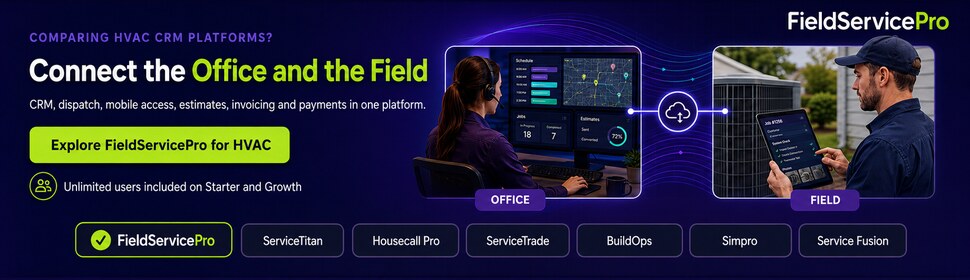
1. FieldServicePro
FieldServicePro suits growing HVAC companies that want customer management and field operations in one system without paying for every additional user.
The platform covers customer records, scheduling, dispatch, technician assignments, estimates, service visits, forms, photos, invoicing, payments, recurring billing, communication, sales pipelines, and marketing automation. Its mobile app gives technicians access to assigned work, customer details, notes, forms, navigation, time tracking, and billing information in the field.
Starter costs $199 per month for up to 600 service visits, while Growth costs $299 for up to 1,000. Both include unlimited users, which can be valuable when owners, dispatchers, CSRs, managers, and technicians all need access.
The main tradeoffs are the service visit limits and a smaller independent review footprint than more established competitors. It fits expanding teams best, while very small firms or enterprise contractors may prefer other options.
2. ServiceTitan
ServiceTitan is built for HVAC companies managing more moving parts, such as multiple dispatchers, departments, locations, sales processes, and maintenance programs.
Its CRM for HVAC companies combines customer records, scheduling, call booking, estimates, pricebooks, invoicing, reporting, technician workflows, equipment data, memberships, and commercial service agreements. That depth makes it useful for contractors handling large customer bases and recurring service work.
ServiceTitan does not publish a fixed starting price. Pricing is provided by request and varies by package and technician count.
For these businesses, comparing the best ServiceTitan Alternatives can help identify software that better matches their team size, workflow, and budget.
3. Housecall Pro
For a residential HVAC team, the day often revolves around getting the next job booked, dispatched, completed, and paid without unnecessary friction. Housecall Pro is designed around that kind of service cycle.
It supports scheduling, dispatch, estimates, invoices, payments, pricebooks, job costing, customer messaging, mobile access, and recurring service plans. That gives smaller teams a practical way to manage homeowner relationships without adopting a heavier enterprise platform.
Annual pricing starts at $59 per month for Basic, $149 for Essentials, and $299 for MAX. Monthly billing costs more, and some capabilities are reserved for higher plans, so the entry price will not reflect every HVAC company’s actual needs. Businesses comparing Housecall Pro pricing should look at the features included at each tier before choosing a plan.
Housecall Pro is a stronger fit for residential service businesses than contractors managing large commercial sites, complex equipment portfolios, or detailed preventive maintenance agreements. You can also check Housecall Pro alternatives.
4. ServiceTrade
ServiceTrade is structured around commercial service relationships, where one account can include multiple locations, equipment records, maintenance schedules, and service history.
Its workflow is useful for preventive maintenance. A technician can document a deficiency during a scheduled visit, attach photos and findings, and send the issue back to the office. From there, the team can prepare a quote and schedule the repair once the customer approves it.
That makes it relevant as an HVAC service agreement CRM for contractors managing recurring commercial work. Dispatch, equipment records, quoting, customer communication, and maintenance contracts are also supported.
Pricing is custom and generally depends on technician count and the selected suite. For residential companies with simpler customer and service needs, the platform may introduce more complexity than necessary.
5. BuildOps
Not every HVAC job ends with a service ticket. Commercial contractors may also handle replacements, retrofits, tenant improvements, and longer projects that need budgets, crews, documents, and job costing.
BuildOps brings service and project workflows into the same platform. It covers CRM, scheduling, dispatch, asset records, quoting, maintenance agreements, invoicing, reporting, mobile field work, and project financials. Won opportunities can move into service agreements, quoted jobs, or projects without rebuilding the customer information.
That sales handoff can matter when a repair recommendation develops into a larger installation or replacement project. BuildOps also supports multi address commercial accounts and recurring maintenance.
Pricing is custom. Contractors focused mainly on residential service may not need its broader project capabilities.
6. Simpro
For HVAC contractors carrying substantial stock, knowing the customer is only part of the job. Technicians also need to know what equipment is installed, what was serviced previously, and whether the required part is sitting in a warehouse or service vehicle.
Simpro connects asset records with work orders, recurring maintenance, purchasing, inventory, projects, recurring invoices, reporting, and multi company operations. Stock can be tracked across storage locations and allocated to jobs, while equipment histories give technicians useful context before a visit.
Rather than functioning mainly as an HVAC sales CRM, it reaches deeper into operational management.
Simpro uses custom pricing and also charges an initial setup fee for onboarding, training, and data migration. That makes implementation part of the total cost, not just the subscription.
7. Service Fusion
Headcount can change the economics of field service software quickly. Service Fusion avoids that issue by including unlimited users across all current plans, which can suit HVAC companies adding technicians, dispatchers, or office staff.
Core tools include customer management, scheduling, dispatch, estimates, jobs, invoicing, payments, reporting, and QuickBooks integration. Annual pricing is $208 per month for Starter, $325 for Plus, and $533 for Pro.
The lowest figure does not tell the whole story. Inventory, job costing, customer portals, and recurring invoicing depend on the selected package or add ons. Contractors comparing the best HVAC CRM software should therefore price the feature set they actually need.
Service Fusion suits growing teams focused on predictable user costs, but companies requiring deeper commercial asset or project management may need a different fit.
What Should an HVAC CRM Track Beyond Customer Contact Details?
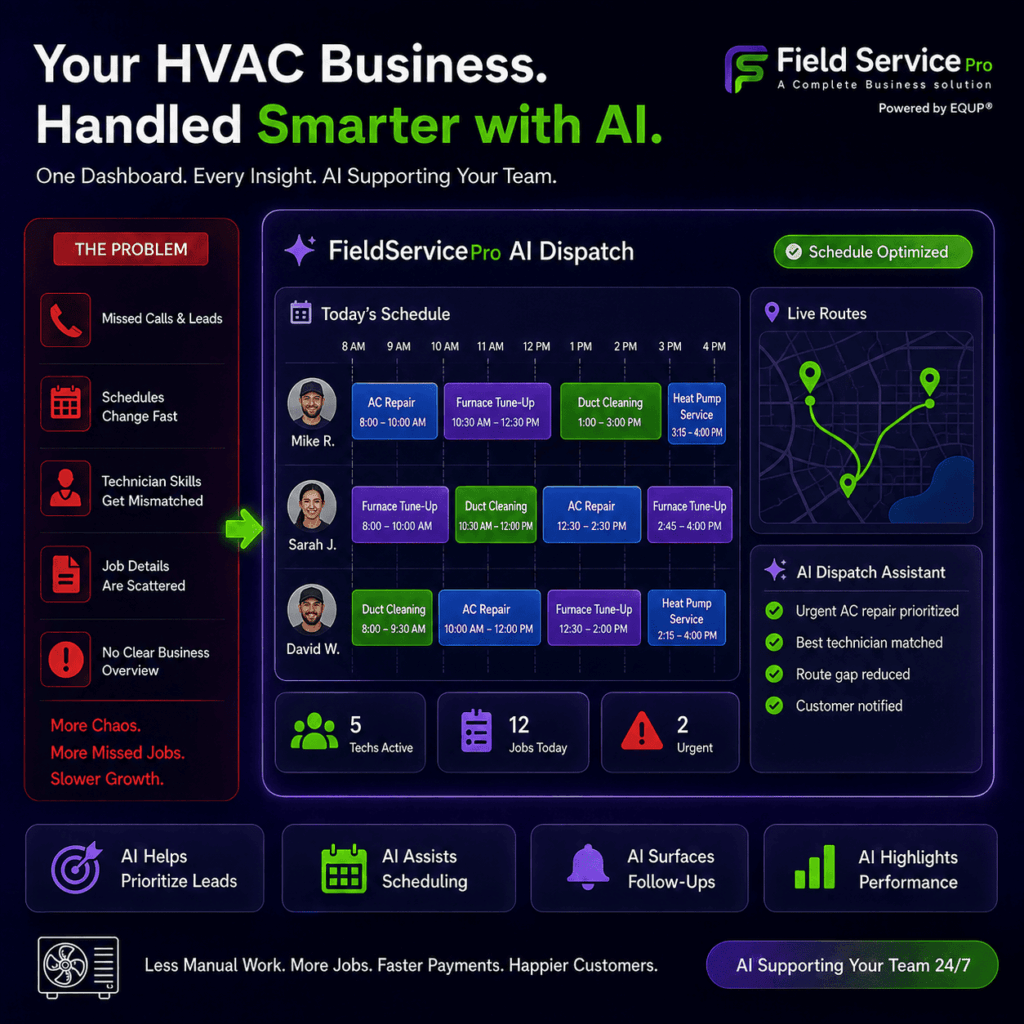
A customer record is only useful if it tells your team what they need before the next visit. For HVAC companies, that usually means linking people and properties with equipment history, maintenance obligations, technician activity, and future work.
For a broader view of how CRM connects customer data with service operations, see our field service CRM buyer’s guide.
Equipment and Service History
HVAC work revolves around physical equipment, so the CRM should store more than contact details. Useful equipment records may include:
- Manufacturer, model, serial number, and equipment type
- Installation date and site location
- Warranty information
- Previous repairs and replaced parts
- Technician notes and photos
- Earlier recommendations
- Active maintenance coverage
This history helps technicians see what has already been serviced or replaced before they arrive.
Maintenance Agreements
A good system should make recurring maintenance easy to track from setup through renewal.
Look for the ability to create recurring agreements, attach covered equipment, define visit frequency, generate future visits, monitor completed and remaining services, collect recurring payments, send renewal reminders, and identify expiring agreements.
Commercial teams may also need multi-site coverage, a clear distinction between covered and billable work, and a way to turn preventive maintenance findings into repair opportunities.
See our HVAC maintenance management software guide.
Dispatch and Technician Skills
Calendar availability alone is not enough once jobs become more specialized.
HVAC dispatch software can help teams consider factors such as refrigeration, boilers, controls, installation, commercial systems, or residential service experience when assigning jobs. Route distance, technician workload, emergency priority, and working hours can also affect who should receive the job.
The stronger the dispatch logic, the less time the office spends manually correcting assignments.
Mobile Technician Experience
The mobile app should support the work technicians actually perform in the field. Good HVAC service technician software should make it easy for technicians to access job information and complete routine tasks without relying on the office.
They may need to:
- Review service and equipment history
- Upload photos and complete forms
- Record recommendations
- Create estimates
- Capture approvals
- Invoice and collect payment
- Close the service visit
It is also worth asking how the app behaves with weak or no connectivity. Mechanical rooms, basements, rooftops, and remote properties do not always provide reliable reception.
Residential vs Commercial HVAC CRM: Which Type Do You Need?
The best HVAC CRM software should reflect how your company manages customers, equipment, and recurring work.
Residential HVAC Companies
Residential teams usually manage a simpler chain from homeowner to property to HVAC system.
Priorities often include:
- Call booking and scheduling
- Dispatch and technician communication
- Pricebooks and estimates
- Service memberships
- Payment collection
- Appointment reminders
- Review requests
- Replacement follow-up
The main goal is to keep everyday service work moving quickly while maintaining a clear customer history. Smaller teams can also compare these priorities in our HVAC software for small businesses guide.
Commercial HVAC Companies
Commercial operations need more structure because one account may include several sites and many assets.
Look for:
- Site and equipment records
- Preventive maintenance schedules
- Service contract tracking
- PM checklists and deficiencies
- Customer-specific pricing
- Parts and purchase orders
- Job costing
- Customer portals
- Multi-site service history
Commercial buyers should give more weight to asset-level records and contract management than basic contact tracking.
How Much Does HVAC CRM Software Really Cost?
The published starting price is only one part of the cost of field service management software. When comparing HVAC CRM pricing, distinguish between:
- Published pricing: Listed directly by the vendor
- Custom pricing: Provided after a sales consultation
- Third-party estimates: Useful for context, but not official pricing
Your final monthly cost can change with user limits, plan upgrades, SMS, phone features, AI tools, payment processing, inventory, GPS, integrations, API access, onboarding, migration, and training.
For example, a 5-person HVAC team would exceed Housecall Pro Basic, which includes one user at $59 per month annually. Essentials includes five users at $149 annually.
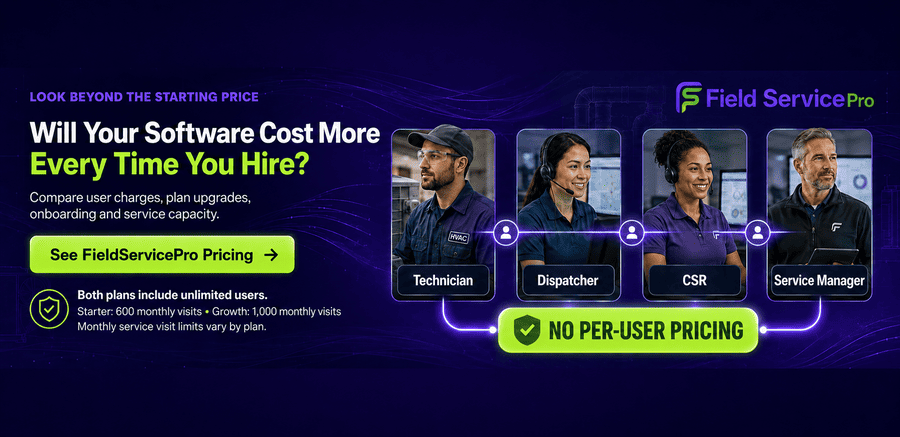
FieldServicePro instead includes unlimited users on its $199 Starter and $299 Growth plans. Costs increase with service capacity, with limits of 600 and 1,000 monthly visits respectively.
Compare the plan your team would actually use, not the lowest advertised figure.
Manage Your Growing HVAC Service Business With FieldServicePro
Running more jobs with a larger team becomes difficult when scheduling, customer records, technician updates, billing, and follow-up are spread across separate systems.
FieldServicePro brings these workflows into one platform, giving HVAC teams access to CRM, scheduling, dispatch, mobile tools, estimates, invoicing, payments, customer communication, and automation. Both current plans include unlimited users, so adding technicians, dispatchers, CSRs, or managers does not create an extra seat charge.
Field Service Pricing model can suit growing companies that want predictable software costs while consolidating daily operations.
FieldServicePro also offers a 15-day free trial with mobile access included, giving your team an opportunity to test real HVAC workflows before choosing a plan.
Conclusion
The best HVAC CRM software is the one that fits how your company actually operates, not the one with the longest feature list.
Residential teams may value speed, scheduling, payments, and customer communication, while commercial contractors often need deeper equipment, maintenance, and site management. Pricing structure also matters, especially as your team grows.
Before choosing a platform, focus on the workflows your staff uses every day and the problems you want the software to solve. A good fit should reduce admin, keep service information organised, and support growth without adding unnecessary complexity.
FAQs
There is no single best option for every small contractor. Housecall Pro suits straightforward residential workflows, while FieldServicePro may fit growing teams that want unlimited users and broader field operations within the same platform.
Not exactly. CRM software focuses on customer relationships, sales activity, and communication. Field service management extends further into scheduling, dispatch, technician workflows, job completion, invoicing, and other operational tasks performed after a service request.
Many HVAC platforms support recurring service, but capabilities differ. Check whether agreements can link to specific equipment, generate future visits, handle renewals or recurring billing, and distinguish covered maintenance from separately billable repairs.
Costs range from published monthly plans to custom quotes. Your actual spend can rise with additional users, higher tiers, implementation, migration, phone or SMS usage, AI features, integrations, payment processing, and optional modules.
Many platforms connect with QuickBooks, but integration depth varies. Check whether customers, invoices, payments, products, and service data sync correctly, and test the complete accounting workflow before relying on the integration.