




Jobber and Housecall Pro dominate most field service software shortlists, and both can handle the basics: scheduling, dispatching, invoicing, and payments. The trouble usually starts after you sign up. Key features sit behind higher tiers, costs climb with every technician you add, and payment fees, add-ons, and seat limits quietly change what you actually pay.
That is why so many growing service businesses end up searching for a Jobber alternative or a Housecall Pro alternative within a year or two of buying. This guide breaks down where each platform falls short, what it really costs as your team grows, and why FieldServicePro is the most affordable alternative for growing service and field service businesses.
Quick Overview: Where Jobber and Housecall Pro Fall Short
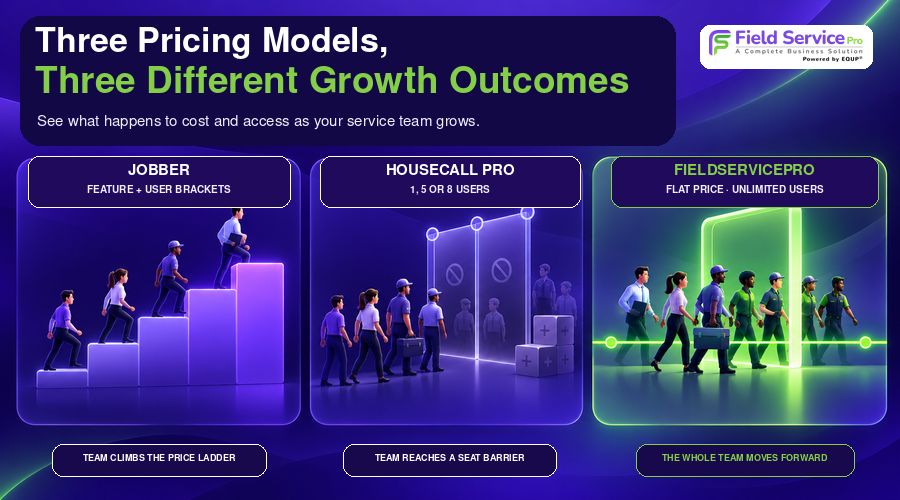
Both platforms look reasonably priced on the pricing page. The gaps show up in how pricing is structured and which features are locked away.
| Category | Jobber | Housecall Pro | FieldServicePro |
| Entry price (annual billing) | $29/month for one user on Core | $59/month for one user on Basic | $199/month with unlimited users |
| Pricing model | Tiered by plan and by user count | Tiered by plan, with seat limits of 1, 5, and 8 | Flat plans with unlimited users |
| Feature access | Routing and QuickBooks need Connect ($99+); job costing needs Grow ($149+) | Routing needs MAX ($299); QuickBooks needs Essentials or MAX | Growth ($299/month) adds job costing and job reports on top of core tools |
| Marketing tools | Marketing suite, with add-on costs for tools like Receptionist | Campaigns sold separately at $9 to $89 per month | Campaigns, SMS, email, WhatsApp, and landing pages built in |
| Best for | Small teams starting out | Sales-heavy residential trades | Growing multi-user service companies |
Why Businesses Look for Jobber Alternatives
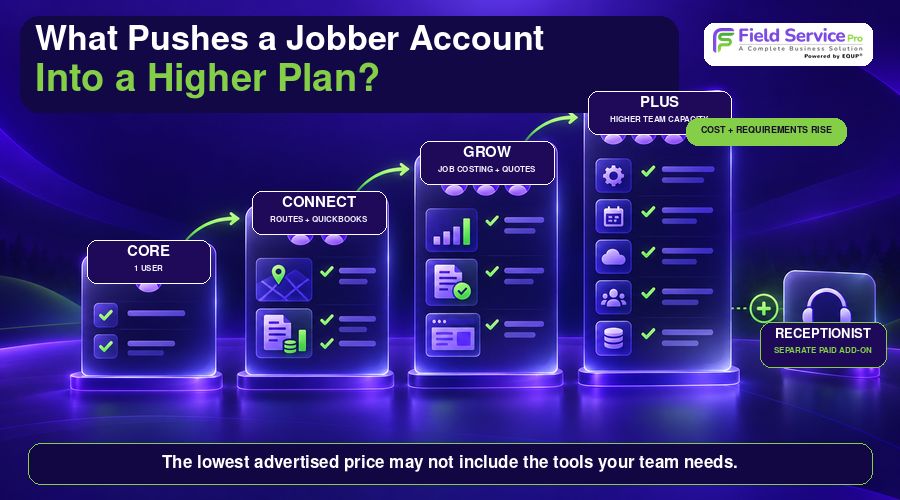
Jobber is easy to start with, which is exactly why teams outgrow it. The friction tends to appear in the same places.
1. Costs climb as your team grows
Jobber’s low entry price applies to a single user on Core. Once you add technicians, you move into Connect, Grow, or Plus, and the price rises with each seat bracket. Connect goes from $99 per month for one user to $299 per month for 15 users. Grow reaches $399 for 15, and Plus reaches $529. Every new hire pushes you closer to the next pricing tier.
For a full breakdown, see our Jobber pricing guide, or compare a Jobber pricing alternative built around unlimited users. Trade-specific teams can also read our guide to Jobber pricing for roofing contractors.
2. Essential features are locked behind higher plans
The $29 Core plan does not include route optimization or QuickBooks Online sync, since both require Connect or above. Job costing and enhanced quotes need Grow. A business that wants to track profit per job and send more polished proposals ends up paying well beyond the advertised starting price.
3. Add-ons and payment fees stack up
- Online card payments cost 2.9% plus $0.30, and Tap to Pay costs 2.7% plus $0.30.
- Instant payouts add another 1%.
- Jobber Receptionist costs $29 per month for 30 conversations, then $0.79 for each additional conversation unless you are on Plus.
For a contractor processing several hundred thousand dollars a year, transaction fees can easily exceed the software subscription itself.
4. Lighter tools for sales and memberships
Jobber handles repeat scheduling, but it relies on recurring jobs rather than full service memberships with renewals and agreement management. Its quoting is also less built out for higher-ticket residential sales than dedicated proposal tools. Teams that sell repairs, replacements, or maintenance plans often feel this gap first. Recurring-route businesses have their own concerns, which we cover in Jobber for pool service businesses.
5. No dedicated fleet GPS
Jobber offers employee location and routing tools inside the workflow, but not dedicated vehicle-level fleet tracking. Businesses that want vehicle visibility need a separate solution.
If any of these sound familiar, our roundup of the best Jobber alternatives shows what else is on the market, and smaller crews can see alternatives to Jobber built for solo and two-person teams.
Why Businesses Look for Housecall Pro Alternatives
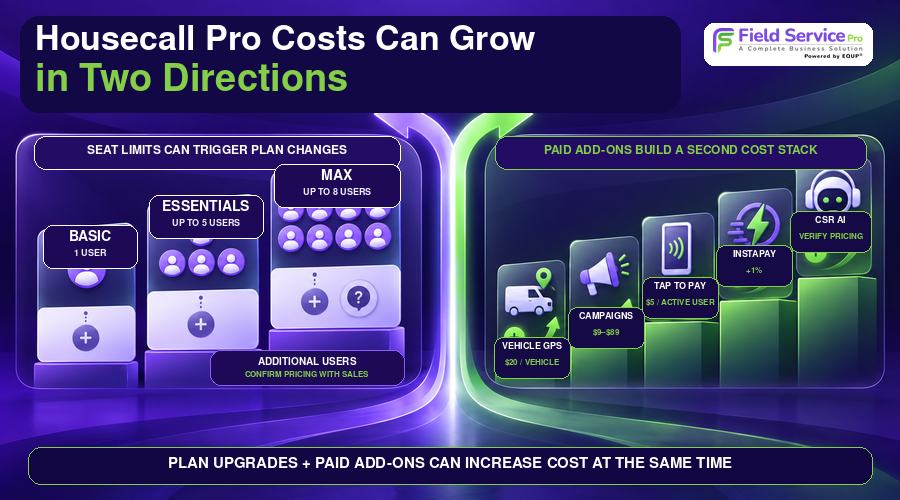
Housecall Pro is built around residential trades that sell in the home, but its pricing and packaging leave many teams looking elsewhere.
1. A higher entry price and trade-specific pricing
Basic starts at $59 per month on annual billing, double Jobber’s entry price, and $79 on monthly billing. HVAC pricing is higher again: Essentials runs $229 for one user, and MAX runs $399 for one user and $649 for eight users. Two businesses using the same software can be quoted very different prices depending on trade and package, which makes budgeting harder.
Our Housecall Pro pricing guide covers the published tiers in more detail.
2. Seat limits that force upgrades
Basic covers one user, Essentials covers up to five, and MAX covers up to eight. Businesses that outgrow those caps have to contact Housecall Pro for additional user pricing, so cost is unpredictable exactly when your team is growing fastest. If that is your situation, compare a Housecall Pro pricing alternative with unlimited users.

3. The best features sit on the most expensive plan
Drive time optimization is a MAX feature, which means $299 per month at minimum. QuickBooks Online requires Essentials or MAX, and data generally flows one way, from Housecall Pro into QuickBooks. Some bookkeeping-focused users report friction with syncing and payroll-related workflows. That feedback is not universal, but it is a common reason accountants and owners start looking for alternatives.
4. Fees on top of fees
- Card-present payments cost 2.59%, online invoice payments cost 2.99%, and manually entered or saved cards cost 3.49%.
- PayPal Pay Later and Klarna cost 4.99%, and consumer financing starts at 3.9%.
- Instapay adds 1%, and Tap to Pay costs $5 per active user per billing cycle.
- Vehicle GPS tracking costs $20 per vehicle each month.
- Campaigns are billed separately at $9 on Basic, $19 on Essentials, $49 on MAX, and $89 on MAX Plus, with SMS and email limits.
- CSR AI is a separate answering service with pricing you have to verify directly.
5. Weaker customer self-service
Housecall Pro centralizes customer records, but its customer self-service is not as strong as Jobber’s Client Hub, where clients approve quotes, request work, view appointments, and pay invoices in one place. If self-service matters, look at the broader client portal software options available to service companies. And if several of these issues sound familiar, our guide to Housecall Pro alternatives compares what else is available.
What Jobber and Housecall Pro Really Cost as You Scale
Entry-level pricing matters far less once you have a real team. Here is how published annual-billing rates compare as headcount grows.
| Team size | Jobber | Housecall Pro | FieldServicePro |
| 5 users | Connect $149, Grow $229, Plus $399 per month | Essentials $149, MAX $299 per month | Starter $199 or Growth $299 per month |
| 10 users | Connect $229, Grow $299, Plus $449 per month | Beyond the 8-user cap; pricing must be confirmed | Starter $199 or Growth $299 per month |
| 15 users | Connect $299, Grow $399, Plus $529 per month | Beyond the 8-user cap; pricing must be confirmed | Starter $199 or Growth $299 per month |
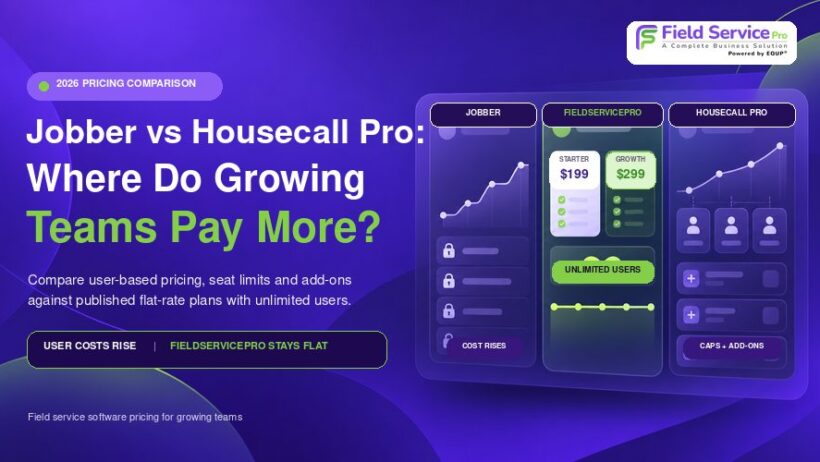
The pattern is clear. On Jobber, every added seat bracket raises the bill. On Housecall Pro, you hit a seat cap and lose pricing clarity. With FieldServicePro, the price stays the same however many users you add. That makes it the most predictable and affordable option for teams that plan to keep hiring.
Also keep in mind that the Jobber figures above do not include the Grow-level features (job costing, enhanced quotes) that many teams need, and neither platform’s figures include payment fees or add-ons.
Scheduling, Routing, and Dispatch: Capable but Gated
Both platforms handle basic scheduling and dispatch, but the more advanced routing tools are reserved for higher tiers. On Jobber, route optimization requires Connect or above. On Housecall Pro, drive time optimization requires MAX. Housecall Pro’s dedicated vehicle GPS is a paid add-on, and Jobber focuses on employee location rather than dedicated vehicle tracking. You should not have to upgrade to a premium plan just to send the right technician to the right job.
FieldServicePro includes scheduling, dispatch, live technician tracking, and skill-based assignment as built-in capabilities. If scheduling is your top priority, explore what modern service scheduling software should include before you commit.
Why FieldServicePro Is the Best Alternative to Jobber and Housecall Pro
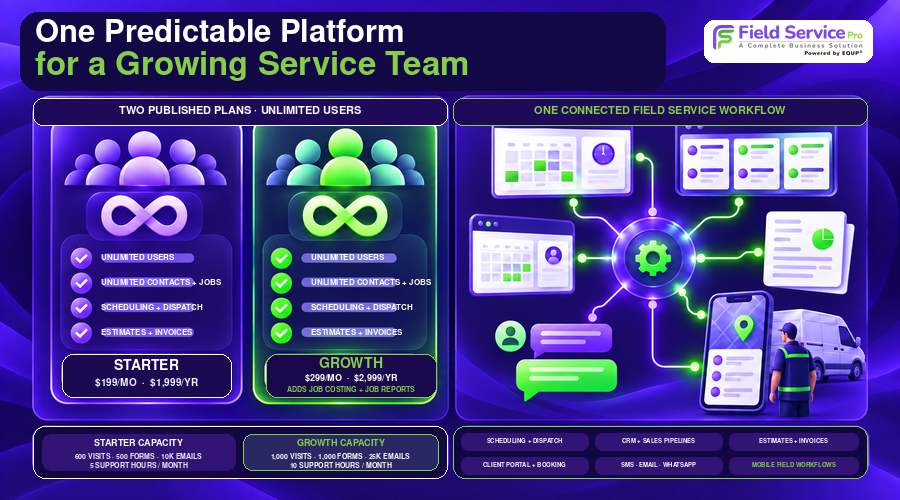
FieldServicePro was built for service businesses that are growing and need software that does not punish them for it. Instead of charging per seat or holding core tools back, it offers two simple plans with unlimited users.
- Starter: $199 per month or $1,999 per year, with unlimited users.
- Growth: $299 per month or $2,999 per year, with unlimited users, plus job costing and job reports for profitability tracking.
Both plans include the tools that competitors split across tiers and add-ons:
- Scheduling, dispatch, live technician tracking, and skill-based assignment
- CRM, sales pipelines, estimates, and invoicing
- Client portal access and online booking
- Marketing campaigns across SMS, email, and WhatsApp, plus landing pages
- Automation, payments, and mobile field workflows
For a business with five, ten, or fifteen users, that means one predictable bill instead of a stack of seat charges, tier upgrades, and add-ons. Review the full FieldServicePro pricing to compare the plans against your expected team size.
To be upfront, FieldServicePro is designed for growing multi-user service companies. A solo operator who only needs the lowest possible entry price may find a single-seat plan elsewhere cheaper, and our guide to alternatives to Jobber for solo and two-person teams is a better starting point. But if you have a team, or plan to build one, FieldServicePro is where the economics work in your favor.
Signs It Is Time to Switch
- Your software bill increases every time you hire a technician or office user.
- You are paying for a higher tier mainly to unlock routing, QuickBooks sync, or job costing.
- You keep adding paid extras for marketing, GPS, AI call handling, or faster payouts.
- You are approaching a seat limit and cannot predict what the next tier will cost.
- Your team wants one platform for booking, sales, scheduling, invoicing, and customer communication.
If two or more of these apply, it is worth comparing Field service software built around unlimited users before you renew.
Final Verdict
Jobber and Housecall Pro can both run a small service business, but each has clear limits. Jobber gets expensive as headcount grows and reserves important tools for its higher plans. Housecall Pro carries a higher entry price, seat caps, trade-specific pricing, and a long list of paid add-ons. Neither gives growing teams predictable pricing.
FieldServicePro answers those problems directly with unlimited users, simple plans, and built-in tools for scheduling, CRM, communication, marketing, and payments. For growing service and field service businesses, it is the best and most affordable alternative to both. Start with the Jobber pricing alternative or Housecall Pro pricing alternative comparisons, then see the pricing page for the full details.
FAQs
The most common reasons are rising costs as the team grows, key features such as routing, QuickBooks sync, and job costing being locked behind higher plans, and extra charges for payments and add-ons. Our list of the best Jobber alternatives covers the main options.
Common reasons include a higher starting price, seat limits, separate HVAC pricing, and paid add-ons for GPS, campaigns, and AI answering. Some users also report friction with QuickBooks syncing and payroll workflows. See our full list of Housecall Pro alternatives for options.
It depends on the business. Jobber is cheaper for a solo operator, while Housecall Pro offers stronger proposals and service plans for residential contractors. Both become costly as teams grow, which is why many businesses compare unlimited-user platforms like FieldServicePro.
FieldServicePro is the best fit for growing service companies. It offers unlimited users on every plan, starting at $199 per month, with scheduling, CRM, estimates, invoicing, client portal, marketing, and mobile workflows built in.
Yes many. With Jobber and Housecall Pro, costs rise with seats and tiers. FieldServicePro keeps pricing flat with unlimited users, so a growing team’s cost stays predictable. You can also review Jobber pricing and Housecall Pro pricing side by side. See the pricing page for current plan details.