



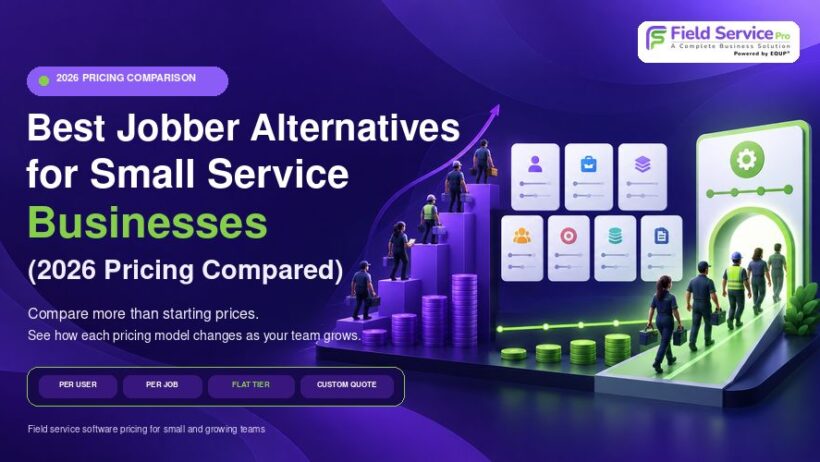

The best Jobber alternative depends on your team size and what your monthly bill looks like today. Solo owners should check ServiceM8’s free plan and Housecall Pro Basic. Teams of 5 or more that want flat pricing instead of per-user fees should compare FieldServicePro, ServiceM8 and Kickserv.
Jobber is solid software, and this guide isn’t trying to talk you out of it. It’s for owners who look at their Jobber invoice after a hire or two and wonder whether another tool would do the same work for less. We compared the main Jobber competitors on published prices, per-user costs, limits and fit. FieldServicePro publishes this blog and is on the list, so we show its limits next to everyone else’s.
Which Jobber alternative fits your situation?
| Your situation | Check these first | What to watch |
| Solo owner on a tight budget | ServiceM8 Free or Starter, or Jobber Core | ServiceM8’s full app is built for iPhone. Its free plan stops at 30 new jobs a month. |
| Small crew of 2 to 5 | Kickserv Start, Housecall Pro Essentials, ServiceM8 Growing | Kickserv and Housecall Pro cap users per plan. ServiceM8 caps jobs. |
| Team of 6 to 15 that wants flat pricing | FieldServicePro, ServiceM8 Premium, Kickserv Run | FieldServicePro caps service visits (600 or 1,000 a month). ServiceM8 Premium caps jobs at 500. |
| Most bookings arrive by phone | Workiz | Prices are not published. Phone and answering tools are sold separately. |
| Residential cleaning company | ZenMaid, Housecall Pro | ZenMaid only suits maid services. Per-user fees apply. |
| Want deep customization and don’t mind a sales call | FieldPulse | Sold by quote only. |
Why do small service businesses look for Jobber competitors?
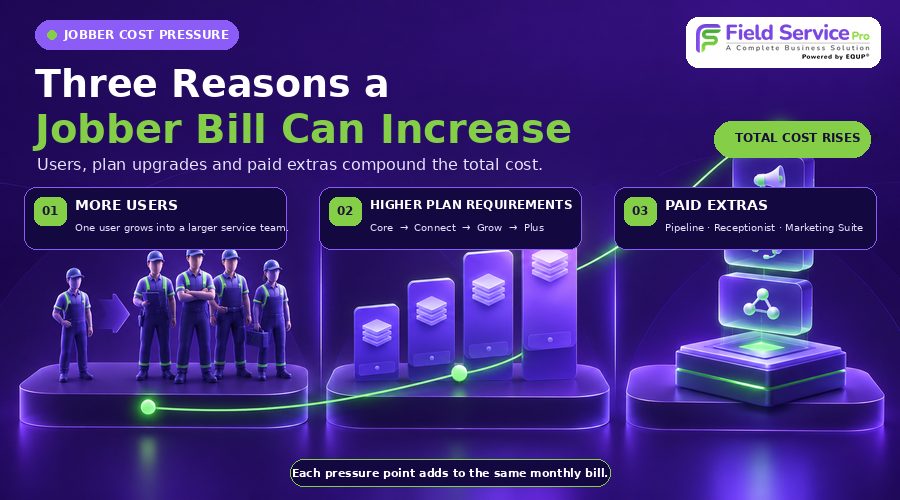
Three things come up again and again, and all three show on Jobber’s own pricing page.
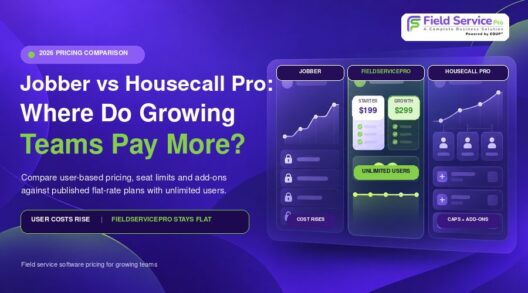
1. Cost moves with headcount. Core covers one user, and Jobber lists $29 a month for each additional user. Team plans bundle seats instead: Connect includes 5 users at $199 a month on monthly billing, or $149 a month billed annually. If you hired your first tech this year, that jump is probably why you’re reading this.
2. Useful features sit on higher plans. Automated client reminders and automated quote and invoice follow-ups start on Connect. Two-way texting, job costing and custom automations start on Grow. If you’re on a lower plan, you’re doing those jobs by hand.
3. Add-ons and processing fees sit on top. Pipeline is $49 a month, Receptionist is $29 and Marketing Suite is $99 on Core, Connect and Grow. Card payments cost 2.9% plus 30 cents.
None of this makes Jobber a poor choice. If you’re a solo operator on Core at $29 a month billed annually, the price is hard to argue with. The question gets real when you hire.
How much does Jobber cost in 2026?
For a more detailed breakdown of plans, billing and additional costs, see our Jobber pricing guide.
Jobber costs $49 a month for one user on Core with monthly billing, or $29 a month billed annually. Team plans start at $199 a month for 5 users on Connect and reach $699 a month for 15 users on Plus, on monthly billing at list price.
Here is each plan by team size. The first number is monthly billing, the second is annual billing shown as a monthly cost.
| Plan | 1 user | 5 users | 10 users | 15 users |
| Core | $49 / $29 | n/a | n/a | n/a |
| Connect | $139 / $99 | $199 / $149 | $299 / $229 | $399 / $299 |
| Grow | $199 / $149 | $299 / $229 | $399 / $299 | $499 / $399 |
| Plus | n/a | $499 / $399 | $599 / $449 | $699 / $529 |
What changes as you move up:
- Core: online booking, quotes, invoices, online payments, a website and built-in reporting.
- Connect: adds automated reminders, automatic payments, checklists, quote and invoice follow-ups, QuickBooks Online sync, and time and expense tracking.
- Grow: adds job costing, two-way texting, automatic time tracking, optional line items on quotes and custom workflow automations.
- Plus: adds Pipeline, Receptionist and Marketing Suite, custom reports, crew scheduling and premium support.
Payment fees are separate. Jobber charges 2.9% plus 30 cents per card payment, 2.7% plus 30 cents for Tap to Pay and 1% for bank transfers. On $10,000 of card payments, that is $290 plus 30 cents per transaction. Jobber’s trial lasts 14 days on the Grow plan with no credit card required.
How were these Jobber alternatives compared?
Every tool got the same checks:
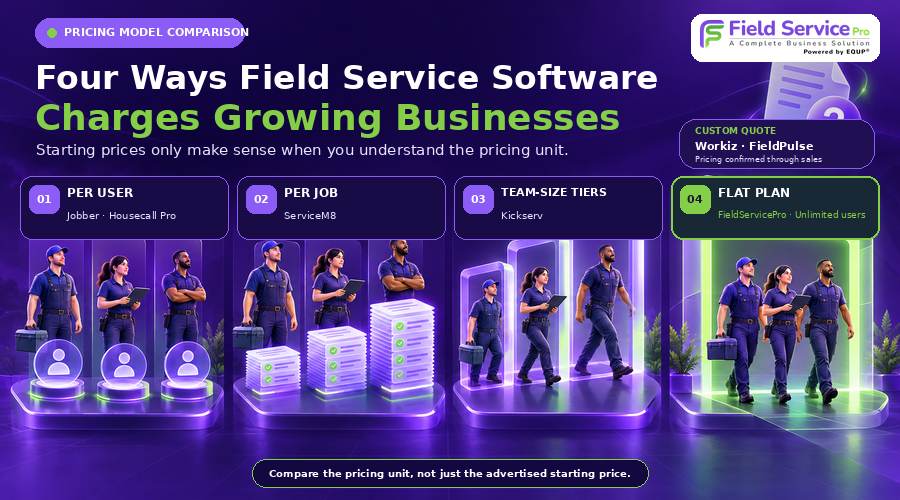
- Price at 1, 5, 10 and 15 users, on monthly and annual billing, where the vendor publishes it
- Whether the bill rises with each new user
- Whether it has the features that save time or recover revenue: reminders, quote and invoice follow-ups, online booking, two-way texting
- Limits such as job caps, visit caps and device requirements
- Who the tool does not suit
We used each vendor’s own pricing and feature pages. When a vendor doesn’t publish a price, we say so instead of repeating a third-party guess. Vendors change plans often, so treat any price here as a starting point and confirm it before you buy.
Seven Jobber alternatives with verified pricing and limits
1. FieldServicePro: flat pricing with unlimited users
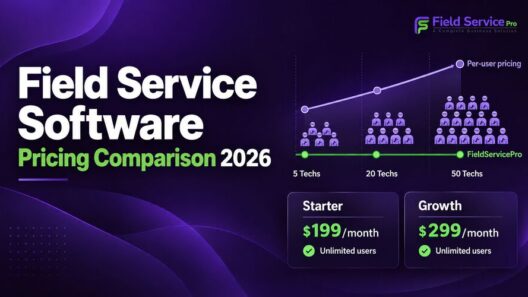
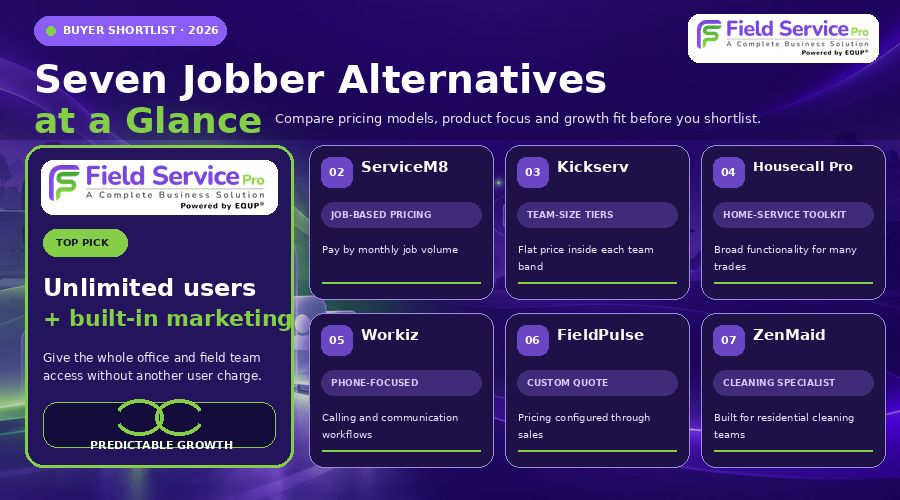
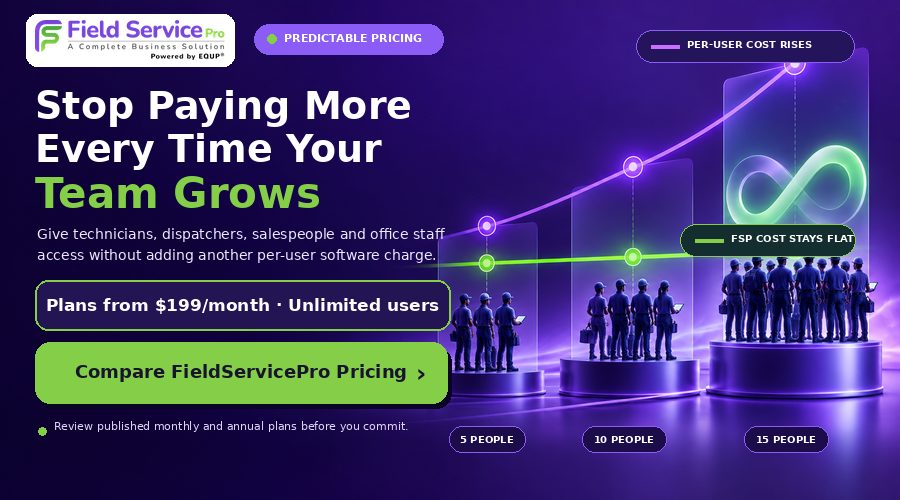
Starter is $199 a month, or $1,999 billed annually (about $167 a month). Growth is $299 a month, or $2,999 billed annually (about $250 a month). Both plans include unlimited users, so hiring a technician doesn’t change your bill. FieldServicePro says it adds no transaction fee on top of your payment processor’s rates.
Every plan includes unlimited jobs, scheduling, dispatching, estimates, invoicing, online payments, auto payments and a client portal. It also includes a CRM, sales pipelines, workflow automation, agreements, landing pages, email marketing, social scheduling, an AI chatbot and a mobile app for Android and iOS. That bundle can replace a separate marketing tool, which is where it differs most from Jobber. Starter comes with 5 hours a month of one-to-one onboarding support and Growth with 10.
The limits are real:
- Visit caps: Starter allows 600 service visits a month and Growth allows 1,000. The pricing page doesn’t say exactly how a visit is counted, so confirm that if your crew runs many short visits.
- Marketing caps: Starter includes 10,000 marketing emails a month and Growth includes 25,000.
- Unexplained asterisks: SMS, WhatsApp, one-to-one messaging and calling are marked with an asterisk that the page doesn’t explain. Ask whether usage charges apply.
- Accounting sync: we couldn’t confirm a native QuickBooks integration on the pricing page. FieldServicePro lists a connector to 2,000 or more apps, so check how it handles accounting before you commit.
- Setup time: a larger feature set takes longer to configure, so use your onboarding hours early.
- Review history: FieldServicePro has fewer third-party reviews than Jobber or Housecall Pro, so lean on the 15-day free trial.
It’s also not the cheap option for a solo owner. At $199 a month, it costs more than Jobber Core, ServiceM8 or Kickserv for one person. The math shifts once you have about 6 or more people, as the cost tables below show. Plans are month-to-month. Details are on the field service pricing page, and there’s a side-by-side in our Jobber vs FieldServicePro comparison.
Best for: teams of about 6 to 15 that want predictable pricing and built-in marketing. Smaller crews can also compare our guide to alternatives to Jobber.
Not ideal for: solo owners, or crews running well over 1,000 visits a month.
2. ServiceM8: pricing based on jobs, not users
ServiceM8 charges by the number of new jobs you create each month. Free is $0 for 1 user and 30 jobs. Starter is $29 for 50 jobs, Growing is $79 for 150, Premium is $149 for 500 and Premium Plus is $349 for 1,500 or more, with 20 cents per extra job. Every paid plan includes unlimited users.
That matters if your crew is bigger than your job count. A 6-person team that opens about 120 new jobs a month fits Growing at $79, with no charge for the sixth login.
Some features depend on the plan:
- All paid plans: online booking, two-way texting, booking reminders, quote follow-ups, online quote acceptance and recurring jobs.
- Starter and up: progress invoicing, so you can bill deposits and stages.
- Growing and up: a form builder, proposals and asset tracking.
- Premium and up: job costing and markup billing.
The main limit is the phone. The full app is built for iPhone and iPad. Android users get ServiceM8 Lite, which covers core job features for technicians. A “job” is a new job card, and a quote you convert to a work order doesn’t use a second credit. The trial runs 14 days with no credit card.
Best for: iPhone-based crews with a moderate number of jobs.
Not ideal for: Android-heavy teams or businesses that open hundreds of small jobs a month.
3. Kickserv: flat tiers by team size
Kickserv prices by how many users you need. Start is $60 a month for up to 5 users, Run is $119 for 10 and Scale is $199 for 20. Kickserv says annual billing saves 20%. The trial lasts 30 days.
Start includes automated email and text reminders, an embeddable contact form, over 20 reports, time and expense tracking, and QuickBooks Online sync. Run adds dispatch mapping, GPS check-ins, custom fields and custom reports. Scale adds custom templates and reviews. QuickBooks Desktop costs $50 a month extra.
The pricing page doesn’t list job costing or a marketing suite, so check those if you need them. Some Capterra reviewers also mention payment processing fees and paid training as extra costs.
Best for: teams of 2 to 20 that want simple flat tiers and QuickBooks.
Not ideal for: businesses that need built-in marketing or job profitability tracking.
4. Housecall Pro: closest like-for-like match for teams of 2 to 8
Basic is $59 a month billed annually ($79 monthly) for 1 user. Essentials is $149 annually ($189 monthly) for 5 users. Max is $299 annually ($329 monthly) for 8 users, then $35 for each extra user.
Basic already includes job costing and a price book, which Jobber holds for Grow. Essentials adds routes, employee GPS tracking from the technician’s phone, checklist automations, photo reports, commissions and QuickBooks Online sync. Max adds a sales proposal tool, recurring service plans, route optimization and API access.
In practice, teams that need QuickBooks or GPS end up on Essentials, so plan on $149 to $189 a month rather than the $59 headline. Card processing starts at 2.59% and bank payments cost 1%. There’s no long-term contract, and the trial is 14 days with no credit card.
Best for: home service teams that want QuickBooks and GPS without stepping up to a top tier.
Not ideal for: a solo owner watching every dollar, since Jobber Core is cheaper on annual billing.
5. Workiz: built around phone calls, but prices are not published
Workiz was built for businesses that take a lot of work by phone. Its pricing page now says “Request pricing” for Standard, Pro and Ultimate, so we can’t give you a verified monthly figure. Third-party sites quote different numbers, and plan names have changed, so ask for a written quote.
Standard includes scheduling, estimates, invoices, online payments, QuickBooks Online sync and 5 automations. Pro adds Genius Leads, Genius Scheduling, custom reports and 10 automations. Ultimate adds service plans, inventory, sales proposals, checklists and an open API. The phone system, AI answering and marketing tools are listed as sold separately. The trial is 7 days with no credit card.
Best for: locksmith, appliance repair and similar businesses where the phone drives revenue.
Not ideal for: anyone who needs a price before talking to sales. For a fuller cost breakdown, see our Workiz pricing guide.
6. FieldPulse: customizable, but sold by quote
FieldPulse doesn’t publish prices, and sources describe it as seat-based with a custom quote. Sources also disagree on whether it offers a free trial, so ask before you plan around one. Its integrations include QuickBooks Online, Xero, Google Calendar, Zapier, CompanyCam and Mailchimp.
The practical issue is comparison. You can’t line it up against Jobber’s published tiers until you’ve had a demo, so ask for the price at your exact team size and a list of everything sold separately.
Best for: teams that are comfortable with a demo and quote process.
Not ideal for: owners who want to compare prices on their own first.
7. ZenMaid: built only for residential cleaning
ZenMaid is designed for maid services, so its scheduling, recurring appointments and booking forms follow how cleaning companies work. Base plans are listed from $19 a month for Starter, $39 for Pro and $49 for Pro Max, with per-user fees added on top. Capterra lists $24 per user on the top plan. ZenMaid states that Starter is limited to 40 appointments a month, and it offers a 14-day free trial.
Confirm current plan limits and user fees on ZenMaid’s own pricing page, since the base price doesn’t include your cleaners.
Best for: residential maid services.
Not ideal for: businesses that also do HVAC, plumbing, lawn care or other trades.
How do Jobber alternatives compare on price by team size?
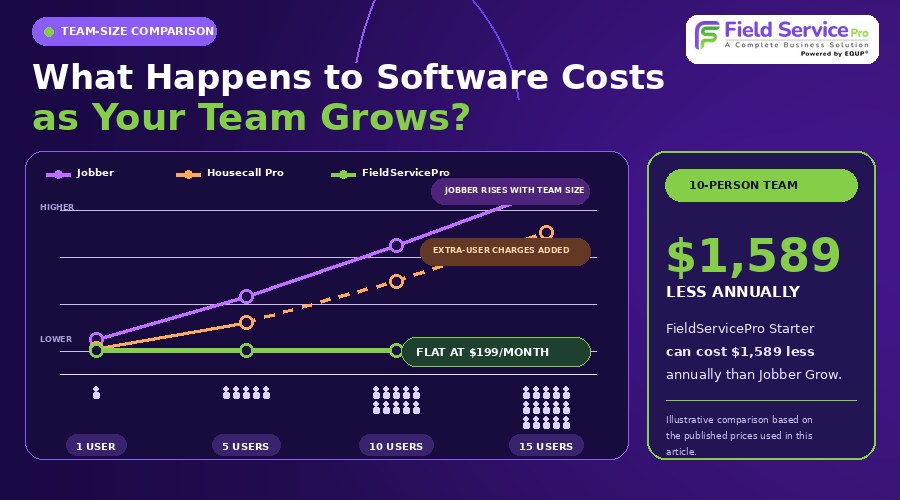
These tables cover the tools that publish per-tier prices: Jobber, Housecall Pro and FieldServicePro. Plans aren’t feature-for-feature equal. Jobber Connect lacks job costing and two-way texting, for example, while Housecall Pro Max includes route optimization and API access.
Monthly billing, list price:
| Team size | Jobber Connect | Jobber Grow | Housecall Pro | FieldServicePro Starter |
|---|---|---|---|---|
| 1 user | $139 | $199 | Basic $79 | $199 |
| 5 users | $199 | $299 | Essentials $189 | $199 |
| 10 users | $299 | $399 | Max $329 + 2 extra users ($70) = $399 | $199 |
| 15 users | $399 | $499 | Max $329 + 7 extra users ($245) = $574 | $199 |
Annual billing, shown per month:
| Team size | Jobber Connect | Jobber Grow | Housecall Pro | FieldServicePro Starter |
|---|---|---|---|---|
| 1 user | $99 | $149 | Basic $59 | about $167 |
| 5 users | $149 | $229 | Essentials $149 | about $167 |
| 10 users | $229 | $299 | Max $299 + 2 extra users ($70) = $369 | about $167 |
| 15 users | $299 | $399 | Max $299 + 7 extra users ($245) = $544 | about $167 |
ServiceM8 and Kickserv price differently. ServiceM8 runs from $29 to $149 for 50 to 500 new jobs a month with unlimited users. Kickserv runs $60 for 5 users, $119 for 10 and $199 for 20. Workiz and FieldPulse don’t publish prices.
Here is what that looks like in practice:
- A 10-person crew on monthly billing: Jobber Grow is $399 and FieldServicePro Starter is $199. That’s $200 a month, or $2,400 a year. Against Jobber Connect at $299, the gap is $100 a month.
- The same crew on annual billing: Jobber Grow is $299 a month, or $3,588 a year, versus $1,999 for FieldServicePro Starter. That’s a $1,589 difference. Against Jobber Connect at $2,748 a year, it’s $749.
- A solo owner on annual billing: Jobber Core is $29 a month. FieldServicePro Starter works out to about $167, so it costs about $138 more each month.
The FieldServicePro helps you save a lot especially if your crew stays under 600 service visits a month. If you have the higher service visits, then Growth plan at $299 will suit you the best.
What are the best Jobber alternatives for cleaning businesses?
Cleaning companies run on recurring visits, reminders and per-cleaner pricing, so check those first. Roofing businesses can also review our Jobber pricing for roofing contractors guide, while pool companies can see our Jobber for pool service businesses breakdown. ZenMaid is built only for residential maid services and starts at $19 a month before per-user fees. Housecall Pro, Jobber, ServiceM8 and FieldServicePro all publish cleaning industry pages, so they suit companies that may add other services later.
Ask each vendor how recurring jobs, client reminders and cleaner logins are priced. A tool that looks cheap at 2 cleaners can cost more at 12. FieldServicePro’s approach to cleaning schedules is covered on its cleaning service software page.
How do you pick a Jobber alternative and test it before you commit?
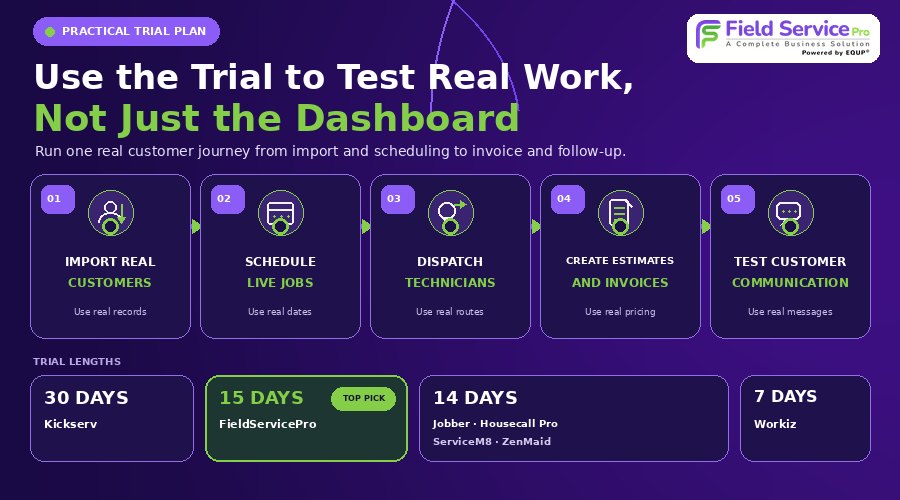
The best Jobber alternative is the one whose limits you can live with, so test limits before you look at features.
- Count your real numbers. Pull the last three months of new jobs or visits, and the number of people who log in. Job caps and visit caps are the limits most likely to surprise you.
- List the features you’d miss. For most teams it’s two or three of these: QuickBooks sync, quote follow-ups, two-way texting, online booking or job costing. Check which plan holds each one.
- Price it both ways. Add up monthly and annual billing at your team size, then add card processing fees. Use the tables above as a starting point.
- Run two trials back to back with live work. Trial lengths are 30 days for Kickserv, 15 for FieldServicePro, 14 for Jobber, Housecall Pro, ServiceM8 and ZenMaid, and 7 for Workiz.
- Ask three questions before paying. What is excluded from this plan? What is billed by usage? How do I export my data if I leave?
If you’re comparing the two biggest names, our Jobber vs Housecall Pro breakdown goes deeper on that pairing. You can also review our Housecall Pro alternatives and best ServiceM8 alternatives guides.
FAQs
ServiceM8 has a free plan for 1 user with 30 new jobs a month, but if you’re growing then FieldServicePro is the most affordable software as its paid plans start at $199 with unlimited users, jobs, contacts, etc.
For small teams that want no per-user fees, FieldServicePro is the best choice.
Yes, FieldServicePro and ServiceM8 paid plans include unlimited users. ServiceM8 limits new jobs per month instead, and FieldServicePro limits service visits (600 on Starter, 1,000 on Growth).
Each Jobber plan includes a set number of users, and Jobber lists $29 a month for each extra person. On monthly billing, 5 users cost $199 on Connect, $299 on Grow and $499 on Plus. Annual billing lowers each of those prices. For real breakdown, read our blog on Jobber Pricing reality.
It can be. Solo owners on Core and teams that will use its reminders, follow-ups and integrations get real value. It gets harder to justify when headcount pushes you into higher tiers or you pay for add-ons you could get bundled elsewhere like in FieldServicePro with good pricing deals. Price your real team size against 2 Jobber alternatives before you decide.
ZenMaid is built only for residential maid services, with base plans from $19 a month plus per-user fees. FieldServicePro also publishes cleaning pages too. Read this detailed blog on best CRM software for cleaning businesses.
Kickserv offers 30 days, FieldServicePro 15 days, and Housecall Pro, ServiceM8 and ZenMaid 14 days each. Workiz offers 7 days. Jobber’s trial is 14 days on its Grow plan. FieldPulse’s trial policy is unclear.
FieldServicePro: The Best Jobber Alternative for Growing Service Businesses
If you’re looking for the best Jobber alternative, FieldServicePro is worth a close look, especially if your service business is growing and you don’t want your software costs to increase every time you add another technician.
FieldServicePro offers unlimited users on both its Starter and Growth plans, along with scheduling, dispatching, estimates, invoicing, CRM, sales pipelines, workflow automation, marketing tools, online payments, and a mobile app. Starter costs $199 per month, while Growth costs $299 per month.
The main factor to check is your service volume. Starter includes up to 600 service visits per month, while Growth includes up to 1,000. If your business operates within those limits, the flat pricing can make it easier to plan your software costs as your team expands.
Jobber remains a capable field service platform, but businesses comparing alternatives should look beyond the starting price and consider user costs, included features, usage limits, and the tools they will need as they grow.
For service businesses that want unlimited users, predictable pricing, and field service, CRM, and marketing tools in one platform, FieldServicePro is the best Jobber alternative to consider.
Pricing and features change often. Confirm current rates with each vendor before you buy.