


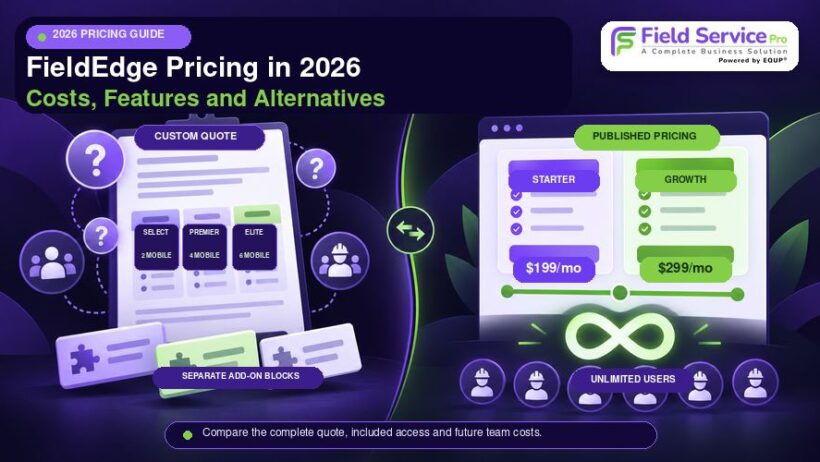

Understanding FieldEdge pricing in 2026 is not as simple as checking a public rate card. FieldEdge does not display fixed subscription prices for its main plans, so businesses need to request a custom quote.
You may find estimated per user figures mentioned on third party websites, but these should not be treated as confirmed 2026 rates.
The more important question is how your business size, selected plan, and additional requirements shape your total software cost, and, just as importantly, how that cost changes as your team grows. A quote that looks reasonable for a 3-technician shop can look very different once you’re running 15 or 20 trucks, especially on a platform priced around users and mobile licenses.
In this guide, we break down the costs you should review before deciding whether FieldEdge is worth the investment, including how its pricing structure tends to behave as a business scales.
FieldEdge Pricing and Plans at a Glance
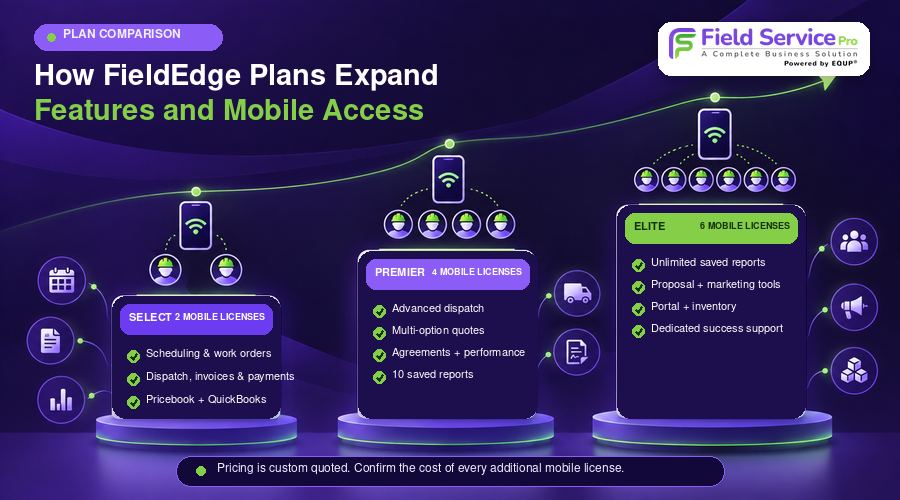
Comparing FieldEdge plans starts with capabilities rather than price because Select, Premier, and Elite all require a custom quote. The main differences involve operational depth, mobile access, reporting, sales tools, and customer management features.
| Plan | Published Price | Included Mobile Licenses | Major Capability Level | Best Fit |
| Select | Custom quote | 2 | Core scheduling, dispatch, invoicing, pricebook, payments, and QuickBooks | Smaller teams needing essential service workflows |
| Premier | Custom quote | 4 | Advanced dispatch, quoting, agreements, reporting, and performance tools | Established service companies managing multiple trucks |
| Elite | Custom quote | 6 | Expanded sales, marketing, reporting, portal, and inventory functionality | Larger operations needing greater operational control |
FieldEdge Select
Select provides the operational foundation for service businesses without pushing them immediately toward the more advanced functionality found in higher tiers. It includes:
● Work orders and scheduling
● Basic dispatching
● Invoicing and integrated payments
● Flat rate pricebook functionality
● QuickBooks Online and Desktop integration
● Basic service agreements
● 2 mobile licenses
These capabilities can make Select relevant for a smaller company considering FieldEdge for HVAC, plumbing, electrical, or another service trade.
The mobile license allowance deserves close attention as your field team grows. Select includes only two mobile licenses. If more than two technicians need mobile access, ask how extra licenses affect your FieldEdge pricing before accepting the quote, since this is typically where a “starter friendly” price begins to shift.
FieldEdge Premier
Growth can make basic dispatching and quoting harder to manage efficiently. Premier addresses that stage with more control over field operations, sales activity, agreements, and employee performance.
The package includes advanced dispatching, multi option quotes, advanced service agreements, performance and commission functionality, 10 saved reports, and four mobile licenses. FieldEdge currently marks Premier as its most popular package.
Premier therefore makes more sense when several trucks, technicians, or sales opportunities need closer coordination rather than when you simply want more features.
FieldEdge Elite
Elite moves beyond day-to-day service management and introduces tools aimed at businesses with broader operational and customer engagement requirements.
Notable additions include:
● Unlimited saved reports
● Proposal Pro
● MarketingEdge with two-way texting
● Consumer Management Portal
● Warehouse inventory management
● Outbound call recording
● Dedicated customer success support
● 6 mobile licenses
These additions can materially change the value of the highest tier, especially for companies managing inventory, marketing, and customer communication within the same system. Even at this top tier, six mobile licenses is the ceiling before additional per-technician costs apply, which matters for any operation planning to grow past six field staff.
What Affects Your Total FieldEdge Cost?
The quoted subscription is only one part of FieldEdge pricing. FieldEdge confirms that factors such as team size, selected capabilities, and optional products can change what a business pays. For an accurate comparison, you should calculate the software together with the supporting services and systems your team will need, and think ahead to what that number looks like a year or two from now, not just today.
For broader budgeting context, our guide to the cost of field service management software explains the expenses businesses should consider beyond the advertised subscription.
Additional Users and Mobile Licenses
Each package includes a different number of mobile licenses:
● Select includes 2
● Premier includes 4
● Elite includes 6
Team size is one of the factors FieldEdge considers when preparing pricing. This is the part of FieldEdge’s model worth understanding fully before you sign: your subscription is tied to headcount, so every technician you hire beyond your included allowance is a cost that wasn’t part of your original quote.
Suppose you operate with 15 technicians and choose Elite. Six mobile licenses are included, but you should ask how the other nine technicians will be licensed and what those accounts add to your quote. Do not assume that choosing the highest package automatically covers your entire field workforce.
Request separate figures for office users and technicians who require mobile access. That makes future staffing costs easier to estimate, and it’s the clearest way to see whether a “flat quote” today is really flat, or just flat until your team changes size.
Implementation, Data Migration and Training
FieldEdge does not offer a free trial. Instead, new customers receive guided onboarding that can include transferring business data and helping employees learn the platform.
Before signing, ask whether your proposal includes setup and migration work for:
● Customer records and job history
● Pricebook data
● Existing service agreements
● Open invoices
● Inventory records
● QuickBooks mapping
● Employee training
Avoid relying on unofficial implementation estimates found online. FieldEdge also offers additional training options, some of which carry separate charges, so clarify what onboarding is included and what training would cost extra.
FieldEdge Add Ons
Extra functionality can increase your overall investment. Proposal Pro, MarketingEdge, and the Consumer Management Portal are included with Elite, while FieldEdge indicates that many advanced products can also be added to Select or Premier for an additional price.
Because public prices for these additions are not listed, request an itemized proposal showing the subscription and every optional product separately.
Payment Processing
FieldEdge Payments is powered by Xplor Pay and supports payments that synchronize with FieldEdge and QuickBooks. Its public materials advertise competitive processing rates but do not provide one universal merchant rate.
Ask for the complete fee schedule covering card present transactions, card not present payments, keyed transactions, ACH, chargebacks, payment hardware, PCI related charges, and funding fees before estimating payment costs.
QuickBooks, Fleet and Other Software
An integration should not be confused with an included subscription. FieldEdge connects with QuickBooks, but you should budget separately for any accounting software your business requires. It also lists FleetSharp among its integrations, so confirm separately what GPS services, devices, and subscriptions your fleet setup needs.
What Could FieldEdge Cost for Your Team?
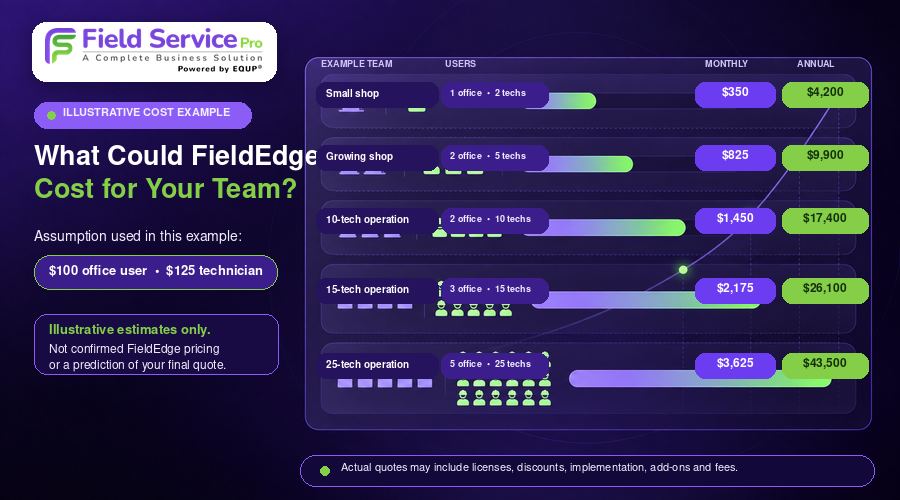
The examples below use commonly reported estimates of about $100 per office user and $125 per technician. These figures are illustrative only. They do not represent a confirmed 2026 pricing formula from FieldEdge.
| Example Business | Office Users | Technicians | Illustrative Monthly Cost | Illustrative Annual Cost |
| Small shop | 1 | 2 | $350 | $4,200 |
| Growing shop | 2 | 5 | $825 | $9,900 |
| 10 technician operation | 2 | 10 | $1,450 | $17,400 |
| 15 technician operation | 3 | 15 | $2,175 | $26,100 |
| 25 technician operation | 5 | 25 | $3,625 | $43,500 |
These calculations show how quickly software spending can grow as headcount increases. A larger field team could create a substantially higher annual expense if pricing were structured around individual users, and on a per-user model, that expense grows in lockstep with your business, whether or not your margins grow at the same pace.
However, the table should not be treated as a prediction of your final quote. It does not account for included mobile licenses, negotiated package pricing, volume discounts, implementation, optional products, payment processing, integrations, or taxes.
Use these examples as a budgeting reference only. Your actual FieldEdge cost will depend on the commercial terms presented in your specific proposal. What the table does illustrate clearly is the direction of travel – on a per-user model, the software bill for a 25-technician operation can run into tens of thousands of dollars a year, purely from headcount, before any add-ons are factored in. A flat-rate platform with unlimited users, by contrast, keeps that number the same at 5 technicians or 25.
FieldEdge Limitations to Consider Before Buying
FieldEdge offers strong trade specific functionality, but a few limitations can affect the buying decision depending on your team size, workflow, budget, and contract preferences.
1. Limited Pricing Transparency
FieldEdge does not publicly list subscription prices for Select, Premier, or Elite. Extra mobile license pricing and many optional product costs are also unavailable publicly.
This makes direct comparison harder until you request a quote. Businesses that prefer predictable, published rates may find flat-pricing FieldEdge alternative easier to budget for from day one.
2. No Free Trial
FieldEdge does not currently offer a traditional free trial. Evaluation usually happens through a sales demo and guided onboarding process.
Ask for a demonstration based on your actual scheduling, dispatching, quoting, invoicing, and technician workflows before committing.
3. Costs Increase as the Team Grows
Team size can affect FieldEdge pricing, while Select, Premier, and Elite include 2, 4, and 6 mobile licenses respectively.
If you expect to add technicians, confirm the cost of extra licenses in advance. This is the single biggest factor separating FieldEdge’s pricing model from flat, unlimited-user platforms like FieldServicePro, where adding technicians doesn’t change your monthly bill at all.
4. Mobile Performance and Synchronization Concerns
Some customer reviews mention slow loading, synchronization delays, or saving issues, especially in weaker connectivity conditions. Other users report positive day to day experiences.
Test job updates, photo uploads, invoice completion, payments, and low connectivity workflows during your evaluation.
5. Contract Flexibility Requires Careful Review
Some reviews describe difficulties with cancellation or longer commitments, but contract terms can vary between customers.
Check the initial term, automatic renewal, notice requirements, downgrade rules, early termination obligations, and renewal pricing before signing.
6. Some Capabilities May Require Higher Plans or Add Ons
Advanced tools such as Proposal Pro, MarketingEdge, Consumer Management Portal, broader reporting, and advanced dispatching may depend on the package you choose or require an additional purchase.
Compare your required workflows against each plan so you know exactly what is included before making a decision.
Why Per-Technician Pricing Becomes a Growth Problem
Here’s the pattern worth understanding before you sign anything: a per-seat pricing model like FieldEdge’s is usually at its most attractive on day one, when your team is small and the quote looks close to what you’d pay for a simpler tool. The friction shows up later.
Every technician you hire is also a new line item on your software bill. Every mobile license beyond your plan’s allowance is a negotiation. A season of rapid growth, the exact moment your business needs its systems to support expansion rather than complicate it, is also the moment your FieldEdge invoice is most likely to climb.
This isn’t a flaw unique to FieldEdge. It’s how most per-user and per-license service software is built, and it’s worth asking directly, before you sign a quote, how the price responds to adding five, ten, or twenty technicians over the next two years.
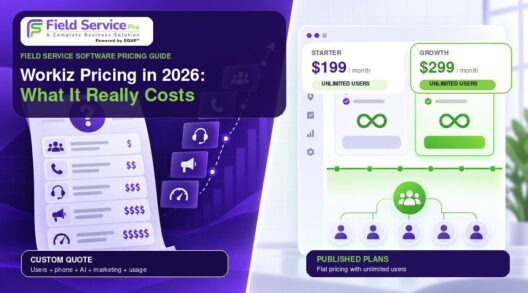
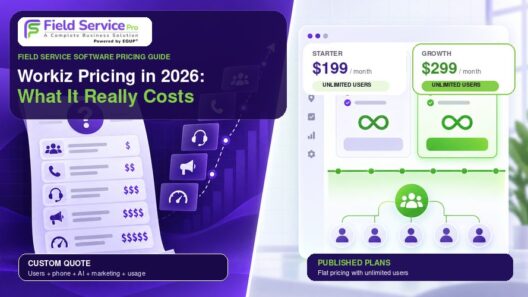
The alternative is a flat-rate model: one price, unlimited users, and a bill that doesn’t change when your headcount does. FieldServicePro is built this way. Its Starter and Growth plans both include unlimited users, so a five-technician company and a twenty-five-technician company on the same plan pay the same monthly price. The tradeoff businesses are weighing in 2026 isn’t just “which platform has more features.” It’s whether they want a system that gets more expensive as they succeed, or one that doesn’t.
Best FieldEdge Alternatives in 2026
The best Field Edge alternative depend on what makes you hesitate about FieldEdge in the first place. Some businesses want clearer pricing, others need unlimited users, an easier trial process, or more advanced operational depth.
If your comparison is specifically focused on heating and cooling operations, our Best field service software for HVAC guide covers a wider range of options.
| Platform | Pricing Approach | Best Reason to Consider It Over FieldEdge |
| FieldServicePro | Published flat pricing with unlimited users on every plan | Predictable costs that don’t rise as your team expands |
| Housecall Pro | Published tier pricing | Lower entry price and free evaluation |
| Service Fusion | Flat plan pricing with unlimited users | Headcount growth does not raise subscription pricing |
| Jobber | Published tier and user model | Simpler workflows for smaller service businesses |
| ServiceTitan | Custom quote | Greater depth for complex trade operations |
1. FieldServicePro: Best for Predictable, Unlimited-User Pricing
FieldServicePro takes the opposite approach to FieldEdge’s custom-quote, per-license model. Pricing is published, fixed, and built around flat monthly fees rather than headcount.
Two plans are available:
● Starter, at $199 per month or $1,999 billed annually. It includes up to 600 service visits per month, 500 job forms, 10,000 marketing emails, and 5 hours per month of 1-to-1 onboarding and support.
● Growth, at $299 per month or $2,999 billed annually. It includes up to 1,000 service visits per month, 1,000 job forms, 25,000 marketing emails, and 10 hours per month of 1-to-1 onboarding and support.
Both plans include unlimited users, unlimited contacts, unlimited jobs, unlimited scheduling, unlimited dispatching, unlimited invoicing, unlimited estimates, unlimited appointments, and unlimited client portal access. That means adding technicians, dispatchers, or office staff never changes the subscription price, whether you have 5 people on the team or 50.

What’s Included
FieldServicePro also includes tools that would typically be separate purchases or paid add-ons elsewhere, at no extra cost. An AI chatbot, WhatsApp marketing and chat, SMS marketing, email marketing campaigns, landing pages and dynamic forms, workflow automation, a sales pipeline, and e-sign agreements. On payment processing, FieldServicePro does not add its own markup on top of your payment processor’s standard rate, so you keep what you earn from client payments beyond the processor’s own fees. New customers can also test the full platform with a 15-day free trial, no credit card required, which FieldEdge does not currently offer.
Where FieldEdge still has an edge is in trade-specific depth built up over a longer product history, particularly around detailed pricebooks, QuickBooks-specific workflows, and long-established service agreement tooling for HVAC, plumbing, and electrical contractors. FieldServicePro is the better fit for businesses that want a broad, modern, all-in-one field service platform, scheduling, CRM, estimates, invoicing, payments, marketing, and client portal together, without a subscription that grows more expensive every time they hire.
Review the complete field service pricing details for current plan inclusions and billing options, or see the direct FieldServicePro vs FieldEdge comparison.
2. Housecall Pro: Best for Smaller Teams Wanting Transparent Pricing
Housecall Pro currently starts at $59 per month for Basic when billed annually. It also provides a 14 day free trial with no credit card required.
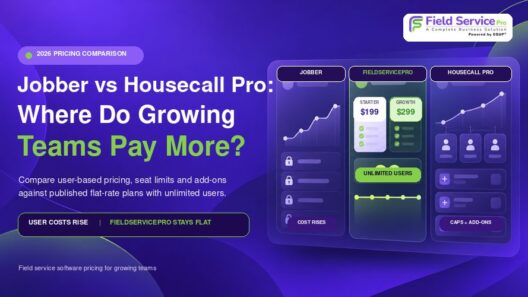
That purchasing path can appeal to smaller service companies that want to test scheduling, booking, estimates, invoicing, and customer management before paying for a subscription. Unlike FieldServicePro, its entry plans are seat-based rather than unlimited-user, so the price still moves as you add technicians.
Our housecall pro pricing breakdown covers its plans and purchasing costs in more detail.
3. Service Fusion: Best for Growing Teams Concerned About User Costs
Service Fusion currently lists monthly pricing at:
● Starter: $245
● Plus: $382
● Pro: $627
Every plan includes unlimited users.
That structure becomes especially relevant for companies with 10, 15, or 20 or more employees because subscription pricing does not automatically rise every time another user receives access. Its entry price sits above FieldServicePro’s Starter plan, so businesses comparing the two should weigh the feature set each includes at its respective price point.
4. Jobber: Best for Simpler Service Workflows
Jobber focuses on accessible service management for smaller and midsize teams, with tools for quoting, invoicing, customer communication, scheduling, and job management.
Its pricing varies by plan, billing commitment, and included user count, which means, like FieldEdge, costs can shift as your team grows. Jobber also runs promotional pricing at times, so buyers should distinguish temporary offers from standard rates when comparing costs.
5. ServiceTitan: Best for Larger and More Complex Operations
ServiceTitan also uses custom pricing, so it does not solve the transparency issue surrounding FieldEdge pricing. Its value lies elsewhere.
The platform targets businesses that need greater operational depth across advanced reporting, call booking, payroll management, commissions, memberships, dispatching, and other large scale service workflows.
For a closer comparison of their capabilities and ideal use cases, read our ServiceTitan vs FieldEdge guide.
How to Evaluate a FieldEdge Quote Before Signing
A FieldEdge proposal should give you enough detail to understand both the immediate commitment and the costs that may appear later. Before signing, ask for the important commercial terms in writing rather than relying only on a sales discussion.
Focus on these areas:
1. Subscription: Confirm the Select, Premier, or Elite price, included office users, included mobile users, extra license cost, and any minimum license requirement.
2. Contract: Review the initial term, renewal period, cancellation deadline, permitted renewal increase, downgrade rules, and early termination liability.
3. Implementation: Ask about onboarding charges, migration scope, training, go live assistance, and the date subscription billing begins.
4. Add ons: Request separate pricing for Proposal Pro, MarketingEdge, Consumer Management Portal, fleet or GPS tools, and any other optional products.
5. Payments: Get the processing percentage, transaction fees, ACH charges, keyed payment costs, chargeback fees, hardware expenses, PCI fees, and available funding options.
6. Exit planning: Confirm what data you can export, which formats are available, and how historical jobs, attachments, agreements, pricebooks, and payment information are handled.
Above all, ask how the quote changes as your team grows. That single question, more than any individual line item, determines whether a good deal today stays a good deal in two years.
Customer reports about FieldEdge contract experiences vary, so avoid assuming another company received the same terms you will receive. Your signed agreement should be the final reference for your obligations.
If you are comparing more than contract terms, our guide on How to Choose Field Service Management Software covers the wider evaluation process.
Conclusion
There is no single published FieldEdge pricing figure you can rely on in 2026. The amount you pay depends on the package you choose, the number of people who need access, optional products, implementation requirements, payment fees, and any external software your operation still needs.
A lower starting quote does not always mean a lower long term cost, especially as your team expands or your workflows become more complex. On a per-technician pricing model, growth and cost increase together by design, which means the software that once felt like a smart investment can start to feel like a tax on every new hire.
Before choosing FieldEdge or another platform, compare the capabilities you actually need alongside the way each pricing model responds to growth. That approach gives you a clearer view of value than looking at subscription figures alone and helps you avoid selecting software that becomes unnecessarily expensive as your business changes.
If predictable, flat pricing that doesn’t punish growth is the deciding factor for your business, FieldServicePro’s Starter and Growth plans include unlimited users from day one, along with a 15-day free trial to test the platform against your actual workflows before committing.
FAQs
FieldEdge does not publish a standard monthly price for its plans. Third party sources often mention estimates around $100 per office user and $125 per technician, but these are not confirmed 2026 rates.
FieldEdge confirms that team size affects pricing, and each package includes a set number of mobile licenses. Pricing for additional technicians is not publicly listed, so you need a custom quote for the exact amount.
Select is the entry level FieldEdge package and includes the core operational tools for service businesses. FieldEdge does not publish its monthly dollar price, so you must contact sales for current pricing.
No, FieldEdge currently uses product demonstrations and assisted onboarding instead of a traditional free trial. Buyers should use the demo to test the workflows that matter most before making a purchasing decision. FieldServicePro, by comparison, offers a 15-day free trial with no credit card required.
Yes, FieldEdge’s Select, Premier, and Elite plans include a fixed number of mobile licenses (2, 4, and 6 respectively), and pricing for additional technicians beyond that allowance is set through your custom quote. This is the core reason growing teams compare FieldEdge against flat, unlimited-user platforms before committing.
The right FieldEdge competitors to depends on what matters most to your business. For companies that specifically want published, flat pricing with unlimited users so their software cost doesn’t rise every time they hire, FieldServicePro and Service Fusion are the strongest fits. Housecall Pro and Jobber suit simpler workflows and smaller teams, while ServiceTitan targets larger businesses needing greater operational depth. Compare FieldServicePro with FieldEdge directly to see which fits your growth plans better.