
Quick Answer
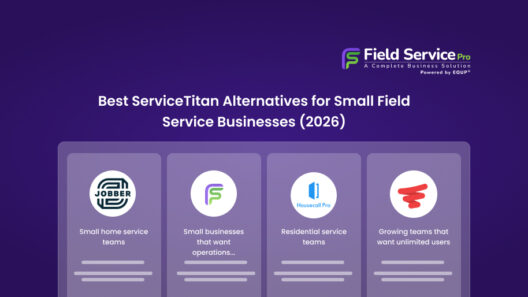
The best ServiceM8 alternatives in 2026 include FieldServicePro, Jobber, Housecall Pro, and Workiz. These tools offer more flexible pricing, stronger automation, and better scalability for growing service businesses that need more than basic job tracking.
Introduction
ServiceM8 works well, at least in the beginning. You start using it to organize jobs, manage customers, and keep things from slipping. For a while, it does the job. However, as your business grows, things start to change.
Pricing begins to feel heavier. Add-ons stack up. Features you assumed were included suddenly cost extra. At the same time, your team grows, your workload increases, and the system that once felt simple now starts slowing you down.
That’s usually when the search begins.
You start looking for the best ServiceM8 alternatives. Something more flexible, easier to scale, and better aligned with how your business actually runs. Not just another tool, but a system that combines CRM, scheduling, invoicing, and automation without unnecessary complexity.
And yet, switching feels overwhelming. Too many options. Too many feature lists. Not enough clarity. That’s exactly what this guide solves.
In this blog, we’ll break down the best ServiceM8 alternatives based on real business needs, whether you’re a solo operator, a small team, or a growing service company. We’ll also cover pricing, key differences, and how to choose the right tool without overpaying or overcomplicating your setup.
Why People Look for ServiceM8 Alternatives

Most people don’t start searching for alternatives on day one. In fact, ServiceM8 works fine in the beginning. However, as your business grows, certain limitations start to show up.
And that’s usually when frustration builds. Let’s look at the most common reasons why service businesses start exploring the best ServiceM8 alternatives.
1. Pricing Adds Up Quickly
At first, the pricing feels manageable. However, over time, costs begin to increase.
You start paying for additional users. Then come add-ons. Then extra features that weren’t included in your original plan. As a result, what looked affordable in the beginning slowly becomes expensive.
For small teams especially, this makes budgeting unpredictable. And that’s often the first trigger to look for a more transparent option.
2. Limited Advanced Features
As your operations grow, your needs change. You don’t just need job tracking anymore. You need better reporting, automation, and visibility across your business. However, many users find that ServiceM8 lacks depth in these areas unless you rely on workarounds.
For example, advanced analytics or workflow automation may not be as flexible as expected. Over time, this creates gaps in decision-making and efficiency.
3. Not Built for Scaling Teams
ServiceM8 works well for smaller setups. However, once your team grows, things can start to feel restrictive.
Managing multiple technicians, tracking performance, and coordinating jobs at scale requires more robust systems. Without that, communication becomes messy and operations slow down.
As a result, growing businesses often outgrow the platform faster than expected.
4. Add-On Dependency
One of the biggest frustrations is relying on multiple add-ons to get basic functionality.
Instead of having everything in one place, you end up connecting different tools for payments, reporting, or communication. While this works initially, it eventually creates complexity.
And more tools mean more costs, more integrations, and more chances for things to break.
However, before switching, it helps to understand what field service software actually costs, including hidden fees and add-ons that most tools don’t highlight upfront. You can explore that in this breakdown of field service management software costs.
Best ServiceM8 Alternatives (Compared by Real Use Cases)
Not every alternative fits every business. Some tools are built for simplicity, while others are designed for scale. So instead of listing features blindly, let’s break down each option based on how it actually helps in day-to-day operations.
1. FieldServicePro: Best All-in-One Alternative
If you’re tired of juggling multiple tools, this is where FieldServicePro stands out. It brings CRM, scheduling, invoicing, and automation into one system without forcing you into complex setups.
Best for: Small to mid-sized service businesses that want everything in one place without overpaying
Pricing: Transparent, flat pricing with no per-user charges. Starts lower than most enterprise tools and scales without sudden jumps.
Key features:
- Real-time scheduling and dispatch
- On-site estimates and invoicing
- Automated follow-ups (SMS, email, WhatsApp)
- Customer and job history tracking
- Mobile-first app for field teams
Pros:
- All-in-one system (no need for multiple tools)
- Easy to use, even for non-technical teams
- Strong automation without extra add-ons
- Predictable pricing
Cons:
- Not as feature-heavy as enterprise tools for very large operations
- Newer compared to legacy platforms
2. Jobber: Best for Simplicity
Jobber is often the go-to choice for businesses that want something easy to start with. It focuses on clean design and straightforward workflows.
Best for: Solo plumbers and small teams who want a simple, reliable system
Pricing: Mid-range pricing, but costs increase as you add users and features
Key features:
- Job scheduling and tracking
- Invoicing and payments
- Customer management
- Basic automation
Pros:
- Very easy to use
- Clean interface with minimal learning curve
- Good for small teams
Cons:
- Limited customization
- Costs can rise with team size
- Not ideal for complex workflows
3. Housecall Pro: Best for Automation
Housecall Pro is strong when it comes to automating customer communication and marketing. It’s built for businesses that want to reduce manual follow-ups.
Best for: Service businesses focused on growth through automation and customer engagement
Pricing: Subscription-based with additional costs for marketing features and add-ons
Key features:
- Automated reminders and follow-ups
- Online booking
- Estimates and invoicing
- Customer communication tools
Pros:
- Strong automation features
- Good for repeat business and customer retention
- Built-in marketing tools
Cons:
- Add-ons can increase total cost
- Less flexibility for larger operations
- Pricing can feel layered
4. Workiz: Best for Call Handling
Workiz stands out for businesses that rely heavily on inbound calls and lead management. It combines CRM with call tracking features.
Best for: Teams that manage a high volume of calls and need better visibility into leads
Pricing: Tiered pricing with additional costs for advanced features
Key features:
- Call tracking and recording
- Job scheduling and dispatch
- Invoicing and payments
- Customer management
Pros:
- Strong call management capabilities
- Good visibility into lead sources
- Useful for sales-driven teams
Cons:
- Interface can feel complex
- Some features require upgrades
- Not as focused on full workflow automation
5. ServiceTitan: Best for Large Teams

ServiceTitan is built for larger service businesses that need deep reporting, advanced workflows, and enterprise-level control.
Best for: Growing or large plumbing companies with multiple teams and higher operational complexity
Pricing: Premium pricing with long-term contracts; significantly higher than most tools
Key features:
- Advanced reporting and analytics
- Dispatch and route optimization
- Inventory and equipment tracking
- CRM and marketing tools
Pros:
- Extremely powerful and scalable
- Deep insights into business performance
- Designed for large operations
Cons:
- Expensive for small and mid-sized teams
- Steeper learning curve
- Requires time to implement fully
However, if you’re specifically comparing tools like Jobber and want to explore similar options in more detail, this guide on Jobber alternatives for service businesses will help you narrow down your choices faster.
Quick Comparison Table of ServiceM8 Alternatives (2026)
If you want a quick decision, this table breaks down the best ServiceM8 alternatives based on real use cases, pricing style, and limitations.
| Tool | Best For | Pricing Style | Key Strength | Limitation |
|---|---|---|---|---|
| FieldServicePro | All-in-one solution for small to mid-sized teams | Flat pricing (no per-user fees) | Combines CRM, scheduling, invoicing, and automation in one system | Not as feature-heavy as enterprise tools |
| Jobber | Simplicity and ease of use | Per-user pricing | Clean interface, quick setup, great for small teams | Costs increase as team grows |
| Housecall Pro | Automation and customer communication | Subscription + add-ons | Strong reminders, follow-ups, and marketing tools | Add-ons can increase total cost |
| Workiz | Call tracking and lead management | Tiered pricing | Built-in call tracking and lead visibility | Interface can feel complex |
| ServiceTitan | Large and scaling businesses | Premium, contract-based | Advanced reporting, dispatch, and analytics | Expensive and complex to implement |
Which ServiceM8 Alternative Should You Choose?
At this point, the question isn’t which tool is best overall, but it’s which one fits your business right now. Instead of overthinking features, start with how you operate day to day.
If You’re a Solo Operator
Keep things simple. You don’t need complex systems or heavy dashboards. What you need is speed. Something that helps you schedule jobs, send invoices, and track customers without slowing you down.
Go with: Jobber or FieldServicePro
Both are easy to use. However, if you want something that can grow with you without switching later, FieldServicePro gives you more flexibility.
If You’re a Small Team (2–10 Technicians)
Now coordination becomes the real challenge.
You need visibility into jobs, technicians, and schedules, all in one place. At the same time, follow-ups and reminders start impacting your revenue more than you realize.
Go with: FieldServicePro or Housecall Pro
Housecall Pro works well if automation is your priority. On the other hand, FieldServicePro is a better fit if you want a balanced system without relying on multiple add-ons.
If You’re Scaling (10+ Technicians)
At this stage, you need more than just job management.
You need insights. Which jobs are profitable? Which technicians perform best? Where is time being lost? Without clear answers, growth becomes messy.
Go with: ServiceTitan or FieldServicePro
ServiceTitan is powerful, but it comes with higher costs and complexity. If you want something scalable without the overhead, FieldServicePro is often the more practical choice.
Don’t choose based on features alone. Instead, choose based on what’s currently slowing you down:
- Too much manual work, then choose automation
- Too much confusion, then choose visibility
- Too many tools, then choose an all-in-one system
The right choice should feel like relief and not another system you have to manage. However, if you’re still comparing options and want a clearer step-by-step way to decide, this guide on how to choose field service management software will help you make the right call based on your business size and workflow.
Real Cost Comparison: What You May Actually Pay Beyond the Base Plan

At first glance, most tools look affordable. However, the real cost often increases once you add users, unlock features, or start using messaging and payments daily.
| Tool | Pricing Model | User Cost | Add-Ons & Extras | What This Means |
|---|---|---|---|---|
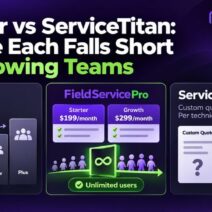
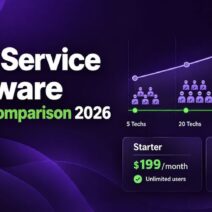
| FieldServicePro | Flat pricing $199 for starter plan and $299 for growth plan | Unlimited users included | No extra platform fees (only standard payment processor fees) | Predictable cost as your team grows |
| Jobber | Tiered + per-user | Limited users per plan, extra users ~$29/month | Advanced features locked in higher plans (Marketing, Pipeline, etc.) | Costs increase as team expands |
| Housecall Pro | Subscription-based | Varies by plan | Payment fees (~2.59% cards, ~1% ACH), add-ons for marketing | Total cost grows with usage |
| Workiz | Tiered + per-user | Extra users ~$46–$65/month | Communication tools sold separately | Higher cost for larger teams |
| ServiceTitan | Custom/per technician | Per-tech pricing | Custom packages, enterprise-level add-ons | Expensive but powerful for large businesses |
This is where a lot of buyers get caught off guard.
On paper, one tool may look cheaper than another. However, the real monthly cost often changes once you add technicians, unlock higher tiers, or start using messaging and payment features every day. This is the part that matters most:
Real Monthly Cost: What You Actually Pay as Your Business Grows
- FieldServicePro uses flat-rate pricing. Its pricing page says both plans include unlimited users, the mobile app, and no extra platform transaction fees beyond your payment processor’s standard rates. That makes field service pricing easier to predict as your team grows.
- Jobber starts lower, but its pricing is still tied to plan limits and added seats. For example, Connect includes 5 users, Grow includes 10, Plus includes 15, and extra users cost $29 each. Some advanced functions, like Marketing Suite, Pipeline, and Receptionist, are bundled only in higher tiers.
- Housecall Pro looks affordable at entry level, but pricing typically starts around $59/month, with larger teams often moving into higher tiers or custom pricing. Housecall Pro also charges payment processing fees starting at 2.59% for cards and 1% for bank payments.
- Workiz is another example where the headline price is only part of the story. Its Standard and Pro plans include 5 users, but extra members cost $46–$55/month on Standard and $54–$65/month on Pro, depending on billing. Its communication tools are also listed as sold separately.
- ServiceTitan says its pricing is per technician and asks buyers to request pricing, which usually means your actual cost depends on team size, package, and negotiated scope.
So, the takeaway is simple. Don’t compare only the starting price. Compare the real operating cost once you factor in users, add-ons, messaging, and payment fees. That’s usually where the cheaper-looking option stops being cheaper.
Conclusion
There’s no single “best” tool for everyone. One of the best ServiceM8 alternatives depends on how your business operates today.
If you’re running solo, simplicity matters more than features. If you have a team, visibility and coordination become critical. And if you’re scaling, reporting and control start to define your decisions.
So instead of chasing features, focus on your workflow.
Choose a system that removes friction from your day, not one that adds complexity. Because in the end, the right tool should help you run your business better, not just manage software.
FAQs
The best ServiceM8 alternatives in 2026 include FieldServicePro, Jobber, Housecall Pro, and Workiz. These tools offer better pricing flexibility, automation, and scalability.
Flat pricing tools like FieldServicePro are often more cost-effective long term because they include unlimited users. In contrast, per-user tools can become expensive as your team grows.
Yes, ServiceM8 works well for small teams and solo operators. However, as your business grows, limitations in pricing, features, and scalability often lead users to explore alternatives.
For growing teams, tools like FieldServicePro or ServiceTitan are better suited. They offer stronger reporting, automation, and scalability compared to ServiceM8.