
This comparison was put together for field service business owners and operations managers who are actively evaluating software and want a straightforward, experience-based assessment rather than a recycled feature list.
Every platform included here was evaluated across the same criteria: scheduling and dispatch, mobile app quality, job management, customer communication, billing and invoicing, automation capabilities, reporting, and value relative to pricing. Where platforms have published pricing, it is included. Where pricing is custom or opaque, that is noted directly.
The field service management software market has matured considerably by 2026. The gap between a capable small-business tool and a full enterprise platform is now significant in both price and complexity. This guide helps you identify which tier and which product fits your actual operation.
What Makes a Good Field Service Management Platform in 2026?
Before comparing products, it helps to be clear on what the evaluation standard should be. Field service management software is not just a scheduling tool. The best platforms connect the entire job lifecycle: from initial customer inquiry through to dispatching, field execution, documentation, invoicing, and reporting.
Below is the practical checklist any serious platform should pass in 2026.
- Scheduling and dispatch that works in real time. Jobs need to be assignable, adjustable, and visible to the right people instantly. A dispatcher dragging jobs into a calendar should reflect immediately on a technician’s phone.
- A mobile app built for field conditions. Technicians are not sitting at desks. The mobile experience needs to be fast, intuitive, and functional offline. A mobile-responsive web portal is not the same as a properly built field service technician app.
- Job documentation from the field. Photos, forms, notes, signatures, and before-and-after images should be capturable at the job site and attached to the job record automatically.
- Time tracking tied to real work. Hours logged should connect to specific jobs and tasks, not just a daily total. This matters for both payroll accuracy and job cost analysis.
- Invoicing that closes at job completion. The tighter the gap between job completion and invoice generation, the faster you get paid and the more accurate your billing is.
- Reporting that informs decisions. Basic reporting tells you what happened. Good reporting tells you why, and what to do differently.
With those benchmarks in place, here is how the leading platforms measure up. To read in detail, here is our detailed guide on what field service management is.
Field Service Management Software Reviews: Platform by Platform
1. FieldServicePro
Best for: Small to mid-size field service businesses that want an all-in-one platform without enterprise pricing or complexity.
FieldServicePro stands out in 2026 by offering far more than scheduling and invoicing. It combines job management, CRM, sales pipelines, marketing automation, e-signatures, and a powerful mobile app in one platform without charging for separate modules.
The mobile app helps technicians manage their day with multiple schedule views, real-time travel status updates, task-level time tracking, photo capture, digital forms, file uploads, and job notes. It also supports accurate time tracking for every service visit.
The platform includes a customizable CRM, AI-assisted estimates, online booking with payment collection, recurring billing, and complete invoice management from both desktop and mobile.
A major advantage is its built-in marketing suite. Email, SMS, WhatsApp marketing, social media scheduling, AI chatbots, and workflow automation are included, helping businesses manage customer communication, lead generation, appointment reminders, and follow-ups from one system.
Read our complete guide on 10 must-have features in field service management software.
What it does well:
- All-in-one platform with CRM, marketing, and field service tools
- Strong mobile app with real-time job and schedule management
- Built-in automation and marketing features at no extra cost
- Supports HVAC, plumbing, electrical, cleaning, roofing, pest control, and more
- Available on iOS and Android with a 5.0 rating from 200+ reviews
Where to look closely:
- Businesses that only need basic scheduling may not use every included feature.
- Large enterprise organizations with highly complex routing should evaluate whether it meets their advanced operational needs.
Verdict: FieldServicePro is an excellent choice for businesses that want to manage operations, customer relationships, and marketing from a single platform. Its feature-rich mobile app, automation capabilities, and broad functionality deliver strong value compared to many competing solutions.
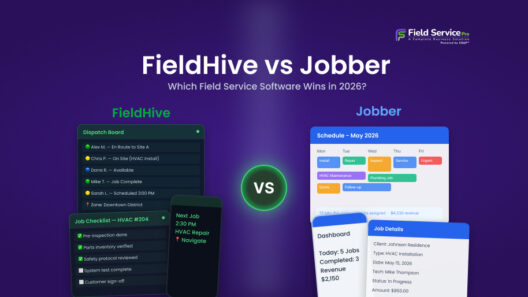
2. Jobber
Best for: Home service businesses running 1 to 25 technicians who want a polished, focused product.
Jobber has built a well-deserved reputation for being clean, well-designed, and genuinely easy to use. The product is focused specifically on home service businesses: HVAC, plumbing, landscaping, cleaning, pest control, and similar trades. It does not try to be everything to everyone, and that focus shows in the quality of the core experience.
Scheduling, dispatching, quoting, job management, invoicing, and a client portal are all handled well. The client portal is one of Jobber’s stronger differentiators: customers can approve quotes, pay invoices, and request work through a self-service interface that reduces back-and-forth for your office team.
The mobile app is consistently well-reviewed. Technicians can view their schedule, access job details, capture photos and notes, collect signatures, and send invoices from the field.
Where Jobber shows its limits is at the edges of the platform. There is no built-in CRM with pipeline management, no marketing automation, no email or SMS campaign tools, and limited customization in reporting. If you need those capabilities, you are adding third-party tools and integrations, which increases cost and complexity.
What it does well: Clean UX, strong client portal, solid home service workflow, good onboarding resources.
Where it falls short: No CRM or marketing tools, limited automation, pricing increases significantly with team size.
3. ServiceTitan
Best for: Established multi-crew operations with 15-plus technicians in HVAC, plumbing, or electrical.
ServiceTitan is the enterprise incumbent in this space. It has the deepest feature set of any platform in this category: marketing campaign management, call recording with conversion tracking, advanced job costing, revenue reporting by technician and by job type, and integrations with every major accounting platform.
The depth is real, and for businesses at the right scale, it justifies the cost. The reporting and analytics capabilities alone can reveal operational issues that simpler tools would never surface.
However, ServiceTitan is a significant operational and financial commitment. Onboarding is a structured process that typically takes several weeks. The interface has a learning curve that requires investment in training. Pricing is custom and typically starts well above $500 per month, with additional fees for various modules.
For a 50-truck operation generating millions in annual revenue, ServiceTitan makes sense. For a 5-technician plumbing company, the overhead is hard to justify when alternatives cover the core workflow at a fraction of the cost.
What it does well: Enterprise-grade reporting, call tracking, deep integrations, marketing ROI visibility.
Where it falls short: High cost, long onboarding, significant learning curve, not suited for small teams.
4. Housecall Pro
Best for: Solo operators and small crews who want simplicity and solid customer-facing features.
Housecall Pro has built its following by keeping the experience simple and the customer-facing features strong. Automated appointment reminders, review generation, and a clean customer communication flow make it popular among businesses that compete on service experience.
The platform covers scheduling, dispatching, invoicing, and basic reporting. The mobile app is clean and easy for technicians to learn. The free trial is generous enough to evaluate the product properly before committing.
The limitations become visible as teams grow. The CRM is basic, reporting does not go deep, and there are no marketing tools beyond appointment reminders. Customization is limited compared to FieldServicePro or even Jobber.
What it does well: Simple onboarding, good customer communication features, solid for very small teams.
Where it falls short: Basic CRM, limited reporting, not built for teams with complex workflows.
5. FieldPulse
Best for: Small to mid-size contractors who need flexibility without enterprise complexity.
FieldPulse covers the field service workflow well: scheduling, dispatching, customer management, invoicing, time tracking, and a solid mobile app with reliable offline functionality. It allows more customization than Housecall Pro and has a cleaner experience than some of the older platforms in this space.
GPS tracking, technician time logging, and automated customer notifications are all included. The platform is a good fit for electrical, HVAC, and general contracting businesses that need more control over their workflow without the overhead of an enterprise tool.
The main gap is in the broader business management layer. Like most competitors except FieldServicePro, FieldPulse does not include marketing, CRM pipelines, or automation beyond job-related workflows.
What it does well: Flexible job customization, reliable offline mobile app, GPS tracking.
Where it falls short: No marketing stack, limited automation, pricing climbs with users.
6. Workiz
Best for: On-demand service businesses that generate most of their jobs from inbound calls.
Workiz takes a distinctive angle by embedding a full VoIP phone system into the platform. Every inbound call is tracked, recorded, and linked to a job if it converts. This makes Workiz particularly effective for locksmiths, appliance repair businesses, junk removal companies, and other on-demand services where a ringing phone is the primary source of revenue.
The scheduling and job management features are solid. The mobile app handles the standard field workflow. But the real differentiator is the call-to-job pipeline and the visibility it gives you into which marketing sources are actually producing revenue.
For businesses that rely heavily on inbound calls and do not already have a VoIP setup, Workiz solves a meaningful problem. For businesses with a different lead generation model, the phone system is a feature you are paying for but not fully using.
What it does well: Built-in VoIP and call tracking, fast job booking from calls, good for on-demand services. Where it falls short: Less suited to businesses with contract or scheduled recurring work.
7. Service Fusion
Best for: Mid-size field service companies that need solid core features without paying for enterprise complexity.
Service Fusion covers the fundamentals well: scheduling, dispatch, customer management, invoicing, and GPS tracking of fleet vehicles. The interface is functional rather than polished, but the core workflow is reliable and the pricing is straightforward.
GPS fleet tracking is a standout feature for businesses managing multiple vehicles, giving dispatchers visibility into truck locations alongside job assignments.
The mobile experience is competent but not as refined as Jobber or FieldServicePro. Customer-facing features are limited. There is no marketing stack and limited automation.
What it does well: GPS fleet tracking, straightforward pricing, solid core workflow.
Where it falls short: Dated interface, limited mobile polish, no marketing or automation features.
Side-by-Side Comparison: Key Features
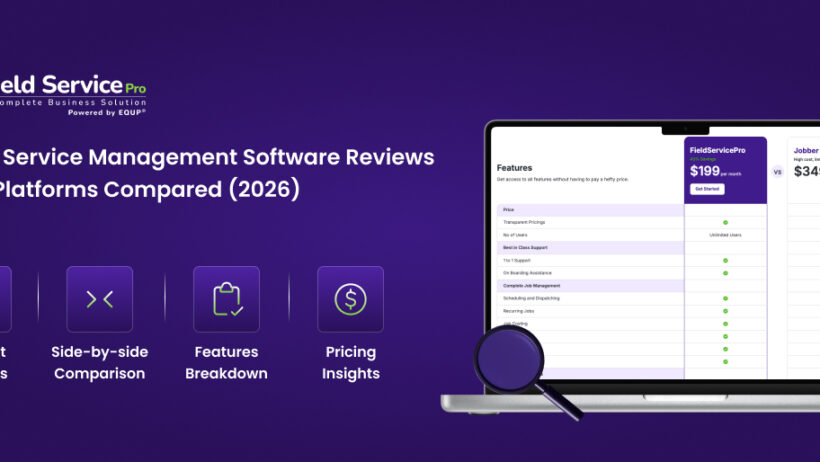
| Feature | FieldServicePro | Jobber | ServiceTitan | Housecall Pro | FieldPulse | Workiz |
| Scheduling and Dispatch | Yes | Yes | Yes | Yes | Yes | Yes |
| Mobile App (iOS + Android) | Yes | Yes | Yes | Yes | Yes | Yes |
| Offline Mobile Mode | Yes | Yes | Yes | Limited | Yes | Limited |
| GPS Location Tracking | Yes | Limited | Yes | Limited | Yes | Yes |
| Time Tracking by Job/Task | Yes | Yes | Yes | Basic | Yes | Yes |
| Custom CRM | Yes | Basic | Yes | Basic | Basic | Basic |
| Sales Pipelines | Yes | No | No | No | No | No |
| Marketing Automation | Yes | No | Yes | No | No | No |
| Email/SMS/WhatsApp Marketing | Yes | No | Partial | No | No | No |
| Workflow Automation | Yes | Limited | Yes | No | Limited | No |
| E-Sign Agreements | Yes | No | No | No | No | No |
| Online Booking with Payment | Yes | Yes | Yes | Yes | Limited | Yes |
| Recurring Billing | Yes | Yes | Yes | Yes | Yes | Yes |
| Client Portal | Yes | Yes | Yes | No | No | No |
| Built-in VoIP/Calling | Yes | No | Yes | No | No | Yes |
| AI Features | Yes | No | Partial | No | No | No |
| Reporting and Analytics | Yes | Basic | Advanced | Basic | Basic | Basic |
| Integrations | 2000+ | Strong | Strong | Moderate | Moderate | Moderate |
How to Choose the Right Platform: A Practical Framework
Reading software reviews is useful. But no article can make the decision for you because the right tool depends entirely on your specific operation. Here is a practical way to narrow down your options.
Step 1: Define your current biggest operational pain
Are jobs falling through the cracks because of scheduling problems? Are your technicians wasting time because they do not have job details on their phone? Is billing slow because your office is manually reconstructing time and parts from memory? Is your customer follow-up nonexistent because you have no automated system? Different pain points point to different priorities.
Step 2: Match team size to platform complexity
Platforms like ServiceTitan are built for operations managing 20-plus technicians across multiple teams. The feature depth is genuine, but so is the operational overhead of setting it up and maintaining it. For a team of 3 to 10 technicians, that complexity is a cost without much benefit. Platforms like FieldServicePro, Jobber, or FieldPulse are built for this range and are faster to implement and cheaper to run.
Step 3: Evaluate the mobile experience yourself
Do not make a software decision based on the admin dashboard alone. Put the mobile app in the hands of one of your technicians and have them run through a real job. The friction points that will hurt you in daily use only show up when real people are doing real work, not when a sales engineer is doing a polished demo.
Step 4: Think about what you will need in 12 months
Switching field service management software is painful. Every time you move platforms, you absorb the cost of data migration, retraining, and operational disruption. If your business is growing and you expect to need marketing automation, a CRM, or deeper reporting within the next year, it is worth choosing a platform that already has those capabilities rather than switching again later.
Step 5: Take trials seriously
Every major platform in this category offers a free trial. Use it with real jobs, real customers, and real technicians rather than test data. A 15-day trial with actual work running through it will tell you more than 10 hours of reading reviews.
Check out our detailed guide on How to Choose Field Service Management Software.
Frequently Asked Questions
There is no single best platform for every business. Small to mid-size teams that want broad functionality, including CRM, marketing automation, and a strong mobile app without enterprise pricing, will find FieldServicePro among the strongest options. Home service businesses that prioritize simplicity often choose Jobber for its ease of use. Meanwhile, large multi-crew operations can benefit from ServiceTitan’s deep feature set.
Pricing varies widely. Entry-level platforms like Jobber and Housecall Pro start around $49 per month. Mid-range platforms like FieldPulse start around $99 per month. Enterprise platforms like ServiceTitan use custom pricing that typically starts above $500 per month. All-in-one platforms like FieldServicePro offer broad feature sets that make direct price comparisons more favorable when you factor in what is included.
The core requirements are scheduling and dispatch, a strong mobile app for technicians, job documentation, time tracking by job, invoicing, and reporting. Beyond core requirements, the features that add the most business value are CRM, customer communication automation, online booking, and integration with accounting software.
FieldServicePro stands out here. It includes email marketing, SMS marketing, WhatsApp marketing, social scheduling, landing pages, dynamic forms, and AI chatbots as part of its platform, which is uncommon among field service management tools. Most competitors in this space focus purely on operations and require separate marketing software.
Simpler platforms like Jobber and Housecall Pro can typically be set up and running within a few days. More comprehensive platforms like FieldServicePro may take one to two weeks to configure properly, particularly if you are migrating customer data or setting up automation workflows. Enterprise platforms like ServiceTitan involve a formal onboarding process that takes several weeks.
Yes. Most platforms in this review support multiple field service verticals. FieldServicePro specifically lists support for HVAC, plumbing, electrical, cleaning, roofing, pest control, appliance repair, lawn care, pool service, flooring, construction, and more. The workflows are similar enough across these trades that one platform handles them well.
A work order app handles job creation, assignment, and tracking. Field service management software is a broader platform that includes work orders plus scheduling, dispatch, CRM, invoicing, customer communication, time tracking, reporting, and sometimes marketing and automation. Most businesses start with work order functionality and find they need the broader platform as they grow.
Final Verdict
The field service management software market in 2026 gives businesses more genuinely capable options than at any point before. The challenge is not finding a tool that works. The challenge is matching the right tool to your specific operation, team size, and growth trajectory.
Businesses that want operational depth, marketing capabilities, and a strong mobile experience without building a stack of separate tools should evaluate FieldServicePro first. If simplicity is your top priority, Jobber and Housecall Pro offer clean and focused solutions. Meanwhile, large enterprise operations may find that ServiceTitan’s advanced analytics and automation justify its higher cost and complexity.
Whatever platform you choose, the decision that matters most is not which tool you pick but whether your team actually uses it consistently. The best field service management software is the one your technicians open every morning without being reminded.
Ready to try FieldServicePro for your service business? If yes, then book a free demo or start your 15-day risk-free trial today!