




Quick Verdict
FieldHive wins for solo tradespeople and one-person UK trade businesses who mainly need quoting, invoicing, and booking on a tight budget, since it has a genuinely usable free plan and a £14.99/month paid tier.
Jobber wins for established service companies that need dispatching, GPS tracking, a client portal, and deep integrations, though costs climb fast because every extra user adds $29/month.
If you want full field service management without per-user fees, FieldServicePro sits in the middle with flat pricing from $199/month and unlimited users, jobs, and scheduling.
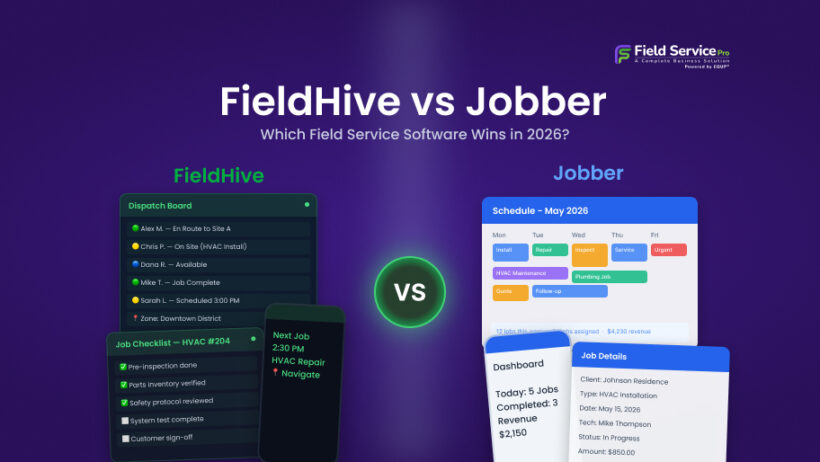
Choosing field service software in 2026 is harder than it should be. The market is crowded, pricing pages hide the real math, and two tools that look similar on the surface can be built for completely different businesses. That is exactly the situation with FieldHive and Jobber.
One is a lean, low-cost quoting and job management tool aimed at solo trades. The other is a mature, feature-heavy platform priced for growing teams. Put them side by side and the right choice depends almost entirely on your team size, your workflow, and how you feel about per-user pricing.
This field service software comparison walks through verified pricing for both platforms (checked directly on their websites in July 2026), a feature-by-feature breakdown, and honest recommendations on who should pick what. We also cover where FieldServicePro fits for businesses that have outgrown FieldHive but do not want Jobber’s per-seat costs.
FieldHive vs Jobber: At-a-Glance Comparison
| Category | FieldHive | Jobber |
| Starting price | Free (£0), paid plan £14.99/month | $29/month (Core, billed annually), $49 month-to-month |
| Top-tier price | Pro plan announced, not yet released | Plus plan from $399 to $499/month (5 users included) |
| User limits | Built around single-operator use | 1 user on entry plans, extra users $29/month each |
| Free plan | Yes, with unlimited invoices, customers, and bookings | No, 14-day free trial only |
| Mobile app | Web-based platform, no dedicated app listed | Full iOS and Android apps, Spanish version available |
| Scheduling | Calendar view with availability indicators | Drag-and-drop scheduling, dispatching, routing, GPS tracking |
| Invoicing | Unlimited invoices, deposits, progress claims (paid plan) | Batch invoicing, progress invoicing, automated follow-ups |
| Payments | PDF invoicing focus, CIS support for UK trades | Built-in card processing (2.9% + 30¢), ACH, Tap to Pay |
| Client portal | Not offered | Client hub included on all plans |
| Integrations | None listed publicly | QuickBooks Online, Xero, Zapier, 100+ app marketplace |
| Best for | UK sole traders and subcontractors | Established teams of 2 to 30+ in North America and the UK |
These two products barely overlap. FieldHive is a starting point. Jobber is a destination for teams with budget. The interesting question is what happens in the gap between them, and we will get to that.
What Is FieldHive?
FieldHive is a UK-based job management platform built for trades such as electricians, plumbers, builders, and landscapers. It focuses on the admin core of a small trade business: quotes, invoices, customer records, and bookings, with extras like CIS support and AI-assisted quote writing. The company positions itself as software you start free and grow into, rather than a system you eventually replace.
What Is Jobber?
Jobber is one of the most established names in field service management, serving home service businesses across HVAC, plumbing, cleaning, landscaping, and more than 50 other industries. It covers the full operational cycle, from online booking and quoting through scheduling, dispatching, invoicing, and payment collection, backed by iOS and Android apps and a large integration marketplace.
Why This Comparison Matters in 2026
Field service software is no longer a nice-to-have. According to MarketsandMarkets, the global field service management market is projected to grow from $5.10 billion in 2025 to $9.17 billion by 2030, a 12.5% compound annual growth rate. The same research finds that small and medium-sized businesses are expected to be the fastest-growing adopters, driven by affordable cloud platforms that automate scheduling and dispatch.
That growth explains why pricing models have become the real battleground. Mordor Intelligence reports that scheduling, dispatch, and route optimization tools alone accounted for roughly 28% of field service software revenue in 2025. Vendors know scheduling is the feature businesses cannot live without, and they price accordingly. Understanding what you are actually paying per technician, per job, and per feature is the difference between software that pays for itself and software that quietly eats your margin.
If Jobber is one of the platforms you’re considering, our full Jobber pricing and feature comparison breaks down its plans, add-on costs, and value for growing service businesses.
With that context, let us get into the numbers.
FieldHive vs Jobber Pricing: The Full Breakdown
Pricing is where FieldHive and Jobber diverge most sharply, so it deserves a proper look. All figures below were verified on the official FieldHive and Jobber pricing pages in July 2026. FieldHive lists its prices in British pounds, while Jobber uses US dollars.
FieldHive Pricing (Verified July 2026)
At present, there are two live FieldHive plans, with another on the way.
| Plan | Price | What You Get |
| Free | £0/month | Up to 5 active quotes, unlimited invoices, unlimited customers, unlimited bookings, unlimited catalogue items, PDF quotes and invoices, company branding, CIS support, 10 AI credits per month |
| Business | £14.99/month, or £144/year (works out to £12/month) | Everything in Free plus unlimited quotes, deposit invoices, progress claims, availability indicators, automated quote and invoice reminders, 100 AI credits, and removal of FieldHive branding |
| Pro | Coming soon | Not yet released or priced |
Two things stand out.
- The free plan is unusually generous. Most free tiers in this category cap customers or invoices; FieldHive only caps active quotes at five. A subcontractor sending a handful of quotes a month could realistically run on it indefinitely.
- There is no per-user pricing because the product is clearly built around a single operator. FieldHive itself says the platform is not aimed at enterprise contractors or large facilities teams.
Jobber Pricing (Verified July 2026)
Jobber runs four plans, and the price depends on your team size, your plan, and your billing commitment. If you’re looking for a deeper analysis of every plan, add-on, and real-world cost scenario, see our Jobber’s full 2026 pricing breakdown.
| Plan | Monthly (no commitment) | Annual Billing | Users Included |
| Core | $49/month | $29/month | 1 user |
| Connect | $139/month | $99/month | 1 user |
| Grow | $199/month | $149/month | 1 user |
| Plus | $499/month | $399/month | 5 users |
Every additional user on any plan costs $29/month. Jobber also sells add-ons on top of subscriptions: Marketing Suite at $79/month, an AI Receptionist at $29/month, and Pipeline at $49/month. Card payments processed through Jobber cost 2.9% + 30¢ per transaction, with ACH at 1%.
The Real-World Math
Here is where per-user pricing bites. Say you run a five-person crew and want Jobber’s Grow plan for job costing and two-way SMS. The advertised $149/month is for one user. The five-user Grow configuration is $229/month on annual billing, or $299 month-to-month. Add the Marketing Suite and Receptionist add-ons and you are past $330/month before payment processing fees.
Compare that to FieldHive at £14.99/month total. But that comparison is misleading, because FieldHive is not trying to run a five-person crew. It has no dispatching, no team GPS tracking, no client portal, and no published integrations. You would be comparing a hammer to a workshop.
So is FieldHive cheaper than Jobber? Yes, dramatically, but only for the narrow use case FieldHive is built for. Once you need to coordinate technicians in the field, FieldHive stops being an option and Jobber’s real cost becomes the number that matters.
Feature-by-Feature Breakdown
The pricing gap makes more sense once you see what each platform actually does. Here is how the two compare across the six areas that matter most in any field service management evaluation.
1. Scheduling and Dispatching
FieldHive offers unlimited bookings with a calendar view. Its paid plan adds availability indicators, simple green, amber, and red markers showing which days are open, partially booked, or full. That is helpful for a sole trader deciding whether to take on another job, but there is no dispatching because there is no team to dispatch.
Jobber treats scheduling as its core competency. You get drag-and-drop calendar management, real-time dispatching to crews, route optimization across your whole team, GPS tracking, and a Find a Time feature that suggests slots based on team availability and travel time. On higher plans, location-based timers automatically track visit times for payroll.
Winner: Jobber, and it is not close for anyone with employees. For a genuine solo operator, FieldHive’s calendar is arguably all the scheduling you need.
2. Invoicing and Payments
FieldHive allows unlimited invoices even on the free plan, which is rare. The Business plan adds deposit invoices, progress claims for staged billing on larger jobs, and automated invoice reminders. CIS support is built in, a meaningful detail for UK construction subcontractors dealing with tax deductions. Payments themselves happen outside the platform; FieldHive generates professional PDF invoices rather than processing money.
Jobber closes the loop. Clients pay invoices online by card or ACH, technicians can take Tap to Pay payments on their phones with no card reader, and recurring work can be charged automatically to a saved card. Automated follow-ups chase unpaid invoices by email and text. The trade-off is processing fees on every transaction.
Winner: Jobber for end-to-end payment collection. FieldHive for UK trades that invoice by bank transfer and want CIS handled properly without paying processing fees.
3. Client Portal
FieldHive does not offer a client-facing portal. Customers receive quotes and invoices as documents.
Jobber includes its client hub on every plan. Customers can approve quotes, check appointment details, pay invoices, and submit new work requests in one self-serve space. For businesses handling recurring residential work, this genuinely reduces phone and email traffic.
Winner: Jobber, by default.
4. Mobile App
FieldHive runs as a web platform. No dedicated iOS or Android app is listed on its site as of July 2026, which means field use happens through the mobile browser.
Jobber ships polished native apps for iOS and Android. Technicians view schedules, log time, attach photos, complete job forms, and collect payment from the field. The app is even available in Spanish for team members, a thoughtful touch for mixed-language crews.
Winner: Jobber. For field-heavy businesses, a proper mobile app is not optional, and this is one of the clearest gaps between the two products.
5. Reporting
FieldHive includes core job and financial reporting on its Business plan. It covers the essentials a small operation needs to see what was quoted, invoiced, and paid.
Jobber scales its reporting with each tier: an insights dashboard, financial and expense reports, client behavior reporting, salesperson performance tracking, team productivity reports, and real-time job costing on Grow and Plus plans. Its AI chat feature can answer questions about your business data directly.
Winner: Jobber for depth. FieldHive covers the basics without the analysis layer.
6. Integrations
FieldHive lists no third-party integrations on its public site. It is designed as a self-contained system.
Jobber syncs with QuickBooks Online and Xero for accounting, connects to 7,000+ apps through Zapier, integrates with Gusto for payroll and Home Depot for material pricing, and maintains an app marketplace with more than 100 tools.
Winner: Jobber, comprehensively. If your accountant lives in QuickBooks, FieldHive will mean manual data entry.
Who FieldHive Is Better For
FieldHive makes sense if most of these describe you:
- You are a sole trader, subcontractor, or self-employed tradesperson, particularly in the UK
- Your admin pain is quoting and invoicing, not coordinating a team
- CIS deductions are part of your invoicing life
- You want to start at £0 and pay nothing until quote volume forces an upgrade
- You do not need in-app payments, a client portal, or accounting sync
- Simplicity matters more to you than feature depth
For this profile, FieldHive is honestly hard to argue with on value. Unlimited invoices and customers on a free plan is a better deal than most freemium software in any category, and £14.99/month for the full product undercuts nearly everything in the field service space. The main risks are the missing mobile app and the fact that the platform is young, with its Pro tier still unreleased. Any fair FieldHive review has to note that you are betting on a product early in its roadmap.
Who Jobber Is Better For
Jobber is the stronger pick if:
- You have two or more people in the field and dispatching is a daily task
- You want customers booking, approving, and paying online without calling you
- QuickBooks or Xero sync is non-negotiable
- Your technicians need a real mobile app with offline-friendly workflows
- You value job costing, routing, GPS tracking, and detailed reporting
- Your budget can absorb $150 to $500+ per month as the team grows
Jobber has earned its reputation. The platform is mature, the mobile experience is strong, and the ecosystem around it (community, integrations, support) is the deepest of the three tools discussed here. The recurring complaint is cost trajectory: the entry price looks friendly, but per-user fees, plan upgrades to unlock features like two-way SMS or job costing, and paid add-ons mean the bill grows faster than headcount. Businesses searching for a Jobber alternative for HVAC, plumbing, cleaning, or landscaping usually cite exactly this.
Where FieldServicePro Fits
There is an obvious gap between these two products. FieldHive tops out well before you have a real team. Jobber handles teams well but charges you for every seat, then again for add-ons. What if you are a growing service business that needs full field service management, marketing included, without watching the invoice climb every time you hire?
That gap is where FieldServicePro positions itself, and its pricing model is the headline difference: flat monthly plans with unlimited users.
| Plan | Price | Capacity |
| Starter | $199/month ($1,999/year) | 600 service visits/month, 10,000 marketing emails, 5 hours of 1-on-1 support monthly |
| Growth | $299/month ($2,999/year) | 1,000 service visits/month, 25,000 marketing emails, 10 hours of 1-on-1 support monthly |
Both plans include unlimited users, unlimited jobs, unlimited scheduling and dispatching, unlimited estimates and invoicing, and an unlimited client portal. The mobile app is included for every technician at no extra cost, and there are no added transaction fees on payments you collect beyond your payment processor’s standard rates.
Why the Pricing Model Is Different
Run the comparison for a ten-person team. On Jobber’s Grow plan, 10 users land at $299/month on annual billing, and features like the Marketing Suite ($79/month) and AI Receptionist ($29/month) are extra. For a more detailed breakdown, see our full Jobber pricing and feature comparison.
On FieldServicePro’s Starter plan, those same ten people cost $199/month total, and marketing automation, an AI chatbot, sales pipelines, landing pages, email, SMS, and WhatsApp campaigns are built into the platform rather than sold as add-ons.
Hire five more technicians and the Jobber bill jumps another $145/month. The FieldServicePro bill does not move.
The capacity-based model (service visits per month instead of seats) fits how service businesses actually scale. Your costs track your workload, not your headcount, which is especially useful for seasonal businesses that staff up for summer or winter peaks.
Who Should Choose FieldServicePro?
FieldServicePro serves a wide range of industries, including HVAC, plumbing, roofing, electrical, cleaning, pest control, lawn care, and other field service businesses. Every plan also includes dedicated onboarding hours, so you receive hands-on implementation support instead of paying additional setup fees.
It is worth being clear about fit here too. If you are a solo UK tradesperson sending five quotes a month, FieldHive’s free plan costs less than any of this.
FieldServicePro delivers the most value once you have a team, recurring work, and marketing activities you want to manage from the same platform that handles scheduling, dispatching, invoicing, and customer communication. You can explore whether it is the right fit with a 15-day free trial before committing.
FAQ: FieldHive vs Jobber
Yes. FieldHive starts free and its paid Business plan costs £14.99/month (about $19 to $20 USD), while Jobber starts at $29/month on annual billing and reaches $399 to $499/month on its Plus plan, plus $29/month for each additional user. However, the two are not feature-equivalent. FieldHive covers quoting, invoicing, and bookings for solo operators, while Jobber includes dispatching, payments, a client portal, a mobile app, and integrations. FieldHive is cheaper; Jobber does far more.
As of now, FieldHive does not list a dedicated iOS or Android app on its website. The platform runs in a web browser, which works on mobile devices but lacks native app conveniences like push notifications and offline access. Jobber and FieldServicePro both offer full native mobile apps for iOS and Android at no extra charge.
For growing teams, FieldServicePro is the strongest alternative because it removes the trade-off between the two. It delivers Jobber-level breadth (scheduling, dispatching, estimates, invoicing, client portal, mobile app) plus built-in marketing automation, at flat rates of $199 or $299/month with unlimited users. Businesses that find FieldHive too limited but consider Jobber’s per-user pricing too expensive typically land in exactly this category.
FieldHive is designed for sole traders, subcontractors, and very small trade businesses, and its own site states it is not intended for larger contractor operations. There is no dispatching, team GPS, or per-technician workflow. Teams should look at Jobber or FieldServicePro instead.
Yes. Card payments through Jobber cost 2.9% + 30¢ per transaction, Tap to Pay costs 2.7% + 30¢, and ACH bank payments cost 1%. Instant payouts add another 1%. These fees apply on top of your subscription. FieldServicePro, by contrast, adds no platform transaction fees beyond your payment processor’s standard rates.
The Verdict: FieldHive vs Jobber in 2026
This comparison has a cleaner answer than most software matchups, because FieldHive and Jobber are barely competing for the same customer.
Choose FieldHive
If you are a solo tradesperson or subcontractor, especially in the UK, who needs professional quotes, unlimited invoices, and simple bookings for free or close to it, FieldHive is an excellent place to start. If you’re evaluating alternatives, our guide to the best Jobber alternative for solo and two-person teams explores why smaller service businesses often choose simpler, more affordable solutions. As long as you can live without a mobile app and integrations, FieldHive remains one of the lowest-risk options available.
Choose Jobber
If you run an established team and want the most mature all-round platform: strong scheduling and dispatch, built-in payments, a client portal, and a big integration ecosystem. Just budget honestly, because per-user fees and add-ons push real-world costs well past the sticker price.
Choose FieldServicePro
If you are growing and want the full field service management stack, including marketing automation, without per-seat pricing. At $199/month with unlimited users, unlimited jobs, and a mobile app for every technician, it is built for exactly the businesses that have outgrown FieldHive but wince at Jobber’s math.
The best field service management software in 2026 is not the one with the longest feature list. It is the one whose pricing model matches how your business grows. Get that right, and the software pays for itself. Get it wrong, and you will be reading another comparison like this one in 18 months. To know more about the benefits, you can get from a good FSM software, read our blog on benefits of field service management software.