




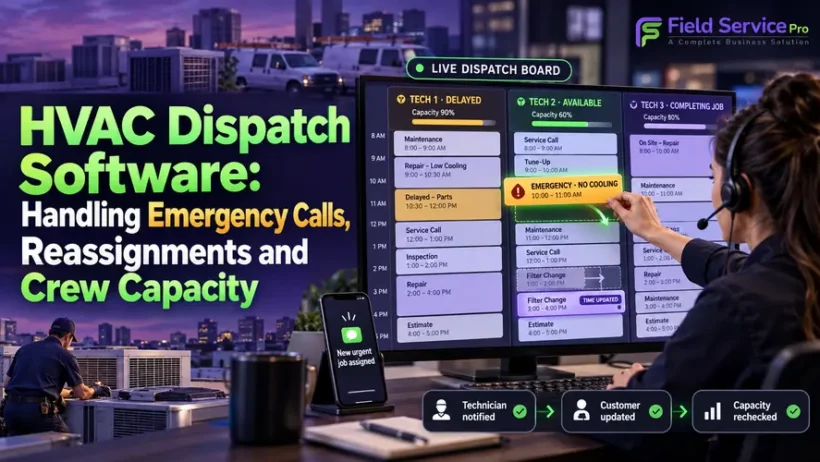

It is a hot afternoon and your schedule is already full. An air conditioner fails at a house with an elderly resident. A technician is running long on a install, another is stuck in traffic, and the dispatcher is trying to work out who can take the call without wrecking three other appointments.
That moment, not the quiet Tuesday morning, is what HVAC dispatch software is for. Booking appointments is the easy part. Dispatch is what happens when the plan changes: an emergency lands, a job overruns, a technician calls in sick, and the day has to be rebuilt while customers are waiting.
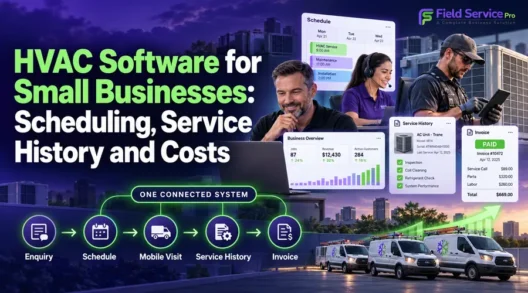
This guide covers the four things that decide whether dispatch holds up under pressure: inserting emergency jobs, reassigning work, understanding crew capacity, and keeping technicians informed. For the wider picture of what lean HVAC teams need, start with our guide to HVAC software for small businesses. For planning appointments before dispatch begins, see HVAC scheduling software.
What HVAC dispatch software does
HVAC dispatch software decides and tracks which technician goes to which job, in real time, from the moment work is booked until it is marked complete. Scheduling answers “when is this job booked?” Dispatch answers “who is actually going, are they able to make it, and what changes now that something else has come up?”
In practice it gives the office a live board of jobs and technicians, gives each technician a job queue on their phone, and keeps both sides updated as status changes. If you are comparing whole platforms rather than this one function, our best HVAC field service software comparison covers that, and HVAC service software shows how FieldServicePro approaches the full workflow.
Inserting an emergency job without breaking the day
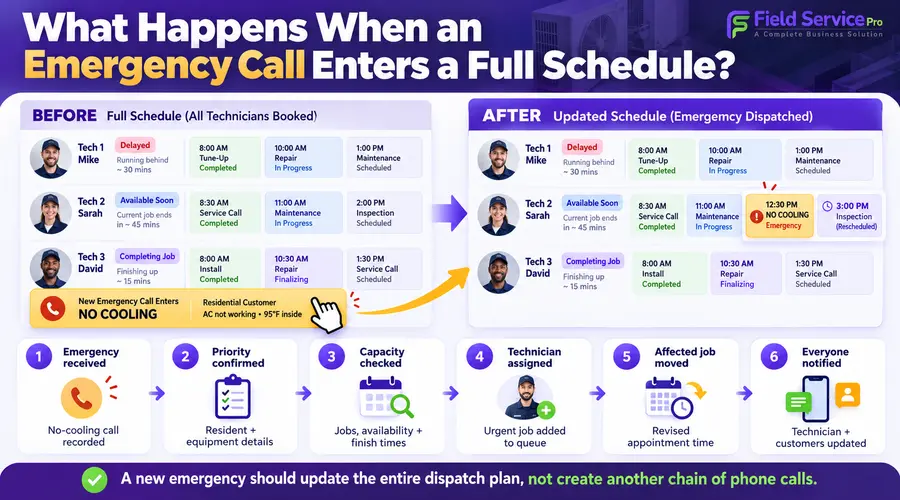
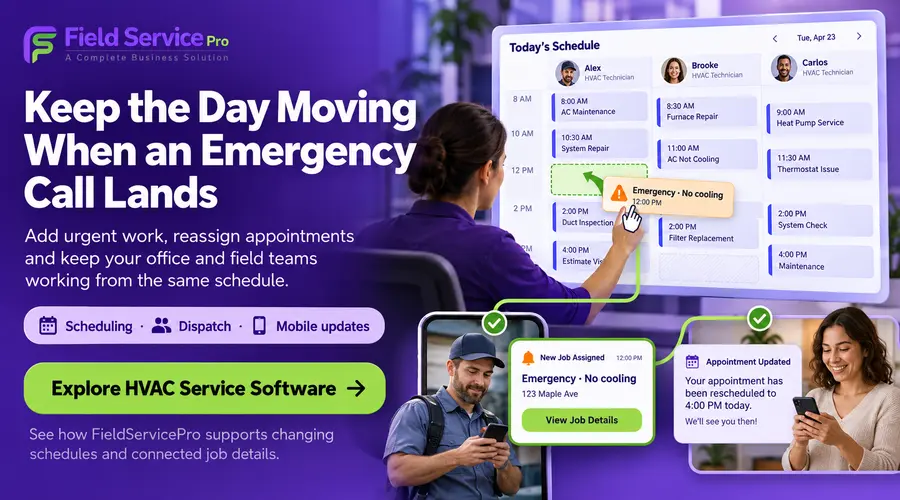
Emergency calls are the stress test. A no-cooling call in a heat wave or a no-heat call in a cold snap cannot wait for tomorrow, but it also should not blow up appointments that customers have planned around.
A practical process
Whatever software you use, a sound emergency process follows the same steps:
- Capture the call properly. Record the address, the symptom, whether anyone vulnerable is at the property, and the system involved. Pulling up the customer’s equipment record helps here: a known 15-year-old unit with a history of refrigerant problems tells you something about the likely repair.
- Mark it as urgent. The job should stand out on the board so it is not treated like a routine booking.
- Find the best-placed technician. Look at who is free, who is about to finish, who is nearest, and who has the right skills for the problem.
- Decide what gives. Either the emergency takes an open gap, or a lower-priority job moves. If a job moves, someone has to tell that customer.
- Assign and notify. The technician receives the job with its details, and the customer gets a confirmation and an arrival estimate.
- Re-check the rest of the day. Inserting one job often pushes others. Make sure the knock-on effects are visible.
What to look for in the software
- A clearly flagged priority or emergency status that is visible on the board and in the technician’s queue.
- Visibility of each technician’s current job and expected finish time, so you can see who becomes free soonest, not just who is free now.
- Location awareness. Knowing where trucks are (where your software supports it) helps you choose between a technician 10 minutes away and one 40 minutes away.
- Skills and certifications on the technician profile, so a job needing a particular qualification is not sent to someone who cannot do it.
- Drag-and-drop or one-step assignment, so the change takes seconds rather than a round of phone calls.
- Automatic customer updates when an appointment moves, so displaced customers are not left guessing.
A note on automation: at two to five technicians, a dispatcher usually knows who is closest. What matters more is that the system shows the consequences of the change and tells everyone about it without extra effort. Smart-assignment features become more valuable as crews and service areas grow.
Reassigning jobs when things change
Reassignment happens constantly: a job runs long, a part is not on the truck, a technician is sick, a customer is not home, or a call needs a more senior person. The question is how many steps and how many phone calls it takes.
Common reassignment situations
- A technician is delayed. The next job may need to go to someone else, or be pushed back with a new arrival estimate.
- A job needs a second opinion or a different skill. A routine repair turns into a compressor or heat pump problem that calls for a specialist.
- A technician is unavailable. Illness, a vehicle breakdown or a no-show means a whole day’s list needs redistributing.
- A job needs a return visit. A part has to be ordered, and the follow-up must be booked and linked to the original job rather than created from scratch.
What good reassignment looks like
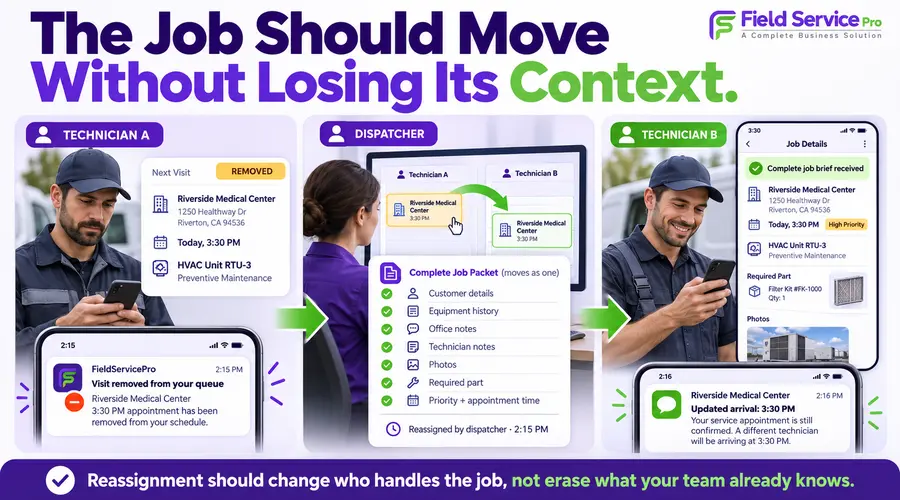
- The job moves with all of its details: notes, photos, equipment history and anything already recorded. The new technician should not start from zero.
- The original technician is notified that the job has been removed, so they do not drive to it.
- The new technician is notified immediately, with the job brief.
- The customer is updated automatically if the time or technician has changed.
- There is a record of the change, so you can see later who moved what and when.
Test this directly in a trial. Create three jobs for one technician, reassign the middle one to another, and check what each technician sees on their phone and what the customer receives. If any of those steps needs a manual text or call, that is the failure point you will live with on a busy day.
Capacity: knowing what your crew can actually take on
Most dispatch problems are capacity problems in disguise. A schedule can look full and still be unrealistic, because it ignores travel time, job overruns and the fact that emergency work needs slack.
How to think about capacity
- Available hours are not bookable hours. Travel, parts runs, paperwork and overrunning jobs eat into the day. Many teams plan for a buffer rather than booking every minute.
- Different jobs take different time. A maintenance visit, a repair diagnosis and an installation consume very different amounts of a technician’s day. Booking by job type with sensible default durations is more accurate than treating every job the same.
- Skills limit capacity. If only two of five technicians can handle a certain type of work, your effective capacity for that work is two, whatever the overall headcount.
- Peak seasons change the maths. In extreme heat or cold, emergency demand rises just when routine work is also heavy. Decide in advance how much of each day to keep open for urgent calls.
- Overbooking has a cost. It shows up as late arrivals, rushed work, repeat visits and unhappy customers.
What to check in the software
- Can you see each technician’s load across the day or week at a glance, not just a list of jobs?
- Can you set default job durations by job type, so bookings reflect reality?
- Can you block time for travel, breaks, training or reserved emergency capacity?
- Can you filter by skill or certification to see who is actually eligible for a job?
- Can you see who is overloaded and who has gaps, so you can rebalance?
If you are tracking your own numbers, useful measures include jobs completed per technician per day, how often jobs overrun their planned duration, and how often the schedule has to be rebuilt mid-day. These show whether the problem is capacity, estimation or process. Our guide to why field service dispatching fails in small teams covers the common breakdowns.
Technician communication: keeping the field and office in sync
Dispatch decisions only work if technicians know about them. Much of the friction in small HVAC teams comes from communication scattered across calls, texts and group chats, where messages get missed.
What technicians need to receive
- A clear job brief: customer name, address, contact number, job type, access instructions and any notes from the office.
- Equipment and service history for the property, so they arrive informed. See our guide to HVAC service technician software for the field-side view.
- Immediate notice of changes: a new job added, a job removed, a time moved.
- Priority indicators, so an emergency is not buried in a normal queue.
What the office needs back
- Status updates as the technician travels, arrives, starts and finishes, so the dispatcher does not have to call to find out.
- Notes and photos from the job, captured on the work order rather than relayed by phone.
- Early warning when a job is running long, or when a part or second visit is needed, so the rest of the day can be adjusted.
- A way to ask or flag an issue from the job without a separate call.
What customers need
- Confirmation when the job is booked and assigned.
- A heads-up when the technician is on the way, ideally with an arrival estimate.
- An automatic update when anything changes.
Technicians work in basements, plant rooms and rooftops, so an app that depends on constant signal will let you down. Check how the mobile app behaves offline: whether a technician can open a job, record notes and photos, and update status without a connection, and whether it syncs cleanly afterwards.
A quick test for dispatch software
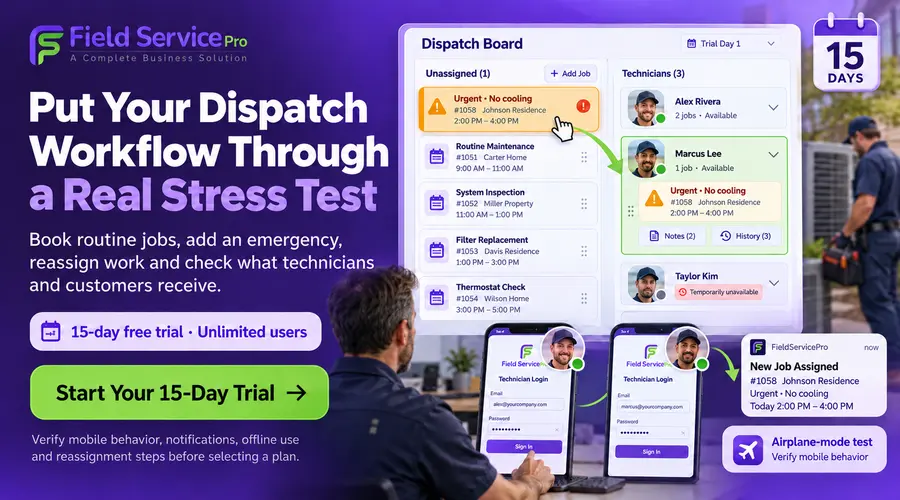
Before you commit, run this scenario in a trial with at least two technician logins:
- Book four routine jobs across two technicians.
- Add an urgent job and place it with the best-suited technician. Time how long it takes, and note what each technician and the customer receive.
- Move one of the displaced jobs to the other technician. Check that notes and history move with it.
- Simulate a technician being unavailable and redistribute their remaining jobs.
- Have one technician work in airplane mode, then reconnect. Check that statuses and notes sync.
- Look at the board. Can you tell, in a few seconds, who is overloaded, who is free and what is running late?
If the vendor cannot show this working end to end, the software is better at looking organised in a demo than at dispatching.
What about cost and team size?
Dispatch features vary by plan and by vendor, and pricing models differ: some charge per user, others a flat rate. Because emergency and reassignment work involves office staff and technicians alike, check how many users are included and whether dispatch, mobile access and customer messaging are part of the base plan. Our cost of field service management software guide explains the common models, and current FieldServicePro plans are on the field service pricing page.
Frequently asked questions
The dispatcher creates the job, flags it as urgent, checks which technician is best placed, and assigns it. The technician is notified with the job details, the customer receives a confirmation, and any appointments that move can be updated at the same time.
Yes, in most dispatch tools. Check that the job’s notes, history and photos travel with it, that both technicians are notified, and that the customer is updated if the time changes.
Scheduling decides when jobs are booked. Dispatch decides who goes to each job and manages changes as the day unfolds. Good tools combine both, so a change in one is reflected in the other.
Start with realistic job durations by type, include travel and buffer time, and consider which technicians are qualified for which jobs. Reserve some capacity for urgent calls, especially in peak seasons.
Some mobile apps work offline for job details, notes, photos and status updates, then sync when the signal returns. Test this on a real job, since coverage is poor in many basements and rooftops.
Often yes, because a small team feels every missed message or double booking. The test is whether the software reduces calls and rework rather than adding steps.
The bottom line
Dispatch software earns its place when the day goes wrong: an emergency arrives, a job overruns, a technician is out. Look for fast job insertion, reassignment that carries context with it, a clear view of who has capacity and for what, and communication that reaches technicians and customers without extra phone calls.
To see how that works in FieldServicePro, explore our HVAC service software, read the broader guide to HVAC software for small businesses, or schedule a demo.