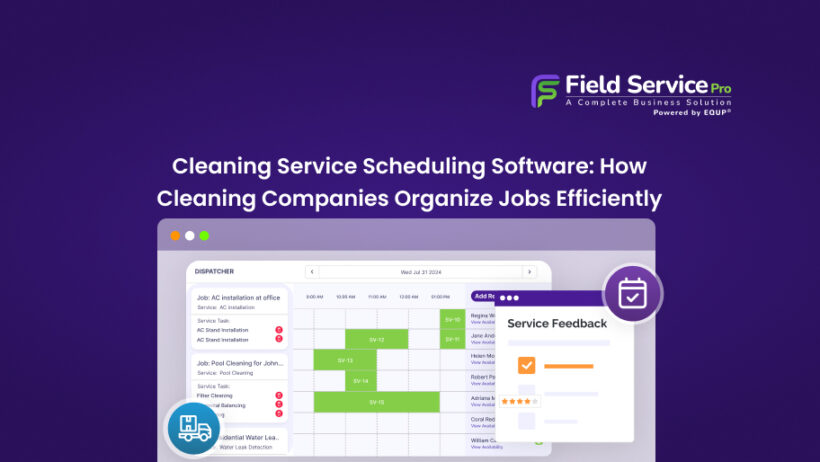

If you run a cleaning company, you already know that the actual cleaning is often the easiest part of the job. It’s everything that happens before your crew walks through that door, which includes:
- Assigning the right people
- Confirming the time slot
- Accounting for travel gaps
- Avoid double bookings
And that quietly eats your day.
Scheduling in this industry isn’t a minor admin task. It’s the engine that keeps everything moving, and when it breaks down, so does your business.
This is exactly why more cleaning businesses are moving toward cleaning service scheduling software. From small residential teams to large commercial operations, managing jobs through spreadsheets or group chats simply doesn’t scale.
And once you’ve lost a client because two cleaners showed up at the same address while another property sat empty, you stop looking for workarounds and start looking for a real solution.
Why Scheduling Is the Biggest Challenge for Cleaning Companies

Most service businesses deal with scheduling, but cleaning companies have a unique set of pressures that make it genuinely harder than it looks from the outside.
For starters, cleaning jobs are time-sensitive. Clients book for specific windows, sometimes with strict access requirements, sometimes around other contractors, sometimes in buildings with security check-ins.
A 30-minute delay can collapse the rest of your day. Add in the reality that most cleaning teams are geographically scattered across a city or region, and you start to see how much mental overhead goes into each day’s schedule.
Then there’s the staffing side. Cleaners call in sick. Jobs get added last minute. A client reschedules two hours before their slot. Every change has a ripple effect, and if your dispatcher is managing it all through text messages and a shared calendar, they’re spending half their morning firefighting instead of planning.
The hidden cost here is both time and money. Gaps between jobs mean unbillable drive time. Misassignments lead to callbacks. Overbooking erodes client trust. For a lot of cleaning companies, chaotic scheduling is the single biggest drag on profitability, and it’s completely fixable. Cleaning service scheduling software comes as a perfect solution!
Common Problems With Manual Cleaning Schedules
Let’s be honest about what manual scheduling actually looks like in practice. Most cleaning business owners start out managing everything themselves:
- A Google Sheet here
- A group chat there
- A printed route sheet for crews
- Much more…
It works when you have 3-4 jobs a day. It starts to fall apart at 10. By 20, it’s a daily crisis.
The most common problems cleaning companies run into with manual systems are double-bookings that only get caught when a client calls to ask where their cleaner is.
No-shows that go unnoticed until the end of the day and inefficient routing that burns fuel and staff time. Total lack of visibility for clients who have no idea if their appointment is confirmed or not.
There’s also the knowledge problem. When your scheduler holds all the job details in their head, who prefers which cleaner, which properties require special access, and which clients need early-morning slots.
And they take a day off or quit, you’re starting from scratch. That institutional knowledge needs to live somewhere more reliable than one person’s memory.
How Cleaning Companies Schedule Jobs Efficiently With Scheduling Software

The cleaning companies that handle high job volumes without losing their minds tend to have a few things in common. They’ve built processes around a central system rather than stitching together tools that don’t talk to each other.
And they’ve moved their scheduling out of reactive mode, dealing with problems as they happen and into proactive mode, where they can see what’s coming and plan accordingly.
Efficient scheduling in a cleaning business typically means a few things:
- Jobs are grouped geographically, so crews aren’t crossing the city unnecessarily
- Recurring clients have their slots locked in and confirmed automatically
- Any changes trigger instant notifications to the affected staff.
The dispatcher or business owner playing that role has a clear view of who is where, what’s been completed, and what’s still pending.
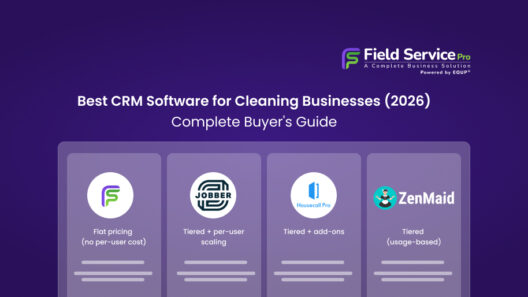
Many companies combine scheduling with broader cleaning service software that also handle invoicing, client communication, and payroll. Platforms like FieldServicePro combine scheduling, dispatch, job management, and invoicing in one system so cleaning businesses can manage operations without switching between multiple tools.
This kind of end-to-end setup removes the need to juggle multiple platforms and gives you one place to run the operational side of the business. You can explore this in our guide to cleaning service scheduling software.
Features to Look for in Cleaning Service Scheduling Software
Not all scheduling tools are built the same, and a generic appointment booking app designed for a hair salon isn’t going to cut it for a cleaning operation with mobile crews and variable job lengths. Here’s what actually matters when you’re evaluating cleaning scheduling software.
A. Drag-and-drop dispatch
Drag-and-drop dispatch is the first thing most operators look for, and for good reason — being able to visually move jobs around a calendar or board and instantly reassign them to different staff members cuts admin time dramatically. It sounds basic, but it’s surprisingly rare to find it done well.
B. Recurring job management
Recurring job management is essential for companies with regular residential or commercial clients. The cleaning service scheduling software should be able to auto-schedule weekly, bi-weekly, or monthly appointments without you having to manually enter them every time. Any changes to a recurring schedule should propagate intelligently — not just delete the series.
C. Route optimization
Route optimization is one of the bigger ROI features in cleaning service scheduling software. When jobs are automatically grouped by location and crews are routed efficiently between them, you cut fuel costs and give your staff more time to clean rather than drive. For larger operations, this alone can save thousands per month.
D. Real-time notifications and confirmations
Real-time notifications and confirmations are what keep clients happy and no-shows to a minimum. Automated reminders sent to clients before their job, and alerts pushed to staff about new or updated assignments, remove a huge amount of manual follow-up. Staff mobile apps that let cleaners check in and out of jobs also give you accurate data on job completion without relying on end-of-day reports.
E. Availability and capacity management
Availability and capacity management, knowing at a glance who is available, who is already booked, and what your daily capacity looks like, is something a lot of manual systems can’t show you without significant effort. Good scheduling software for cleaning service businesses makes this information visible in seconds.
F. Invoicing and payment
Invoicing and payment options are worth prioritizing. When a job is marked complete, the invoice should be able to go out automatically. The less manual data transfer between systems, the fewer errors, and the faster you get paid.
How Cleaning Service Scheduling Software Improves Staff Coordination

One thing that doesn’t get talked about enough is what poor scheduling does to your staff.
- When cleaners don’t know their schedule until the night before
- When last-minute changes are communicated in a group chat that gets missed
- When someone shows up to a job and finds it’s already been done
These aren’t just operational problems but morale problems as well. Good people leave over this kind of thing.
1. Multi-Channel Service Requests
Clients reach out in different ways. Some call, some fill out a form on your website, some send a WhatsApp message. Without a central system, those requests land in different places and things fall through the cracks. Good cleaning service scheduling software pulls every incoming request from phone, online forms, email, chat, and even chats into a single dashboard. Your team sees everything in one place, responds faster, and nothing gets missed during busy periods.
2. Online Booking and Self-Service Scheduling
Clients increasingly expect to be able to book services the same way they book a restaurant or a flight on their own time, without calling anyone. A built-in online booking tool lets customers select a service, pick a date that works for them, and even pay upfront. Those bookings feed directly into your scheduling system, so your team sees confirmed appointments without any manual data entry. For clients, it’s convenient. For your staff, it cuts incoming call volume significantly.
3. Automated Estimates with Templates
Manually pricing every job takes time your team doesn’t always have. With pre-built estimate templates, one for a standard residential clean, another for move-out, another for commercial, your staff can generate and send accurate quotes in minutes rather than hours. Automatic notifications alert clients when an estimate is waiting for their approval, which keeps the sales cycle moving without anyone having to follow up manually.
4. Job Forms and Cleaning Checklists
One of the most underrated features in cleaning service scheduling software is the ability to attach mandatory checklists to each job. Before a cleaner can mark a visit as complete, they have to check off every task, like dusting baseboards, sanitizing countertops, emptying bins, whatever your standard requires. This enforces consistency across all your teams and properties, and it removes the guesswork for new or part-time staff who are still learning your standards. Every completed checklist becomes a record you can refer back to if quality is ever questioned.
5. Before and After Photo Documentation
Photos are one of the best tools a cleaning business has for protecting its reputation. When cleaners can upload before and after photos directly from their mobile app, attached to the specific job record, you’ve got documented proof of the work completed. These get saved to the client’s history, can be shared directly with the client to build confidence, and serve as evidence if there’s ever a dispute about whether a job was done properly. It’s a small habit that adds a lot of professional weight.
6. Client Portal for Self-Service Access
Clients don’t want to call your office every time they need to check an invoice, approve a quote, or look up when their last service was. A dedicated client portal gives them secure, self-service access to all of that. They can view their service history, sign agreements electronically, approve estimates for extra work, and pay invoices directly from their account. It reduces inbound calls and emails considerably, and it signals to clients that you run a professional, organized operation.
7. Automated Invoicing and Payment Collection
The moment a job is marked complete, an invoice should be on its way, not two days later when someone gets around to it. Automated invoicing means that billing happens in real time, with no manual steps required. Cleaners can also collect payment on-site through the mobile app, or clients can receive a digital invoice with a pay-now link. Automated payment reminders handle the follow-up so your office staff don’t have to chase anyone. This alone can noticeably improve your average days-to-payment.
8. Business Flow Automation
Beyond individual features, the most capable cleaning service software lets you automate the entire customer journey from the first inquiry through to post-service follow-up. Estimate generation, booking confirmations, job assignment notifications, invoice delivery, payment reminders, and review requests can all run on autopilot once you’ve set them up. For a business owner who currently handles a lot of this manually, this kind of workflow automation is the difference between spending your day on operations and actually working on growing the business.
9. Reports and Business Analytics
Running a cleaning business without data is guesswork. Which staff members are completing jobs fastest? Who are the most valuable clients? Which service types have the highest margins? A reporting dashboard built into your cleaning service scheduling software answers these questions without you having to pull data manually from multiple places. Over time, this visibility helps you make smarter decisions about hiring, pricing, and service offerings based on what’s actually happening in your business.
The Bottom Line
Scheduling isn’t glamorous. It doesn’t feature in any marketing pitch for why someone should start a cleaning business. But for anyone running one, it’s one of the most important operational decisions you’ll make.
Get it right, and your business runs smoothly. Clients are happy, staff know where they’re going, and you’re not spending your evenings untangling the next day’s calendar.
The right cleaning service scheduling software won’t solve every problem, but it removes one of the biggest sources of operational stress for cleaning businesses. And in a business where margins are tight and reputation is everything, that’s not a small thing.