
Running a plumbing business means receiving calls, scheduling jobs, dispatching technicians, and chasing invoices, all at once. In reality, most of the complexity comes from managing everything together. The right plumbing CRM software takes that chaos off your plate, keeps your team organized, and gets customers paid faster.
In this guide, we’ve broken down the best options available, along with what actually matters when choosing one, so you can run smoother operations without adding more complexity.
What Is Plumbing Service Software?
Simply put, plumbing service software is a digital platform built to help plumbing businesses manage scheduling, dispatching, customer records, invoicing, and field operations, all from a single system. It connects your office team with field technicians in real time, cutting down on missed jobs, manual paperwork, and communication gaps.
Key Features to Look for in Plumbing Service Software
Not every tool is built the same. Before you commit to a platform, here are the features that separate a genuinely useful plumbing service management software from one that just looks good in a demo.
1. Smart Scheduling and Real-Time Dispatch
To start with, a drag-and-drop scheduler that shows technician availability, job locations, and open time slots in one view is non-negotiable. The best platforms let dispatchers assign jobs within seconds, and automatically flag conflicts before they happen. Real-time dispatch means your team is always looking at up-to-date assignments, not a whiteboard that was accurate two hours ago.
2. Route Optimization for Faster Job Completion
Driving time is wasted money. Plumbing field service software with built-in route optimization calculates the most efficient routes for your technicians based on job location, traffic, and schedule order. Even saving 20 minutes per technician per day adds up to serious time and fuel savings at the end of the month.
3. Customer and Job History Tracking
For example, when a customer calls back about a leak that was “fixed” three months ago, your tech should know what was done, what parts were used, and who handled it. Good plumbing service management software keeps a complete job and customer history tied to every account accessible from the field, not just the office.
4. Estimates, Invoicing, and Online Payments
At the same time, the days of handwritten estimates and mailed invoices are over. Look for software that lets technicians create and send estimates on-site, convert approved estimates to invoices automatically, and accept credit card payments in the field. The faster you invoice, the faster you get paid.
5. Mobile App for Field Technicians
Your technicians are not sitting at a desk. A solid mobile app, available on both iOS and Android, lets them view job details, update job status, capture photos, collect signatures, and process payments from their phones. If the app is clunky or requires WiFi to work, it will slow your team down, not speed them up.
6. Automated Reminders and Follow-Ups
As a result, automated appointment confirmations and reminders cut no-shows dramatically. The best plumbing software sends texts or emails to customers before a job, notifies them when a tech is on the way, and can trigger follow-up messages for reviews or maintenance reminders, all without your office team lifting a finger.
7. Reporting and Business Insights
Finally, if you cannot see which technicians close the most jobs, which services generate the most revenue, or where your scheduling bottlenecks are, you are flying blind. Strong reporting dashboards turn raw job data into decisions you can actually act on.
If you’re still relying on manual scheduling methods, it’s worth understanding how automated systems actually improve efficiency in real-world scenarios. Read this detailed guide on manual vs automated scheduling in field service businesses.
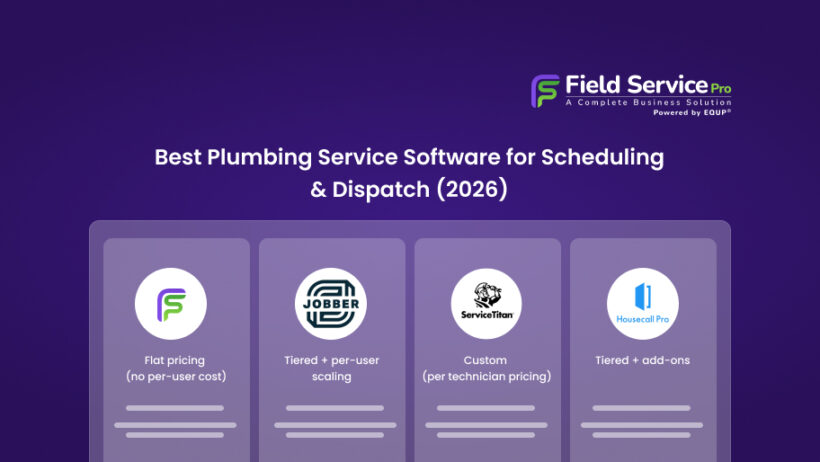
Comparison Table: Top Plumbing Service Software (2026)
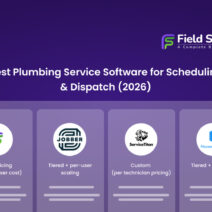
| Software | Best For | Pricing Model | Starting Price | User Limits | Key Strength | Real-World Insight |
|---|---|---|---|---|---|---|
| FieldServicePro | Growing plumbing teams wanting all-in-one system | Flat pricing (no per-user cost) | $199/month | Unlimited users | Complete business system (CRM + scheduling + invoicing + marketing) | Best for businesses planning to scale without worrying about user-based pricing |
| Jobber | Small to mid-size teams needing simple job management | Tiered + per-user scaling | $29/month (Core plan) | 1–15 users (then extra cost) | Easy to use, quick setup, strong core features | Great starting tool, but long-term cost rises with team expansion |
| Housecall Pro | Customer communication & automation-focused businesses | Tiered + add-ons | ~$59/month (Basic plan) | Limited users per plan + add-ons | Strong automation, reminders, and payments | Ideal for improving customer experience, but total cost can increase with add-ons |
| ServiceTitan | Large plumbing companies & enterprises | Custom (per technician pricing) | Custom pricing | Scales with team size | Advanced reporting, dispatch, and enterprise tools | Built for large operations; often overkill for small businesses |
| FieldEdge | Dispatch-focused plumbing businesses | Custom (often per-user pricing) | Custom pricing | Based on team size | Strong dispatch + QuickBooks integration | Good for operations-heavy teams, but pricing clarity requires sales contact |
If you’re new to this category, it’s important to understand how field service management systems work at a broader level before comparing tools. Read our blog on what is field service management and how it works for clarity and to make better decisions.
Top Plumbing Service Software Tools Reviewed (2026)
After reviewing the top contenders on the market, here are six tools worth your serious consideration. Each one has been evaluated on scheduling capability, dispatch features, mobile performance, and overall value for plumbing businesses.
1. FieldServicePro – Best All-in-One Plumbing Service Software
Best for: Plumbing businesses of any size that want a single platform to handle everything from dispatch to customer communication.
FieldServicePro was built specifically for field service businesses, and it shows. The scheduling interface is genuinely intelligent. Technicians appear on a live map, and dispatchers can drag and drop jobs based on location and availability. The platform connects office staff and field crews in real time, which means less time on the phone and fewer missed updates.
The customer portal is a standout feature. Clients can book appointments, track technician arrival, and pay invoices online. This will reduce inbound calls to your office. The mobile app is fast, works offline for basic functions, and lets techs complete the full job cycle without calling back to the office.
Key features: Live dispatch board, GPS technician tracking, customer self-service portal, automated reminders, on-site payment collection, job history, and customizable reporting.
Pricing snapshot: FieldServicePro offers 2 main plans:
- Starter: $199/month
- Growth: $299/month
Both plans include unlimited users, contacts, jobs, scheduling, invoicing, estimates, and online payments.
Instead of charging per user, pricing is based on service volume, booking forms, templates, and marketing limits, which makes it more predictable as teams grow.
Limitation: The reporting module has a learning curve for new users, and some advanced integrations require a higher-tier plan.
2. Jobber – Best for Simple Scheduling and Job Management
Best for: Small to mid-size plumbing businesses that want clean, easy-to-use scheduling without a steep learning curve.
On the other hand, Jobber is one of the most widely used field service platforms for a reason. It strips away the complexity and gives you a clean, organized system for scheduling, dispatching, and billing. The calendar view makes it easy to see who is available, who is in the field, and what jobs are upcoming.
Jobber’s client hub lets customers approve quotes, pay invoices, and request work directly, which keeps your office queue manageable. The automated follow-up features for reviews and repeat bookings are genuinely useful for growing a referral base.
Key features: Drag-and-drop scheduling, client hub, automated reminders, GPS tracking, online invoicing, and quote-to-invoice conversion.
Pricing snapshot: Jobber uses a tiered + user-based pricing model:
- Core: ~$29/month annually (1 user)
- Connect: ~$89/month annually (up to 5 users)
- Grow: ~$149/month annually (up to 10 users)
- Plus: ~$449/month annually (up to 15 users)
- Additional users: ~$29/month per user
Monthly billing is higher than annual pricing.
Limitation: Less suited for large crews with complex multi-department workflows. Inventory management is limited compared to enterprise tools.
3. Housecall Pro – Best for Customer Communication
Best for: Plumbing businesses that want to stand out on customer experience — fast communication, professional presentation, and easy booking.
Similarly, Housecall Pro puts customer communication front and center. The platform sends automated booking confirmations, “on my way” texts with technician photos, and post-job review requests, all without manual effort from your team. That level of professionalism builds trust and drives repeat business.
The dispatch map is clean and functional, showing technicians and jobs on a live view. The in-app messaging between office and field keeps communication centralized rather than scattered across personal texts and calls.
Key features: Automated customer messaging, online booking, live dispatch map, in-app team chat, instant invoicing, and review management.
Pricing snapshot: Housecall Pro offers multiple tiers:
- Basic: ~$59/month annually (1 user)
- Essentials: ~$149/month annually (up to 5 users)
- Max: ~$299/month+ (custom scaling + advanced features)
Additional users are typically charged separately (~$35/user/month depending on plan). Payment processing fees and add-ons may increase total cost.
Limitation: The backend reporting and analytics are less detailed than some competitors. Not ideal for businesses with complex job costing needs.
4. ServiceTitan – Best for Large Plumbing Businesses

Best for: Established plumbing companies with multiple crews, high job volume, and the need for enterprise-grade tools.
In contrast, ServiceTitan is built for scale. It handles complex scheduling across large crews, offers AI-assisted dispatch recommendations, and gives management deep visibility into every corner of the business, from technician performance to marketing ROI. The platform integrates with a wide range of accounting, financing, and marketing tools.
The sheer depth of features means there is virtually nothing ServiceTitan cannot do for a plumbing operation. But that depth comes with a real implementation commitment. Expect a proper onboarding period and ongoing team training.
Key features: AI dispatch recommendations, enterprise scheduling, technician scorecards, marketing attribution, financing tools, inventory, and deep integrations.
Pricing snapshot: ServiceTitan does not publish fixed pricing publicly.
- Plans typically include Starter, Essentials, and The Works
- Pricing is custom and based on business size, features, and usage
Requires a demo and sales consultation.
Limitation: Pricing is among the highest in the industry and is a significant investment for smaller shops. The complexity of the platform can overwhelm small teams.
5. FieldEdge – Best for Dispatch and Technician Tracking

Best for: Plumbing businesses focused on real-time technician visibility and dispatch efficiency.
FieldEdge delivers solid dispatch and tracking capabilities. The live technician map updates in real time, giving dispatchers a clear picture of where everyone is and how long each job is running. Dispatchers can push job assignments directly to technicians’ phones and track acknowledgment without picking up the phone.
Meanwhile, FieldEdge integrates natively with QuickBooks, which is a real advantage for businesses already running their accounting there. The sync is two-way and keeps invoices, payments, and customer records consistent without manual data entry.
Key features: Live technician map, real-time dispatch, QuickBooks integration, mobile job management, service agreements, and customer history.
Pricing snapshot: FieldEdge also follows a custom pricing model:
- Plans include Select, Premier, and Elite
- Pricing is not publicly listed and depends on business size and features
Requires contacting sales for a quote.
Limitation: The user interface feels slightly dated compared to newer competitors. Marketing and customer communication features are limited.
How to Choose the Right Plumbing Service Software for Your Business
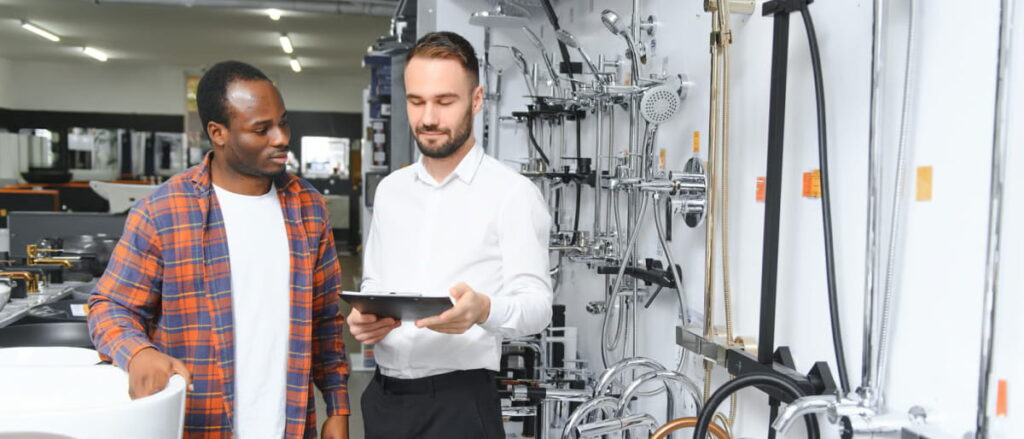
When it comes to choosing the right tool, there is no one-size-fits-all answer here. The right plumbing field service software depends on your team size, the complexity of your jobs, and how much you are willing to invest in tooling.
- For Solo Plumbers vs Small Teams vs Growing Companies
If you are a solo operator or running two to three technicians, simplicity wins. For teams of 5 to 15, Housecall Pro or FieldServicePro offer a better balance of automation and depth. For larger operations with multiple departments and high job volume, ServiceTitan or FieldEdge are worth the investment.
- Scheduling Complexity vs Budget
Simple scheduling, booking one job at a time with minimal overlap, requires a basic tool. If you are managing recurring service agreements, multi-tech jobs, or tight urban dispatch windows, you need something with smarter scheduling logic. Match the complexity of the tool to the actual complexity of your workflow, or you will either overpay or underperform.
- Avoiding Overcomplicated Tools Early On
One of the biggest mistakes small plumbing businesses make is buying enterprise software before they are ready for it. A platform like ServiceTitan is genuinely excellent, but if you are running a crew of four, you will spend more time learning the tool than using it productively. Start with something you can use on day one, and scale up when you outgrow it.
Benefits of Using Plumbing Field Service Software
- Faster Job Completion and Better Scheduling
When your dispatchers have a real-time view of technician locations and job status, they fill schedule gaps instead of letting trucks sit idle. Optimized routing means technicians spend more time working and less time driving. Most businesses see a measurable increase in jobs completed per day within the first few weeks of adoption.
- Improved Customer Experience
Customers notice when things run smoothly. Automated reminders, on-my-way notifications, and instant digital invoices make your business look professional and organized. Happy customers leave reviews, refer friends, and come back, which is the foundation of every successful plumbing company.
- Faster Payments and Reduced Admin Work
Collecting payment at the job site instead of mailing an invoice and waiting two weeks is a game-changer for cash flow. Digital invoicing with online payment options reduces payment cycles significantly. Less time chasing invoices means more time on revenue-generating work.
- Better Team Coordination
When your office team and field technicians are working off the same system, miscommunications drop. Job notes are visible to everyone. Updates happen in real time. Technicians stop calling the office to ask for customer addresses or job details – it is all in the app.
FAQs
1. What is the best plumbing service software for small businesses?
For small plumbing businesses, FieldServicePro and Jobber are consistently strong choices. Both are affordable, easy to learn, and cover the core features most small teams actually need – scheduling, dispatch, invoicing, and customer records.
2. Can plumbing software handle scheduling and dispatch?
Yes, scheduling and dispatch are core features of every plumbing field service software covered in this guide.
3. How much does plumbing field service software cost?
Plumbing service software typically ranges from $29/month (Jobber) to $199–$299/month (FieldServicePro), while tools like Housecall Pro fall in the mid-range and ServiceTitan or FieldEdge use custom pricing.
4. Is plumbing service management software worth it?
For the vast majority of plumbing businesses, YES, the ROI is clear. Faster scheduling, fewer no-shows, quicker payments, and reduced admin time add up quickly.
Choosing the Right Plumbing Service Software
The plumbing industry is more competitive than ever, and the businesses pulling ahead are the ones that run tighter operations. These include faster scheduling, smarter dispatch, cleaner invoicing, and better customer communication. Plumbing service software makes all of that possible without hiring more office staff.
Here is a quick summary to help you decide:
- Best all-in-one option: FieldServicePro
- Best for simplicity: Jobber
- Best for customer experience: Housecall Pro
- Best for large businesses: ServiceTitan
- Best for dispatch tracking: FieldEdge
Start with your biggest pain point, whether that is chaotic scheduling, slow invoicing, or poor technician visibility and match your choice to the tool that solves that problem best. Most of these platforms offer a free trial, so there is no reason not to test one before you commit. However, before finalizing your decision, it’s worth reviewing field service pricing structures across tools.
If you’re looking for a solution that combines scheduling, dispatch, invoicing, and customer management in one place, exploring a dedicated plumbing CRM platform can help simplify your operations as you grow.
The right plumbing service software will not just save you time. It will help you grow a business that runs predictably, impresses customers, and keeps your best technicians focused on what they do best.