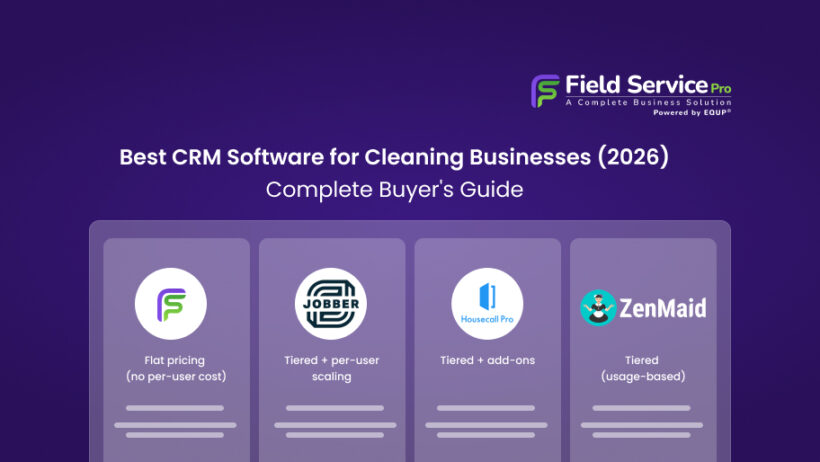

Cleaning businesses live and die on consistency. To put this into perspective, in 2026, “consistency” means more than just showing up. It means AI-optimized routing, eco-friendly tracking, and instant client communication. To begin with, in this guide, we’ve analyzed the top field service management (FSM) tools based on real-world testing, user feedback, and 2026 industry shifts. Whether you’re a solo cleaner or managing a commercial fleet, here is the best CRM software for cleaning businesses this year.
2026 Tech Trends: Why a Simple Spreadsheet No Longer Works
To understand this shift and before diving into the tools, it’s important to acknowledge how the industry has changed. For example, in 2026, clients expect:
- AI-Powered Scheduling: Systems that automatically suggest the most fuel-efficient routes for your crews.
- Sustainability Reporting: Commercial clients now often require “Green Cleaning” reports so that they can track the use of eco-friendly supplies.
- Instant Gratification: 76% of customers choose the first business that responds to their inquiry. If you aren’t using automated “Instant Quotes,” you’re losing money.
What Is Cleaning Services Software?
Put simply, cleaning services software is a purpose-built platform that helps residential and commercial cleaning businesses manage scheduling, client records, dispatching, invoicing, and team communication, all from one system. It replaces spreadsheets, paper calendars, and disconnected apps with a single tool built around how cleaning operations actually run.
Why Cleaning Businesses Need CRM Software Today

Before looking at specific tools, it is worth being honest about why so many cleaning businesses still struggle even when they are busy. However, most of the common pain points come back to the same root cause, i.e. running an operation with tools that were never designed for it.
1. Missed Appointments and Scheduling Conflicts
To start with, a text message thread is not a dispatch system. Neither is a shared Google Calendar that 3 people are updating simultaneously. When bookings come in through different channels like phone, email, website forms, and there is no central place to manage them, double-bookings and missed appointments are almost inevitable. One scheduling conflict costs you the job. Two or three in a month and clients start looking elsewhere.
2. Losing Track of Repeat Clients
In addition, repeat clients are the lifeblood of any cleaning business. But when your client list lives in a spreadsheet, a notebook, or someone’s memory, following up on lapsed accounts becomes guesswork. Who was your last biweekly client who went quiet 2 months ago? Who has called 3 times but never booked? Without a proper cleaning CRM, you have no way to answer those questions and no way to act on them.
3. Manual Invoicing and Payment Delays
On the top of that, emailing invoices as PDF attachments, waiting for checks, chasing late payments, every minute you spend on manual invoicing is a minute you are not spending on growing the business. Payment delays also create cash flow problems that compound over time. This is true for businesses paying team members weekly, regardless of when clients pay.
4. No Visibility Into Daily Jobs and Team Activity
Finally, as a cleaning business grows past a single crew, keeping tabs on who is where and what is getting done becomes genuinely difficult. Is the team at the 9 am job or still at the previous one? Did the client who called at noon get their message passed along? Without a system that shows job status and team location in real time, managers spend their day firefighting instead of managing.
Comparison Table: Top Cleaning CRM Software at a Glance
| Software | Starting Price | Pricing Style | Best Fit For | What Makes It Different |
|---|---|---|---|---|
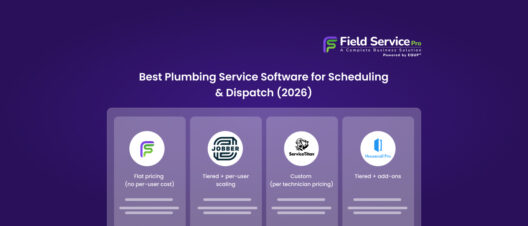
| FieldServicePro | $199/month | Flat pricing (no per-user cost) | Growing cleaning teams | Unlimited users + all-in-one system (CRM, scheduling, invoicing, marketing) |
| Jobber | $29/month | Tiered + per-user scaling | Small teams starting out | Simple, easy-to-use job management with clean interface |
| Housecall Pro | ~$59/month | Tiered + add-ons | Customer-focused businesses | Strong automation, reminders, and client communication tools |
| ZenMaid | $19/month | Tiered (usage-based) | Maid & residential cleaning services | Built specifically for recurring cleaning workflows |
| Swept | ~$30/month | Location-based pricing | Commercial cleaning companies | Focus on staff management, checklists, and team communication |
Note: Pricing reflects entry-level plans at the time of writing. Always verify current pricing and features directly with the vendor.
How we evaluated these tools
More importantly, to ensure this guide is practical for 2026 business owners, we didn’t just look at marketing slogans. Our research process focused on 3 key areas:
- Feature-to-Value Mapping: We performed a deep-dive analysis of each provider’s current 2026 pricing tiers to determine which features (like AI routing or SMS automation) are locked behind premium paywalls and which are accessible to small teams.
- Public Sentiment Analysis: We have reviewed user data points from G2, Capterra, and Trustpilot. We looked specifically for recent 2025–2026 feedback.
Note: We prioritize tools that offer a transparent “Flat Rate” or “Pay-as-you-grow” pricing model to ensure long-term ROI for our readers.
5 Best CRM Software for Cleaning Businesses in 2026
Now, these 5 platforms represent the strongest options currently available for cleaning businesses, from solo operators to teams running dozens of jobs a week. Each has been evaluated on scheduling capability, client management depth, invoicing features, and overall value.
1. FieldServicePro – Best All-in-One Cleaning Services Software for Growing Teams
Best for: Cleaning businesses that want one platform to handle jobs, clients, payments, and follow-ups without paying more as the team grows.
Notably, most cleaning service software does one or two things well and asks you to integrate the rest. FieldServicePro is built differently. It combines scheduling, CRM, dispatching, invoicing, and marketing tools in a single platform and does it at a price point that stays reasonable as you scale.
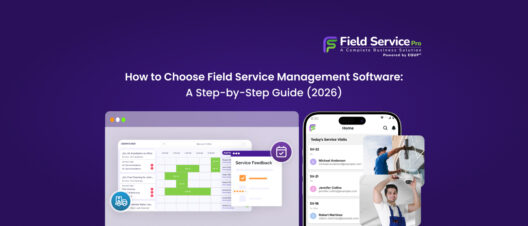
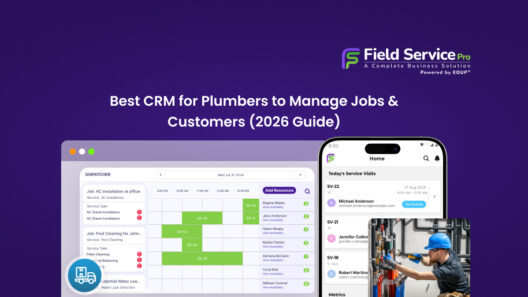
The scheduling interface is genuinely well-designed. You see technician availability, job locations, and open slots together rather than jumping between screens. Recurring cleaning jobs, weekly, biweekly, and monthly, can be set up once and managed from the same view as one-off bookings. Dispatchers can assign jobs and push updates to the field in seconds.
Where FieldServicePro stands out from most competitors is the depth of its CRM layer. Every client gets a full profile: job history, notes, communication logs, payment records, and upcoming bookings. That context matters when a client calls to reschedule or complain. Your team has the full picture without hunting through emails.
Key features: Smart scheduling and dispatch, full client CRM, recurring job management, on-site invoicing, automated follow-ups, and marketing tools.
Pricing: FieldServicePro takes a flat field service pricing approach, starting at $199/month and going up to $299/month for higher usage tiers. Instead of charging per user, it includes unlimited users across plans. This makes it easier to scale teams without worrying about rising costs tied to staff size.
Limitation: So many features mean a moderate upfront setup investment. Businesses looking for a plug-and-play tool with zero configuration will need to budget time for onboarding.
2. Jobber – Best for Simple Day-to-Day Job Management
Best for: Small cleaning teams that want clean, straightforward job management without a steep learning curve.
On the other hand, Jobber has earned its reputation in the field service space by being genuinely easy to use. The interface is clean, the calendar is intuitive, and the core workflow, i.e. book a job, assign it, invoice, and collect payment, is frictionless. For cleaning businesses that primarily want to get bookings organized and invoices out the door, Jobber handles it well.
The client hub feature lets customers approve quotes, pay invoices, and request work online, which cuts down inbound calls significantly. Automated reminders and follow-up messages work reliably and require minimal configuration.
Compared to FieldServicePro, Jobber is narrower in scope. It excels at job and scheduling management but does not offer the same depth in CRM functionality, marketing tools, or long-term client growth features. For businesses that want to expand their operational and growth capabilities from a single platform, that gap becomes noticeable over time.
Key features: Drag-and-drop scheduling, client hub, quote and invoice management, automated reminders, GPS tracking, and online payments.
Pricing: Jobber, on the other hand, follows a tiered model with built-in user limits. Plans start around $29/month for a single user, but pricing increases as you move to higher tiers or add more team members. For growing cleaning businesses, total costs can rise as the team expands.
Limitation: CRM depth is limited compared to broader platforms. Growing businesses often find themselves hitting the ceiling of what Jobber can manage as client volume and team complexity increase.
3. Housecall Pro – Best for Client Communication and Basic Automation
Best for: Cleaning businesses that prioritize polished client-facing workflows, which include booking confirmations, reminders, and online payments.
Similarly, Housecall Pro built its reputation on making cleaning and home service businesses look professional to clients. The automated booking confirmations, arrival notifications with technician details, and post-job review requests are all well-executed. Clients notice when communication is smooth, and Housecall Pro makes that easy.
The dispatch map and scheduling board work well for small to mid-size teams. In-app messaging keeps office-to-field communication cleaner than scattered texts.
The trade-off is operational depth. Housecall Pro is strong on the client-facing side but lighter on the backend business management features. Some features, like reporting, CRM depth, and growth tools, are less developed than FieldServicePro. Businesses that want both polished client communication and deeper operational control will likely find FieldServicePro a more complete yet best CRM software for cleaning businesses without a significant price.
Key features: Automated client messaging, online booking, live dispatch map, in-app team chat, instant invoicing, and review management.
Pricing: Housecall Pro sits in the mid-range, starting at approximately $59/month for basic access and moving up to $149/month and beyond for additional features and users. While it offers strong automation and communication tools, some advanced capabilities and add-ons can increase the overall cost.
Limitation: Backend reporting and analytics are less detailed than competitors. Not ideal for businesses with complex job costing or growth tracking needs.
4. ZenMaid – Best for Cleaning-Specific Workflows
Best for: Residential maid and cleaning businesses that want software built specifically around recurring clean schedules.
In contrast, ZenMaid is niche by design. It was built specifically for maid and residential cleaning businesses, and that focus shows. The recurring scheduling setup is fast, the client communication templates are cleaning-specific, and the platform understands the rhythms of a residential cleaning operation in a way that general field service software sometimes does not.
If your business runs a high volume of recurring weekly or biweekly cleans, and that is the core of what you manage, ZenMaid handles it cleanly. The interface is simple, onboarding is quick, and the learning curve is minimal.
The limitation is scope. ZenMaid is a solid scheduling and client management tool for residential cleaning, but it is not built to scale into commercial operations, grow with a team that needs deeper CRM features, or support the business development side of growth. FieldServicePro covers those gaps for businesses that want room to expand beyond recurring residential workflows.
Key features: Recurring job scheduling, automated client reminders, basic CRM, invoicing, and team assignment.
Pricing: ZenMaid is one of the more affordable options, especially for smaller cleaning businesses. Its plans start at $19/month, with higher tiers at $39 and $49 per month offering more features like automation, reporting, and branded booking forms. However, usage limits and add-ons like SMS can affect pricing.
Limitation: Limited CRM depth, minimal reporting, and few growth-oriented features. Best as a specialist tool, not a long-term business management platform.
5. Swept – Best for Managing Cleaning Staff and Internal Communication
Best for: Commercial cleaning operations focused on team accountability, shift tracking, and internal staff communication.
However, Swept solves a specific and real problem: keeping cleaning staff accountable and informed in commercial cleaning environments. The platform lets managers set up cleaning checklists per location, track whether staff have checked in and completed their tasks, and communicate through a built-in messaging system. For a multi-site commercial cleaning operation, that level of staff visibility is genuinely valuable.
The problem is what Swept does not do. It is not a CRM. It does not manage client billing meaningfully. It does not support sales workflows, marketing follow-ups, or the kind of client relationship management that builds a growing business. It is a staff and operations tool, not a business management platform.
For cleaning businesses that need both staff accountability and client management in one place, FieldServicePro is the better fit. Swept is most useful as a supplement to a broader platform, not a standalone business tool.
Key features: Staff check-in tracking, location-specific checklists, internal messaging, issue reporting, and shift management.
Pricing: Swept uses a different approach altogether, pricing based on active locations rather than users. Plans begin around $30/month and scale up depending on operational needs. This works well for commercial cleaning businesses managing multiple sites, but may not fully cover CRM and billing requirements.
Limitation: Not a CRM. Invoicing and client management features are minimal. Poor fit for businesses that need to manage client relationships, sales pipelines, or growth activities.
How to Choose the Right Cleaning CRM for Your Business
At this point, the best CRM software for cleaning businesses is not necessarily the most feature-rich one. It is the one your team will actually use, that solves your current problems without creating new ones, and that has room to grow with you. Here is how to think through the decision.
1. For Solo Cleaners vs Small Teams vs Growing Companies
If you are working alone or with one helper, your needs are simple: a clean way to track bookings, send invoices, and keep client details in one place. ZenMaid or even the entry plan of Jobber covers that ground without overwhelming you. You do not need enterprise-grade dispatch tools yet.
For teams of three to ten cleaners, scheduling complexity rises quickly. You need real-time dispatch visibility, recurring job management, and a mobile app that actually works in the field. FieldServicePro and Housecall Pro are well-suited here, with Jobber as an option for teams that prioritize simplicity.
For growing companies managing fifteen or more cleaners across multiple locations, the CRM depth and reporting capabilities start to matter more. FieldServicePro’s flat-rate pricing also becomes increasingly attractive at this scale, compared to platforms that charge per user.
2. Budget vs Features: What Actually Matters
It is tempting to choose the cheapest plan and assume you will upgrade when needed. The problem is that switching costs are real. However, migrating client records, retraining your team, and rebuilding workflows takes time and money. Choosing slightly more capability upfront, especially from a platform with a predictable pricing structure, often saves more than it costs.
The honest question is not “what is the cheapest option?” but “what does it cost me to outgrow this in twelve months?” A $15 monthly saving that costs you a platform migration in a year is not actually a saving.
3. Avoiding Overcomplicated Software Early On
The opposite mistake is buying an enterprise platform before you have the team, volume, or processes to use it. Overly complex cleaning service software creates friction. As a result, people stop using it, workarounds appear, and you end up back where you started with spreadsheets and texts. Start with a tool that fits where you are today and has a clear upgrade path for tomorrow. FieldServicePro is designed with this in mind as it’s accessible at an entry level, with depth available as you need it.
Cleaning CRM vs Generic CRM: What’s the Difference?

This question comes up often, usually from business owners who already have a Salesforce or HubSpot account and wonder if it can handle their cleaning business needs. The short answer is: technically yes, practically no.
1. Industry-Specific Features vs General Tools
A generic CRM is built around sales pipelines, contact management, and deal tracking. Those are useful features for a B2B software company. For a cleaning business, the critical features are recurring job scheduling, crew dispatch, service location tracking, and mobile check-ins, none of which are native to tools like Salesforce or HubSpot. You can build workarounds, but every workaround adds complexity and maintenance burden.
Cleaning-specific software comes with these features built in, configured for how cleaning operations actually work. Recurring cleans, per-location job notes, crew assignment by availability and geography, automatic reminders timed around job days, all of that exists out of the box.
2. Scheduling and Dispatch Differences
Scheduling in a generic CRM is typically a calendar or activity log bolted on as a secondary feature. It works for logging meetings or follow-up calls. It does not work for dispatching three crews across twelve jobs in a metro area, tracking real-time job status, or managing a waitlist when a tech calls in sick.
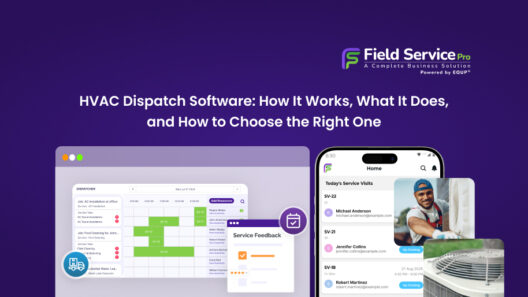
Purpose-built cleaning CRM software has a dispatch board designed around field operations — live technician locations, job status updates, automatic customer notifications when a tech is on the way. That is simply not something a generic CRM does, regardless of how many integrations you stack on top of it.
3. Generic CRMs Fall Short for Cleaning Businesses
Beyond features, there is the question of how long it takes to make a generic CRM usable for cleaning operations. Customizing fields, building workflow automations, connecting scheduling tools, integrating payment systems, each step requires time, technical knowledge, or an expensive consultant. By the time you have configured a generic CRM to approximate what purpose-built cleaning software does on day one, you have spent significantly more than the software would have cost.
Unless your cleaning business is a small part of a larger enterprise that already runs on Salesforce, a purpose-built cleaning CRM is almost always the more cost-effective and practical choice.
FAQs
Yes, most cleaning CRM software allows easy data migration from spreadsheets. You can typically import customer details, job history, and schedules using CSV files. Many platforms also offer onboarding support to help you move your data without disrupting daily operations.
Many modern cleaning services software tools offer mobile apps with limited offline functionality. This allows cleaners to view job details, update status, and capture notes even without internet access. Data usually syncs automatically once the connection is restored.
The ROI of cleaning customer management software is often seen within a few months. Businesses typically save time on scheduling, reduce missed appointments, and get paid faster, which leads to increased efficiency and higher revenue without adding more staff.
Yes, scheduling and payment collection are core features of every platform covered in this guide. The specifics vary: some platforms handle recurring bookings more elegantly (FieldServicePro, ZenMaid), while others have stronger client-facing payment portals (Housecall Pro, Jobber).
For most solo operators, yes, even at the entry level. Managing bookings, invoices, and client follow-ups manually works fine at 2-3 regular clients. By the time you are handling 8 to 10 clients, the time cost of manual admin adds up quickly.
Final Thoughts: Choosing the Best CRM Software for Cleaning Businesses
The right cleaning CRM does not just keep your calendar organized but also keeps clients from slipping through the cracks, gets invoices out faster, and gives you the visibility to actually manage a growing team rather than react to daily chaos.
Here is the quick summary:
- Best all-in-one for growth: FieldServicePro, the strongest combination of scheduling, CRM, invoicing, and marketing tools at a predictable price
- Best for simplicity: Jobber, clean interface, easy setup, solid core job management
- Best for client communication: Housecall Pro, polished client-facing workflows and automated messaging
- Best for residential recurring cleans: ZenMaid, niche-focused, quick to set up, purpose-built for maid services
- Best for commercial staff management: Swept, strong on internal accountability, not a full business management tool
If you are still unsure, start with your biggest pain point. Constant scheduling conflicts? Prioritize dispatch features. Chasing unpaid invoices? Look for strong payment collection tools. Losing touch with repeat clients? CRM depth matters most. Find a field service management tool for cleaning businesses to solve the actual problem you are trying to solve, and you will find the right fit faster.
Most of these platforms offer a free trial. Take one for a spin with a week’s worth of real bookings before you make a decision. The best cleaning CRM is the one your team actually opens every morning.