
Running a field service business is a logistics puzzle that never fully stops. You’ve got technicians in multiple locations, customers expecting precise arrival windows, jobs that run longer than scheduled, invoices that need to go out same-day, and a dispatcher trying to hold it all together on a phone and a color-coded spreadsheet.
That spreadsheet breaks down faster than anyone wants to admit.
However, the top field service management software tools on this list were built to replace that chaos with a system, one where jobs get scheduled, technicians get dispatched, customers get notified, and invoices go out without anyone having to manually track every moving piece.
New to field service management? Before comparing tools, read our complete guide to what field service management is. It covers how FSM works, what a system includes, and whether your business is ready for one.
What Is Field Service Management Software?
Field service management software is a platform that brings the operational pieces of a field service business into one system. Instead of managing jobs in a spreadsheet, dispatching through text message, invoicing in a separate billing tool, and tracking technician location through phone calls, everything runs from a single platform.
A complete field service management system typically handles:
- Job Scheduling: Creating, assigning, and managing service appointments in a calendar view. This includes recurring jobs, emergency bookings, and scheduling based on technician availability and location.
- Dispatch Management: Assigning the right technician to the right job and communicating that assignment in real time. Good field service dispatch software accounts for skills, proximity, and current workload before assigning a job.
- Technician Management: Giving field staff the job details they need on their phone, capturing job status updates, tracking time on-site, and collecting customer signatures or photos as job documentation.
- Customer Management: Storing contact history, service records, notes, and communication logs in a CRM for field service businesses, so every customer interaction builds on the one before it.
- Invoicing and Payments: Generating invoices from completed job data and processing payments on-site or remotely, which further reduces the billing lag that kills cash flow for many service businesses.
- Mobile Workforce Management: Giving technicians a field service software with mobile app access so they’re not dependent on office calls for job updates, and managers can track job progress without checking in manually.
Thus, for a deeper explanation of the concept itself, including how FSM works step by step and which industries need it, see our field service management guide.
Key Features to Look for in Field Service Software

Not all FSM software covers the same ground. Below is what actually matters when you’re evaluating options:
- Job Scheduling: The scheduling interface should let dispatchers create and modify jobs quickly, see technician availability at a glance, and avoid double-booking. Drag-and-drop calendar views, color-coded technician lanes, and automated conflict alerts save hours every week. For a deeper look at how scheduling platforms differ, our field service scheduling software guide compares the leading options.
- Dispatch Management: Real-time dispatch means jobs reach technicians the moment they’re assigned. The best field service dispatch software notifies techs instantly, lets them accept or flag issues, and updates job status automatically as work progresses. Dispatch is where many platforms still fall short. See our breakdown of field service dispatching to understand what good looks like.
- Mobile Technician App: A mobile field service software app that actually works in the field with or without a strong signal is non-negotiable. Technicians should be able to view job details, update status, capture photos, collect signatures, and generate invoices from their phone.
- Customer Management: A built-in CRM tracks customer history, equipment records, and previous service notes. This is what separates a professional operation from one that has to ask customers to re-explain their problem every time they call.
- Invoicing and Payments: Invoicing from the field, such as pulling job details, parts used, and labor time directly into an invoice, removes the billing delay that many service businesses struggle with. Payment integration means you can collect on the spot.
- Route Optimization: For businesses running multiple jobs per day, route optimization reduces drive time, saves fuel costs, and lets technicians fit more jobs into a workday without burning out.
Top 10 Field Service Management Software in 2026
| Software | Best For | Key Features | Mobile App |
| FieldServicePro | Small to growing field service businesses | Scheduling, dispatch, CRM, invoicing, client portal, marketing tools, workflow automation | ✅ iOS & Android |
| Jobber | Small to mid-size service businesses | Job scheduling, dispatch, invoicing, client communication, GPS tracking | ✅ iOS & Android |
| ServiceTitan | Large HVAC, plumbing & electrical companies | Enterprise FSM, advanced reporting, marketing tools, automation | ✅ iOS & Android |
| Housecall Pro | Home service businesses | Online booking, dispatch, invoicing, review management | ✅ iOS & Android |
| ServiceM8 | Small trade businesses (Apple-focused) | Job management, dispatch, invoicing, Xero integration | ✅ iOS (limited Android) |
| FieldEdge | HVAC & plumbing contractors | Service agreements, flat-rate pricing, QuickBooks integration | ✅ iOS & Android |
| Kickserv | Budget-conscious small teams | Job tracking, scheduling, invoicing, basic CRM | ✅ iOS & Android |
| Zoho FSM | Businesses using the Zoho ecosystem | Work orders, scheduling, automation, Zoho integrations | ✅ iOS & Android |
| Salesforce Field Service | Large enterprises with complex operations | AI scheduling, deep CRM integration, advanced analytics | ✅ iOS & Android |
| Workiz | Service teams needing strong communication tools | Built-in phone, SMS, booking, dispatch | ✅ iOS & Android |
1. FieldServicePro
FieldServicePro is a field service management software platform built for small to growing service businesses, with scheduling, dispatch, CRM, invoicing, and a client portal included in the base plan. Furthermore, its pricing model stands out because it uses flat-rate plans instead of charging per user, which makes it easier for growing teams to add staff without increasing software costs. The platform also includes sales, marketing, and communication tools alongside core field service features, giving businesses more than just basic job management.
Key Features
- Job scheduling and dispatching
- Mobile app for technicians
- Billing, invoicing, and online payments
- Client portal and customer management
- CRM, sales pipelines, and workflow automation
- Marketing tools including email, SMS, WhatsApp, and AI chatbot features
Best For
Small to growing field service businesses that want flat-rate pricing, unlimited users, and a broader mix of operations, CRM, and marketing tools in one platform.
Pros
Flat-rate pricing with unlimited users, broad feature set beyond job management, mobile app included, 15-day free trial, no extra platform transaction fees.
Cons
Lower-tier limits are based on service visits and usage volume, so larger teams may need to upgrade as operations grow.
Pricing
Unlike per-seat platforms that become expensive as you scale, FieldServicePro uses flat monthly pricing: view FieldServicePro pricing to see how it compares at different team sizes. Flat-rate plans starting from $199/month with unlimited users. This means, no per-seat charges as your team grows. A 15-day risk-free trial is also available.
2. Jobber
Jobber is one of the most widely used field service software for small business operations, and its reputation is well-earned. It covers the full workflow from quote to payment with a clean interface that doesn’t require weeks of training to navigate. For businesses that have outgrown spreadsheets but aren’t ready for enterprise-tier complexity, Jobber hits the right balance.
Key Features
- Drag-and-drop job scheduling and calendar management
- GPS tracking and real-time technician location
- Client hub for customer communication and approvals
- Automated follow-up emails and text reminders
- Quote and invoice generation with online payment options
- Mobile app for iOS and Android
Best For
Small to mid-size service businesses in landscaping, cleaning, plumbing, HVAC, and electrical.
Pros
Polished interface, strong customer communication features, solid mobile app, excellent onboarding support.
Cons
Reporting tools are limited on lower plans; some integrations require higher tiers.
Pricing
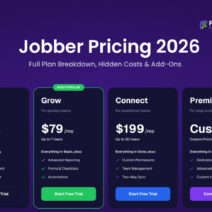
Plans start at $29/month (Core, billed annually) for solo operators, scaling to $599/month (Plus, up to 15 users). Additional users cost $29/month beyond each plan’s included limit.
3. ServiceTitan
ServiceTitan is the enterprise standard for FSM software for HVAC, plumbers, and electricians running large or multi-location operations. Its feature depth is unmatched, but so is its complexity and cost. For businesses generating significant revenue that need end-to-end operational control, it’s hard to beat. For a 3-person plumbing startup, it’s almost certainly overkill.
Key Features
- Advanced scheduling and dispatch board
- Sales and estimate tools with follow-up automation
- Detailed reporting and business performance dashboards
- Marketing ROI tracking and call recording
- Inventory and equipment management
- Full mobile technician app with offline capability
Best For
Established HVAC, plumbing, and electrical contractors with 10+ technicians and high monthly revenue volume.
Pros
Comprehensive, industry-specific features; excellent reporting; strong community and support resources.
Cons
Expensive with custom pricing; steep learning curve; significant implementation time required.
Pricing
Custom pricing only, no published tiers.
4. Housecall Pro
Housecall Pro is a favorite service business management software among home service companies that want a capable, user-friendly platform without paying ServiceTitan prices. It handles scheduling, dispatch, customer communication, and invoicing cleanly, and the mobile app is genuinely well-built. The onboarding process is smoother than most tools in this category.
Key Features
- Online booking through a branded customer portal
- Real-time technician GPS tracking
- Automated job reminders and follow-ups via text and email
- Instant invoicing with card-on-file payments
- Review generation tools built into the post-job workflow
- Integration with QuickBooks and other accounting tools
Best For
HVAC, electrical, plumbing, and cleaning businesses that want a full-featured platform with fast setup.
Pros
Clean UI, strong automation, excellent customer communication tools, quick to get running.
Cons
Reporting could be more granular; higher-tier features locked behind expensive plans.
Pricing
The Basic plan starts at $59/month (billed annually) for a single user. The Essentials plan is $149/month (annually) and supports up to 5 users. The Max plan is custom-priced for larger teams.
5. ServiceM8
ServiceM8 is a cloud-based field service software platform with a strong following in the UK and Australia, though it’s used globally by small trades businesses. Its iPhone-first design philosophy shows that the mobile experience is genuinely excellent. If your technicians are primarily on iOS, ServiceM8 deserves a close look.
Key Features
- Job card system for full job history and documentation
- Real-time job tracking with map-based dispatch view
- On-site quoting, invoicing, and payment collection
- Automatic service reminders and customer notifications
- Integration with Xero and QuickBooks
- Staff scheduling with availability and leave tracking
Best For
Small trades businesses like electricians, plumbers, carpenters and for those using Apple devices.
Pros
Outstanding mobile app (iOS), clean interface, fast job card workflow, solid accounting integrations.
Cons
Android app is less refined than iOS; limited reporting compared to larger platforms.
Pricing
ServiceM8 uses a job-volume pricing model rather than charging per user, which is unusual and works well for small teams with high job turnover. A free plan is available for solo iOS operators processing up to 30 jobs per month. The Starter plan begins at $29/month (unlimited users, up to 50 jobs/month), with higher tiers available as job volume increases. A 14-day free trial is offered.
6. FieldEdge
FieldEdge is purpose-built HVAC service software and plumbing contractors, with features specifically designed around how those businesses operate – service agreements, flat-rate pricing, equipment history, and maintenance scheduling. It’s not trying to serve everyone; it serves a specific type of contractor and serves them well.
Key Features
- Service agreement and maintenance contract management
- Flat-rate pricing built into the quoting workflow
- Equipment history tracking tied to customer records
- QuickBooks integration with real-time data sync
- Dispatch board with real-time technician status
- Mobile app for technician field operations
Best For
HVAC and plumbing contractors who run service agreements and need detailed equipment history.
Pros
Deep HVAC/plumbing-specific features, strong QuickBooks integration, great for recurring service agreements.
Cons
Custom pricing with no transparent tiers; less flexible for businesses outside its target industries.
Pricing
FieldEdge does not publish pricing publicly, all plans are custom-quoted based on team size and feature requirements. Prospective customers need to contact FieldEdge’s sales team for a tailored quote. No self-serve free trial is available.
7. Kickserv
For service businesses watching their software budget carefully, Kickserv is one of the most affordable field service management software options that still delivers the essential tools. It covers job management, scheduling, customer tracking, and invoicing without the pricing that makes enterprise tools inaccessible for smaller operators.
Key Features
- Job and lead management from a single dashboard
- Calendar-based scheduling with technician assignment
- Customer communication and status update notifications
- Basic invoicing and payment processing
- Mobile app for field technicians
- Integration with QuickBooks and Google Calendar
Best For
Small service businesses and sole operators who need core field service job management software without a large monthly commitment.
Pros
Genuinely affordable, easy to set up, covers the core workflow well.
Cons
Fewer advanced features than mid-tier competitors; limited automation.
Pricing
One of the most affordable options in this list. The Flex plan starts at $19/month and includes a 30-day free trial, the longest trial period of any tool on this list. Higher tiers scale up from there based on users and features. A free plan may be available for very small teams.
8. Zoho FSM
Zoho FSM is the field service arm of the Zoho ecosystem, a strong choice for businesses already using Zoho CRM, Zoho Books, or other Zoho products who want their field operations in the same platform. As a standalone tool, it’s a solid field service management system with good customization options and competitive pricing for what it offers.
Key Features
- Work order and appointment management
- Technician scheduling with skills-based assignment
- Integration with Zoho CRM, Zoho Books, and the broader Zoho suite
- Customer portal for service requests and history
- Mobile app for field agents
- Service reports and analytics
Best For
Businesses already invested in the Zoho ecosystem, or those looking for a customizable software for managing service technicians at a fair price.
Pros
Strong Zoho ecosystem integration, flexible configuration, competitive pricing, good mobile app.
Cons
Takes time to configure correctly; customers unfamiliar with Zoho face a learning curve.
Pricing
Zoho FSM uses per-user pricing. The Standard plan starts at approximately $25/user/month (billed annually), and the Professional plan is approximately $35/user/month. A free tier is available for very small teams with limited features. For businesses already on Zoho One (which includes 50+ Zoho apps), FSM functionality may be accessible within that bundle.
9. Salesforce Field Service
Salesforce Field Service is the enterprise-grade option for large organizations that already run on Salesforce and need technician management software built on that same foundation. The power here is in the depth of data, like connecting field operations with sales, marketing, and customer service data in ways that no standalone FSM tool can match.
Key Features
- AI-powered scheduling and optimization (Salesforce Einstein)
- Real-time technician tracking and job updates
- Deep Salesforce CRM integration across all departments
- Asset and inventory management
- Customer self-service scheduling portal
- Offline mobile functionality
Best For
Large enterprises with an existing Salesforce investment that want to bring field service operations into their broader CRM ecosystem.
Pros
Unmatched data integration, AI-powered scheduling, highly customizable.
Cons
Expensive and complex; not appropriate for small or mid-size businesses without a Salesforce admin on staff.
Pricing
Pricing starts at approximately $50/user/month for a Contractor license and $150/user/month for a full Field Service license, billed annually on top of an existing Salesforce CRM subscription. Total cost for most implementations is significantly higher once platform fees, implementation costs, and admin overhead are factored in.
10.Workiz
Workiz is a job scheduling software for field service businesses that focuses on communication-heavy operations such as locksmiths, junk removal, appliance repair, HVAC, and cleaning services. Its built-in phone and SMS tools set it apart from most FSM tools that rely on external integrations for communication.
Key Features
- Built-in VoIP phone system with call tracking and recording
- SMS and email job notifications for customers
- Team scheduling with calendar and map views
- Online booking integration for websites
- Job management with photo documentation
- Invoicing and payment collection
Best For
Service businesses where phone-based lead capture is critical and team communication is high-volume.
Pros
Excellent built-in communication tools, strong online booking, visual dispatch board.
Cons
Pricing scales by team size; some features feel less polished than competitors at similar price points.
Pricing
Plans start at $225/month (Lite tier) for small teams, scaling to $325/month and above for larger operations. Additional users cost $30/month each beyond what’s included in the plan. A 17% discount applies on annual billing. A 7-day free trial is available.
Note: Pricing sourced from each vendor’s official website and verified review platforms as of May 2026. Prices may vary based on billing cycle, promotions, and plan configuration. Always confirm current pricing directly with the vendor before purchasing.
How to Choose the Right Field Service Management Software for Your Business
Not every FSM platform is the right fit for every business. The best field service management software for a 2-person cleaning company looks very different from the right tool for a 20-technician HVAC operation. Before committing to a platform, evaluate your options against these five criteria.
1. Team size and pricing model
Some platforms charge per user, which keeps costs low when you’re small but gets expensive fast as you hire. Others charge a flat monthly rate regardless of how many technicians are on your team. If you’re growing, a flat-rate platform like FieldServicePro will almost always be more cost-effective within 12 months than a per-user tool like Jobber or Housecall Pro.
2. Industry fit
Certain platforms are purpose-built for specific trades. FieldEdge and ServiceTitan are built for HVAC and plumbing. ServiceM8 is heavily used by Apple-based trades businesses in Australia, the UK, and Canada. FieldServicePro, Jobber, and Housecall Pro cover a broader range of industries including cleaning, pest control, landscaping, and electrical. Choose a platform that understands your workflow, not one you’ll need to bend to fit your industry.
3. Must-have features vs. nice-to-haves
Every FSM platform covers scheduling and invoicing. The differences show up in the details, such as recurring job management, flat-rate price books, built-in CRM, client portals, online booking, and automated follow-ups. List the 5-6 features your business actually uses every day, then verify those are included in the base plan, not locked behind an expensive higher tier or sold as a paid add-on.
4. Mobile experience for your field team
Your technicians will live in the mobile append not the desktop dashboard. Before choosing any platform, have one or two of your techs test the mobile app directly. Key questions: Can they view job details and customer history before arriving on site? Can they update job status, take photos, and collect a signature in the field? Can they send an invoice the moment a job is done? If the mobile app creates friction, your team won’t use it consistently.
5. Integration with your existing tools
Most service businesses already use QuickBooks, Google Calendar, or Stripe before switching to FSM software. Check that your shortlisted platforms integrate cleanly with the tools you already rely on. The integration is included in the plan you’re actually buying, not gated behind a higher tier. Jobber’s QuickBooks sync, for example, requires the Connect plan or above as it’s not available on the base Core plan.
Therefore, the right field service management software is the one your whole team will actually use. A platform with every feature on paper is worthless if technicians find it confusing in the field or if the pricing model punishes you for growing.
Running a smaller team? Our dedicated guide to field service software for small business covers what the 2–20 technician range actually needs.
FAQs on Top Field Service Management Software
Field service management software is a platform that helps service businesses coordinate everything that happens between receiving a customer request and collecting payment. Instead of managing these steps across spreadsheets, phone calls, and separate apps, FSM software brings them into one connected system. Most modern field service management platforms include a mobile app for field technicians and a desktop dashboard for office staff or owners.
Field technicians typically use the mobile app version of whichever FSM platform their company runs. The most widely used apps among field technicians in 2026 are FieldServicePro, Jobber, Housecall Pro, ServiceM8, and Workiz. A good technician-facing app lets them view job details and customer history before arriving on site, update job status in real time, collect customer signatures, and send invoices the moment a job is complete.
For small service businesses, the best FSM software is one that covers the core workflow, such as scheduling, dispatch, invoicing, and customer management without enterprise pricing or a steep learning curve. FieldServicePro, Jobber, Housecall Pro, and ServiceM8 consistently rank as the strongest options for small and growing teams.
Most modern field service management software include built-in CRM functionality. This gives both office staff and technicians the context they need before every job without switching to a separate CRM tool. FieldServicePro, Jobber, and others include CRM as part of their core platform.
Yes, FieldServicePro offers flat-rate plans that include unlimited users, which makes it significantly more cost-effective than per-user tools like Jobber or Housecall Pro once your team grows beyond 3–4 technicians, since you’re not paying an additional fee for every new hire.
Implementation time varies significantly by platform and business size. Lightweight platforms like FieldServicePro and ServiceM8 can typically be set up and running within 1–3 days for a small team. Mid-tier platforms like Housecall Pro and Workiz generally take 1–2 weeks to configure properly, including importing customer data, setting up service templates, and training the team. Enterprise platforms like ServiceTitan and Salesforce Field Service have formal implementation processes that can take 4–12 weeks and often involve dedicated onboarding specialists.
Which Field Service Management Software Is Right for You? A Quick-Match Guide
Every tool on this list is well-built, but none of them is the right fit for every business. Use this guide to find your closest match in under a minute.
| Business Type | Best Fit | Why |
| Solo operator or just getting started | Kickserv or FieldServicePro | Low starting cost, fast setup, no per-user pricing penalty as you grow. Kickserv’s $19/month Flex plan is the most affordable entry point on this list. |
| Small business with 1–5 technicians | FieldServicePro, Jobber, or Housecall Pro | All 3 cover the full core workflow cleanly. FieldServicePro’s flat-rate pricing gives the best long-term value. Jobber and Housecall Pro have strong mobile apps and large user communities. |
| Growing business with 5–15 technicians | FieldServicePro or Housecall Pro | At this team size, per-user pricing starts to hurt. FieldServicePro’s flat-rate model keeps costs predictable. Housecall Pro’s Essentials and Max plans handle this range well for home service businesses. |
| Mid-size HVAC or plumbing contractor (10–20 techs) | FieldServicePro or FieldEdge | FieldEdge is purpose-built for HVAC and plumbing with flat-rate price books. FieldServicePro covers both industries with strong scheduling and CRM. |
| Enterprise or multi-location operation | ServiceTitan or Salesforce Field Service | For operations with 20+ technicians, multiple locations, or complex reporting needs across business units, only enterprise-grade platforms have the infrastructure to match. |
| Apple-focused trades business | ServiceM8 | ServiceM8 is iOS-first and built specifically for trade contractors. Its job-credit pricing model rewards high job volume without charging per user. |
| Businesses already using Zoho products | Zoho FSM | If your business already runs on Zoho CRM, Zoho Books, or Zoho One, adding Zoho FSM keeps everything in one ecosystem. |
| Communication-heavy operations (locksmiths, junk removal, appliance repair) | Workiz | Workiz is built around fast job intake and communication with a built-in phone system, SMS, and AI dispatcher tools. |
| Businesses prioritizing online booking and customer-facing experience | Housecall Pro or FieldServicePro | Housecall Pro has a slight edge in consumer-facing polish. FieldServicePro is stronger for businesses that need both customer-facing tools and internal operational depth in one platform. |
| Budget-conscious teams scaling past 5 users | FieldServicePro | Per-user platforms like Jobber and Housecall Pro become noticeably more expensive as you hire. FieldServicePro’s flat-rate unlimited-user model becomes the clear value winner at this stage. |
If the table above still leaves you with 2-3 options, these 3 questions will break the tie:
1. How fast is your team growing?
If you expect to add 3 or more technicians in the next 12 months, avoid per-user pricing. A platform charging $29/month per additional user adds up to $350+ per year per hire. A flat-rate platform eliminates that cost entirely.
2. Are you in a trade-specific industry or a general service business?
HVAC and plumbing companies benefit from platforms with built-in flat-rate price books (FieldEdge, ServiceTitan, FieldServicePro). Cleaning, landscaping, and pest control businesses generally do better with flexible platforms that aren’t locked into one trade’s workflow.
3. How tech-comfortable is your team?
If your technicians have never used field service management software before, choose a platform with a strong mobile UX and good onboarding support. Jobber, FieldServicePro, and Housecall Pro consistently score highest for ease of use in verified user reviews.
Conclusion
The right field service management software doesn’t just digitize your current process, but it also changes how efficiently your whole operation runs. Scheduling stops being a daily firefight. Dispatching becomes systematic. Technicians spend less time on admin and more time on billable work. Customers get communication they actually trust.
For HVAC companies, plumbers, electricians, cleaning services, and every other trade that keeps people’s homes and businesses running, the operational gains from switching to purpose-built service business management software compound quickly. Fewer missed appointments means better reviews. Faster invoicing means better cash flow. Real-time visibility means better decisions.
Whatever tool you choose from this list, the step from spreadsheets and manual processes to a proper field service management system is one most businesses say they wish they’d made sooner.
If you’re still evaluating whether your business needs FSM software at all, or want to understand what a complete system should include before committing to a platform, our field service management guide walks through everything from the basics to the buying decision.