
Your technicians are skilled. Your customers have high expectations. But somewhere between the first call and the final invoice, things keep falling through the cracks.
A job gets scheduled twice. A work order gets lost. An invoice sits in a stack of papers for a week. And by the time your team catches up on admin, the next wave of service calls has already piled up.
This is the daily reality for thousands of field service businesses that still rely on manual processes. Research shows that field service teams lose an estimated $4,800 per technician every year just from administrative inefficiency. Unbilled parts, duplicate data entry, and time spent chasing paperwork instead of completing jobs.
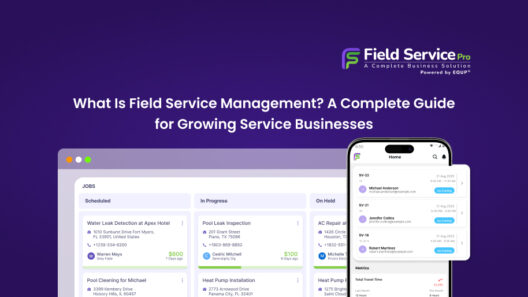
Automation is the technology layer that makes field service management scalable. This guide explains the full FSM framework that automation sits inside.
Field service automation software changes that equation completely. It replaces the phone calls, whiteboards, and spreadsheets with a connected digital system that handles scheduling, dispatch, job tracking, and billing automatically, in real time, across your entire team.
This guide covers everything you need to know about field service automation in 2026: what it is, how it works, which features matter most, how to pick the right platform, and what kind of return you can realistically expect.
What you will learn:
- The clear definition of field service automation and how it differs from FSM
- The core features every good platform must have
- The top field service automation software platforms compared
- A step-by-step buyer’s guide for choosing field service optimization software
- Implementation best practices and realistic ROI numbers
- Answers to the most common questions buyers ask
What Is Field Service Automation?
Field service automation is the use of AI-powered software to plan, dispatch, execute, and track field service operations automatically by replacing manual coordination with a connected digital workflow.
Instead of a dispatcher making phone calls to find the nearest available technician, the software assigns the right person based on skill set, location, and availability in seconds. Instead of a technician handing in a paperwork order at the end of the day, the job closes on a mobile app the moment the work is done, and the invoice is generated automatically.
At its core, field service automation handles the repetitive, time-consuming coordination tasks that used to require a full-time office administrator. It gives everyone, from field technicians to service managers to customers, real-time visibility into what is happening and what comes next.
Field Service Automation vs. Field Service Management: What Is the Difference?
These two terms are often used interchangeably, but they are not the same thing.
Field service management (FSM) refers to the overall goal of organizing and coordinating a mobile workforce. You can do FSM with spreadsheets and phone calls. Plenty of small businesses do exactly that.
Field service automation is the technology layer that makes FSM efficient and scalable. It uses software, AI, and integrations to handle coordination tasks automatically rather than manually. Without automation, FSM hits a ceiling. You need to hire more people just to keep up with the same volume of work.
The distinction matters because many buyers go looking for “FSM software” when what they actually need is automation built into that software. In 2026, the best platforms combine both. They give you the management structure of FSM with the intelligence of automation underneath it.
How Field Service Automation Works End-to-End
A fully automated field service workflow looks like:
- Job creation: A customer submits a service request through a portal, chat widget, or phone call. The system creates a work order automatically with all relevant details.
- AI-powered dispatch: The scheduling engine matches the job to the best available technician based on skills, location, and SLA requirements. No dispatcher needed.
- Route optimization: The technician receives an optimized route for their day, factoring in traffic, job duration, and proximity of other appointments.
- Field execution: The technician accesses the full job history, equipment specs, and required parts on their mobile app. They capture photos, customer signatures, and notes on-site.
- Automated invoicing: The moment the job closes, an invoice is generated and sent to the customer. Parts and labor flow directly into the accounting system.
- Analytics and reporting: Managers see real-time dashboards tracking first-time fix rates, technician utilization, SLA compliance, and revenue by job type.
This end-to-end flow is what separates a modern field service automation platform from a basic scheduling tool. Every step is connected, and data flows without human intervention.
Industries That Rely on Field Service Automation
Field service automation software is used across dozens of industries, but adoption is especially strong in:
- HVAC, plumbing, and electrical contracting
- Telecom and internet service providers
- Utilities and energy companies
- Medical and healthcare equipment servicing
- Manufacturing and industrial OEM after-sales
- Property management and facilities maintenance
- Construction and low-voltage installation
Any business that sends technicians or service teams to customer sites can benefit from automation. The larger and more distributed the workforce, the bigger the return.
Key Features of Field Service Automation Software

Not all platforms are built the same. Some excel at scheduling but fall short on invoicing. Others have strong mobile apps but weak analytics. When evaluating field service automation software, these are the features that actually move the needle.
- AI-Powered Scheduling and Dispatch
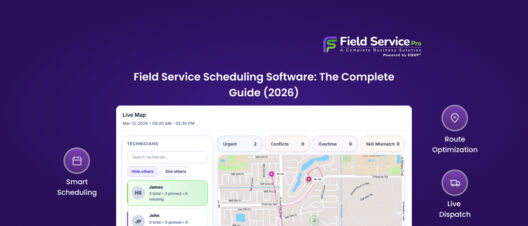
This is the engine of any good platform. AI-driven scheduling engines look at every open job and every available technician simultaneously, then assign work based on skills, location, SLA priority, and current availability.
The best systems handle re-optimization automatically. When a job runs long or a technician calls in sick, the system reshuffles the remaining schedule in real time without a dispatcher having to manually intervene.
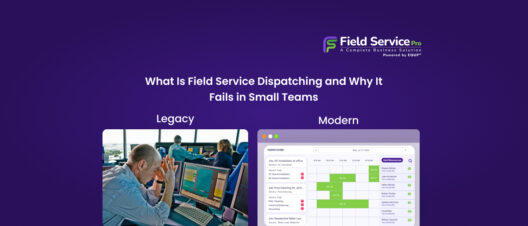
Automated dispatch is the highest-ROI automation for most service businesses. Our dedicated guide to field service dispatching explains how the assignment logic works and what to look for in a platform.
- Route Optimization
Technicians spend a significant portion of their day in a vehicle. Route optimization software calculates the most efficient sequence of stops for each technician, factoring in traffic, job duration, and geographic clustering.
Businesses that implement route optimization consistently report 15 to 30 percent reductions in fuel and travel costs. More importantly, optimized routes often allow technicians to fit one or two additional service calls into their day without working extra hours.
- Work Order Management
Digital work orders replace paper-based processes entirely. From job creation to field completion, every detail lives in the system: customer history, equipment records, required parts, time logs, photos, and technician notes.
Work orders should be searchable, filterable, and linkable to specific assets and customers. This creates a permanent audit trail that protects both your business and your technicians in dispute situations.
- Mobile Technician App
A field service automation platform is only as good as the tool in your technicians’ hands. The mobile app needs to work offline (since many job sites have poor connectivity), support photo and video capture, allow digital signature collection, and surface the full service history of any asset in seconds.
A well-designed mobile app also reduces “where are you?” phone calls, since dispatchers can see technician location and job status in real time without interrupting anyone in the field.
- Automated Invoicing and Payments
Every day between job completion and invoice delivery is a day you are not getting paid. Automated invoicing closes that gap by generating and sending invoices the moment a job closes.
Look for platforms that sync directly with QuickBooks, Xero, or CRM so that parts, labor, and tax calculations flow into your accounting software without manual data entry. This alone can save office administrators five to eight hours every week.
Automated customer follow-up only works when it’s connected to complete customer records. That’s the role of a proper field service CRM, covered in detail in our buyer’s guide.
- Predictive Maintenance and IoT Integration
Modern field service optimization software does not just respond to problems. It anticipates them. IoT-connected equipment sends condition data to the platform continuously. When readings fall outside normal parameters, the system automatically creates a service request before the equipment fails.
This shift from reactive to predictive maintenance is one of the biggest competitive advantages available to field service businesses in 2026. It reduces emergency callouts, extends equipment life, and dramatically improves customer satisfaction.
- Real-Time GPS Tracking
Live GPS tracking gives service managers a bird’s-eye view of every technician’s location and status throughout the day. Customers receive automated ETAs and arrival notifications, which eliminates the “where is my technician?” call entirely.
Fleet tracking also creates accountability without micromanagement. When technicians know their location and time on-site is logged, job completion accuracy and punctuality both improve.
- CRM Integration
Field service automation software should not operate as a standalone island. The best platforms integrate deeply with your CRM (for customer history, communication logs, and upsell opportunities).
This integration gives managers a single, unified view of both the customer relationship and the operational execution side of every job. It also prevents the data silos that cause billing errors and SLA misses.
- Reporting and Analytics Dashboards
You cannot improve what you cannot measure. Good field service automation software provides real-time dashboards that track the KPIs that matter most: first-time fix rate, average response time, technician utilization, SLA compliance rate, revenue per job, and customer satisfaction scores.
Operational leaders should be able to pull these numbers instantly without relying on someone to manually compile a spreadsheet every Friday afternoon.
The Real Benefits of Field Service Automation

The business case for field service automation software is built on data that is consistent across industry studies and customer reports. Here is what teams typically see after implementation.
40% Reduction in Administrative Time
When scheduling, dispatch, invoicing, and reporting run automatically, office staff spend dramatically less time on coordination tasks. Teams implementing FSM automation report an average 40 percent reduction in administrative hours, which frees up staff to focus on customer experience and business growth rather than data entry.
15 to 30 Percent Lower Fuel and Travel Costs
Route optimization delivers savings that are measurable from day one. Grouping jobs by geography and optimizing stop sequences reduces unnecessary driving. For a team of five technicians, this often translates to thousands of dollars saved annually in fuel costs alone, plus reduced vehicle wear.
20 to 26 Percent Increase in Technician Productivity
When technicians spend less time driving inefficient routes, waiting for dispatchers to call them with job details, or filling out paperwork at the end of the day, they complete more jobs in the same number of hours. Industry benchmarks consistently show productivity gains in the 20 to 26 percent range after full automation implementation.
Faster Cash Flow
Manual billing processes often stretch the payment cycle to 30 days or more. Automated invoicing cuts that down to 48 hours in most cases. The technician closes the job on their mobile app, the invoice goes out immediately, and payment collection begins the same day.
For small and mid-sized field service businesses, faster billing is often the single highest-impact change automation delivers.
Higher Customer Satisfaction Scores
Customers in 2026 expect a professional digital experience. They want automated appointment confirmations, real-time ETAs, and digital receipts with photos and technician notes. Platforms that enable these touchpoints consistently see higher customer satisfaction scores and more repeat business.
Improved SLA Compliance
Missed service level agreements carry financial penalties and damage customer relationships. AI-driven re-scheduling ensures that when delays happen, the highest-priority jobs are automatically repositioned to protect SLA compliance rates. Managers get alerts before an SLA is at risk, not after it has been missed.
Field Service Automation Software vs. Field Service Management Software
Since buyers frequently compare these two categories before making a purchase, it helps to see the key differences laid out clearly.
| Dimension | Field Service Management | Field Service Automation |
|---|---|---|
| Core function | Organize and coordinate field teams | Automate coordination tasks with AI |
| Scheduling | Manual or assisted | AI-driven, self-optimizing |
| Dispatch | Dispatcher-led | Rules-based and automatic |
| Data entry | Partially manual | Minimal to none |
| Integration depth | Varies | Deep ERP/CRM/IoT connectivity |
| Scalability | Limited by headcount | Scales without adding staff |
| AI dependency | Low | High |
Thus, you can run FSM without automation, but you cannot automate field service effectively without an FSM foundation. The leading platforms in 2026 make this distinction irrelevant by combining both into a single system.
If you are evaluating software and a vendor cannot clearly explain how their scheduling automation works, that is a sign their “automation” is more marketing language than real capability.
Top Field Service Automation Software Platforms in 2026
The market has matured significantly. Here is an honest look at the platforms that are consistently delivering results for field service businesses of different sizes.
A. SMB Platforms
- FieldServicePro
A modern field service management platform designed specifically for growing SMB service teams that need more than basic scheduling software but do not want enterprise-level complexity or per-technician pricing pressure. FieldServicePro is a field service management software platform with automation built into the core – scheduling, dispatch, invoicing, and customer follow-up can all run without manual triggers. The platform is particularly well-suited for HVAC, plumbing, electrical, cleaning, and other trade businesses looking to scale operations efficiently without adding administrative overhead.
Best for: SMB field service businesses looking to scale operations efficiently
Pricing: From $199/month with unlimited users
AI readiness: High
- Jobber
The most requested field service automation platform among SMBs, according to multiple buyer surveys. Jobber handles automated scheduling, invoicing, client reminders, and payment collection in a clean interface that technicians and office staff both adapt to quickly. Over 300,000 users across 50+ industries.
Best for: Small businesses and contractors (1-15 technicians)
Pricing: From $29/month, tiered by user count
AI readiness: Moderate, improving
- Housecall Pro
Mobile-first and designed for the residential service market. Self-serve customer booking, automated appointment reminders, and simple payment processing make it ideal for high-volume, short-duration jobs. Easier to set up than most platforms but limited for complex multi-site or commercial operations.
Best for: Residential service contractors
Pricing: Tiered subscription, plans from around $65/month
AI readiness: Moderate
- Field Promax
Designed for rapid scheduling and billing with a focus on QuickBooks synchronization. Users report cutting scheduling time from hours to minutes. A strong option for SMBs that prioritize fast setup, billing speed, and QuickBooks integration over enterprise-grade analytics.
Best for: Small teams prioritizing billing speed and QuickBooks sync
Pricing: Plans from around $49/month
AI readiness: Moderate
B.Mid-Market Platforms
- ServiceTitan
Increasingly described as an “agentic operating system for the trades,” ServiceTitan goes well beyond scheduling. It handles marketing automation, financing, pricebook management, and technician performance tracking. Heavily used by HVAC, plumbing, and electrical contractors, scaling past 10 trucks.
Best for: Growing trade service businesses
Pricing: Tiered subscription, typically $200+ per user per month
AI readiness: High
- Zuper
Modern, mobile-first, and built with an LLM copilot integrated into the technician experience. Zuper is gaining traction among fast-growing field teams that want strong usability and AI features without enterprise complexity. Transparent pricing and good configurability make it attractive for teams in the 10 to 100 technician range.
Best for: Fast-growing mid-market field teams
Pricing: Transparent tiered pricing, available on their website
AI readiness: High
- FieldPulse
A solid mid-market option that creates strong synchronization between office staff and field technicians. Good workflow automation, solid mobile app, and clear interface. Not the deepest platform for complex service contracts, but reliable and well-reviewed for general field service operations.
Best for: General service businesses with mixed job types
Pricing: Tiered monthly subscription
AI readiness: Moderate
- Praxedo
Built specifically for regulated industries where compliance documentation is as important as the job itself. Strong digital form builder, audit trails, and tight scheduling. Less flashy than some competitors, but highly dependable for utilities and telecom.
Best for: Utilities, telecom, compliance-heavy industries
Pricing: On request
AI readiness: Moderate
C. Enterprise Platforms
- Salesforce Field Service
Built specifically for regulated industries where compliance documentation is as important as the job itself. Strong digital form builder, audit trails, and tight scheduling. Less flashy than some competitors, but highly dependable for utilities and telecom.
Best for: Enterprises standardized on Salesforce
Pricing: From $175/user/month (Dispatcher), $230/user/month (Field Service Plus)
AI readiness: Very high
- Microsoft Dynamics 365 Field Service
The natural choice for Microsoft-aligned organizations. Strong IoT capabilities, AR-guided remote support, and deep integration with Dynamics 365 and Power Platform. AI assignments reduce travel and idle time significantly. Works best when the wider Microsoft ecosystem is already in place.
Best for: Mid-to-large teams on Microsoft stack
Pricing: Available on request
AI readiness: High
- IFS Cloud Field Service Management
Gartner-recognized as a leader, IFS is built for asset-intensive industries. Its strengths are in parts logistics, contract management, warranty tracking, and workforce forecasting, areas that other platforms often handle poorly. Deep integration with SAP, Salesforce, and Microsoft.
Best for: Manufacturers, energy companies, complex service environments
Pricing: Enterprise pricing on request
AI readiness: High
- ServiceMax
Purpose-built for asset-centric field service, particularly in life sciences and industrial settings. Strong preventive maintenance workflows, service contract management, and Salesforce integration. Less suited for high-volume residential or light commercial work.
Best for: Medical equipment, industrial, and manufacturing sectors
Pricing: On request
AI readiness: Moderate to high
| Platform | Best For | Starting Price | AI Scheduling | Offline Mobile | ERP/CRM Integration |
|---|---|---|---|---|---|
| FieldServicePro | SMB service businesses scaling operations | From $199/month | Yes | Yes | Strong |
| Jobber | SMB contractors | From $29/month | Improving | Yes | QuickBooks |
| Housecall Pro | Residential SMB | From ~$65/month | Basic | Yes | Limited |
| Field Promax | SMB QuickBooks users | From ~$49/month | Basic | Yes | QuickBooks |
| ServiceTitan | Trade contractors (growing) | $200+/user/month | Yes | Yes | Strong |
| Zuper | Mid-market fast-growth | Transparent tiers | Yes | Yes | Good |
| FieldPulse | General field service teams | Tiered subscription | Moderate | Yes | Moderate |
| Praxedo | Compliance-heavy industries | On request | Moderate | Yes | Good |
| Salesforce Field Service | Enterprise (Salesforce users) | $175/user/month | Yes | Yes | Deep |
| Microsoft Dynamics 365 | Enterprise (Microsoft stack) | On request | Yes | Yes | Deep |
| IFS Cloud | Asset-intensive enterprise | On request | Yes | Yes | Deep |
| ServiceMax | Industrial/life sciences | On request | Yes | Yes | Salesforce native |
Note: Pricing may vary based on features, users, integrations, onboarding, and custom requirements. Please check the official vendor websites for the latest pricing details.
How to Choose the Right Field Service Optimization Software

With this many options, the selection process can feel overwhelming. The businesses that make the best choices follow a structured evaluation process rather than going straight to demos.
Step 1: Define Your Team Size, Job Type, and Industry
A three-person HVAC company and a 200-technician telecom provider have fundamentally different requirements. Before you look at any platform, document:
- How many technicians you dispatch daily
- Average number of jobs per technician per day
- Job complexity (are most jobs 30-minute visits or multi-day projects?)
- The industry you operate in and any compliance requirements
- Whether you handle residential, commercial, or both
This single exercise will immediately eliminate half the platforms on your shortlist.
Step 2: Map Must-Have Features vs. Nice-to-Have Features
Make a two-column list. On the left, write every feature your team cannot operate without (for example, offline mobile access if your sites have poor connectivity, or QuickBooks integration if you use that for accounting). On the right, list features that would be useful but are not deal-breakers.
Evaluate platforms against the left column only in the first round. This prevents you from choosing a platform with impressive but irrelevant features while missing a critical one.
Step 3: Evaluate AI Readiness and Integration Depth
The gap between platforms that have genuine AI scheduling and those that just use the term for marketing purposes is significant. Ask vendors specifically:
- How does the scheduling algorithm handle real-time changes (technician sick, job overruns)?
- What data does the AI use for assignment decisions (skills, location, SLA, parts availability)?
- What integrations do you support natively vs. through third-party connectors?
Platforms with deep CRM integration produce significantly better outcomes than those that treat these as optional add-ons.
Step 4: Understand the Full Pricing Model
Field service software pricing models vary significantly. Some platforms charge per user per month. Others charge per job, per technician, or as a flat subscription tier. The base price is rarely the full cost.
Ask vendors about:
- Setup and onboarding fees
- Integration costs
- Training fees
- Overage charges for jobs or users above your plan tier
- Contract length and exit terms
Calculate the total field service pricing cost of ownership over 12 and 24 months, not just the monthly sticker price.
Step 5: Trial the Platform With Real Scenarios
Do not evaluate software in a controlled demo with fake data. Request a trial account and run through your actual daily scenarios:
- Schedule a job with a last-minute technician change
- Close a job from a mobile device and check whether the invoice generates correctly
- Pull a weekly technician utilization report
- Test the mobile app in airplane mode (simulating poor site connectivity)
This will reveal usability issues and missing features that no demo will show you.
Step 6: Evaluate Onboarding and Ongoing Support
Software that is difficult to implement and support will not deliver its promised ROI regardless of how strong its features are. Ask for specifics on:
- Average onboarding timeline for a business your size
- Whether a dedicated implementation specialist is included or costs extra
- How support is handled (phone, chat, email, and response time commitments)
- The quality and availability of training documentation and video resources
Red Flags to Avoid
Watch out for vendors who:
- Cannot explain how their AI scheduling works in plain language
- Offer a one-size-fits-all demo with no reference to your industry
- Have poor or absent customer reviews on G2, Capterra, or Software Advice
- Charge separately for features that are standard in competing platforms
- Lock you into a multi-year contract before you have fully tested the software
Field Service Automation by Industry
While the core technology is similar across industries, the specific workflows and pain points vary significantly. Here is how field service optimization software is applied in each major vertical.
- HVAC and Plumbing
Seasonal demand spikes create scheduling challenges that manual systems simply cannot handle. Field service automation software helps HVAC and plumbing businesses manage surge periods by dynamically reassigning technicians, managing parts inventory across multiple vehicles, and tracking equipment assets by location and service history.
Asset-based tracking is especially important here: a single property might have multiple HVAC units, each with its own maintenance record and warranty status.
- Telecom and Utilities
Large distributed workforces, strict SLA requirements, and regulatory compliance make automation essential in telecom and utilities. Platforms like Praxedo and Microsoft Dynamics 365 Field Service are particularly strong here, with robust SLA tracking, compliance reporting, and the ability to manage thousands of concurrent jobs across multiple regions.
- Manufacturing and OEM After-Sales
For OEMs and industrial equipment suppliers, field service is a core revenue stream, not just a cost center. Automation enables predictive maintenance based on IoT sensor data, installed base management across all customer sites, and self-service portals where customers can log requests and track technician status. IFS Cloud and Makula are purpose-built for this environment.
- Construction and Electrical
Project-based field service requires more than appointment scheduling. Construction and electrical contractors need budget tracking, compliance documentation, multi-site coordination, and progress reporting. Autodesk Build handles the high-level project coordination side, while platforms like FieldServicePro or ServiceTitan manage the day-to-day service workflow.
- Healthcare Equipment
Medical device and healthcare equipment servicing has zero tolerance for downtime and strict regulatory documentation requirements. Every visit must be logged with precision, parts must be traced, and calibration records must be maintained. Platforms with strong compliance audit trails and preventive maintenance scheduling are essential in this vertical.
How to Implement Field Service Automation Software
Choosing the right software is half the battle. Implementing it well determines whether you actually see the ROI. Most implementation failures happen not because the software is bad but because the rollout is poorly planned. Below is the 6 phase implementation approach that works for teams of any size.
Phase 1: Audit Your Current Workflow
Before importing a single customer record, document exactly how things work today. Map every step from the moment a service request comes in to the moment payment is collected. Identify the three or four biggest time wasters and manual bottlenecks.
This audit becomes your implementation priority list. Start by automating the highest-pain areas first.
Phase 2: Clean and Migrate Your Data
Data quality is the most underestimated factor in successful implementation. Export your customer list, service history, and asset records before migrating. Remove duplicates, correct address errors, and standardize naming conventions.
Messy data going into a new system means messy data coming out, regardless of how powerful the platform is.
Phase 3: Configure Scheduling Rules, Skill Sets, and Templates
Set up technician skill profiles, service territory rules, and job templates before going live. Define your SLA tiers and configure the scheduling engine to honor them automatically.
Build out your work order templates with the specific fields your technicians need to capture in the field. Start with the essential fields only and add more over time based on actual usage.
Scheduling is the upstream process that automation most directly improves. Our field service scheduling software guide covers the scheduling-specific features that automation depends on.
Phase 4: Train Technicians on the Mobile App
Technician adoption is the single biggest risk to a successful rollout. The biggest mistake most businesses make is overwhelming technicians with too many features on day one.
Focus the first two weeks exclusively on the mobile workflow: receiving job assignments, accessing service history, capturing photos and signatures, and closing work orders. Everything else can come later.
Frame training around what the app does for technicians, not what it requires of them. Showing someone that they will never have to drive back to the office to drop off paper tickets is more persuasive than any feature demonstration.
Phase 5: Integrate Your CRM and Accounting Software
Once the core workflow is running smoothly, connect your external systems. Set up the QuickBooks or ERP sync, map your service items and customer records, and test the data flow end-to-end on a handful of real jobs before switching fully.
Verify that customer names, service item codes, and tax rates match exactly between systems. Mismatches here cause sync failures that create more manual work than you started with.
Phase 6: Go Live and Monitor KPIs Closely in Weeks 1 to 4
The first month after go-live is critical. Pull your KPI dashboard daily. Watch for jobs that are falling outside SLA windows, invoices that are not generating automatically, or technicians who are not closing work orders in the field.
Address these issues quickly and in person. A brief team call every Friday for the first month to review what is working and what needs adjustment will prevent small issues from becoming habitual workarounds.
Common Implementation Mistakes to Avoid
- Trying to automate everything at once instead of rolling out in phases
- Going live before technicians have practiced the mobile workflow
- Skipping data cleanup and migrating messy records directly
- Failing to test the accounting integration before sending real invoices
- Not defining clear success metrics before launch so you cannot tell if it is working
ROI of Field Service Automation Software: What to Expect
The ROI of field service automation software is not theoretical. The numbers come from consistent patterns seen across thousands of businesses that have made the switch.
Hard ROI: Measurable and Fast
Hard ROI shows up in your bank account quickly. The most common sources:
- Recovered billable hours. Technicians using digital work orders log parts and labor in real time instead of trying to remember at the end of the day. This typically recovers 3 to 4 unbilled hours per technician per week.
- Eliminated administrative overhead. Automated scheduling, invoicing, and QuickBooks sync reduces office admin time by 40 to 60 percent. For a business with one office administrator, this can equate to reclaiming 15 to 20 hours per week of capacity.
- Reduced fuel and travel costs. Route optimization delivers consistent 15 to 30 percent reductions in travel-related expenses from day one.
- Faster collections. Sending invoices on the day of job completion rather than a week later accelerates your cash collection cycle. Businesses typically see their average days sales outstanding drop from 28 to 30 days to under 10 days after implementation.
Soft ROI: Real but Harder to Quantify
Soft ROI takes longer to show up on a spreadsheet but is equally real:
- Higher technician retention because their daily work experience is smoother and less frustrating
- Stronger customer reviews and repeat business because the customer experience is professional and transparent
- Fewer warranty callbacks because service history is documented and accessible, making it easier to distinguish a new billable issue from a warranty claim
Realistic Payback Timeline
- For small teams (one to five technicians): most businesses see a full return on their software investment within 90 to 180 days. The $4,800 annual saving per technician from reduced administrative friction covers the cost of most SMB platforms many times over.
- For mid-market teams (10 to 50 technicians): payback typically comes within three to six months as scheduling efficiency gains and billing accuracy improvements scale with team size.
- For enterprise deployments: implementation timelines are longer (three to six months), and payback typically follows within six to 12 months once the system is fully configured and integrated.
A Simple ROI Framework
If you want to estimate your own return before committing to a platform, use this straightforward calculation:
Weekly time savings per technician (hours) x your billing rate x 52 weeks = Annual hard ROI per technician
For a team of 5 technicians saving three hours per week each at a $100 billing rate:
3 hours x $100 x 52 weeks x 5 technicians = $78,000 in recovered annual value
That is before accounting for fuel savings, faster invoicing, or reduced admin costs. For most businesses, the math is not close.
For teams calculating whether automation software pays for itself at their volume, FieldServicePro pricing uses flat-rate monthly plans rather than per-seat billing, making ROI easier to forecast.
FAQs
Field service automation software is a digital platform that uses AI and automated workflows to manage the end-to-end operations of a field service business. It handles scheduling, dispatch, work order management, mobile technician communication, invoicing, and performance reporting automatically, replacing the manual processes that slow teams down and create errors.
Field service management (FSM) describes the overall practice of organizing a mobile workforce. Field service automation is the technology that makes FSM efficient at scale. FSM can be done manually. Automation cannot. The best platforms in 2026 combine both: FSM structure with automation as the operating engine underneath.
The core features that drive real results are AI-powered scheduling and dispatch, route optimization, digital work order management, offline-capable mobile apps, automated invoicing with accounting integration, real-time GPS tracking, and performance analytics dashboards. Predictive maintenance and IoT integration are increasingly important for asset-heavy industries.
Small teams with straightforward workflows can go live within 2 to 4 weeks. Mid-sized businesses typically need six to twelve weeks for full implementation including integrations and training. Enterprise deployments with multiple regions and complex compliance requirements can take three to six months. A phased approach that starts with core scheduling and mobile workflows, then adds integrations, delivers faster time to value.
Industry data consistently shows 40 percent reductions in administrative time, 15 to 30 percent lower travel costs, and 20 to 26 percent gains in technician productivity. Small teams typically recoup their investment within 90 to 180 days. The annual per-technician savings from reduced administrative friction alone average $4,800 for most small and mid-sized field service businesses.
Yes, especially for businesses with two or more technicians. The biggest gains for small businesses come from automated invoicing (faster cash flow), digital work orders (no more lost paperwork), and route optimization (more jobs completed per day without adding headcount). Most small teams see a full return on investment within three months.
For HVAC and plumbing, FieldServicePro and Jobber are consistently top-rated. For construction and electrical, FieldPulse and Autodesk Build (for project-heavy work) are strong choices. For telecom and utilities, Praxedo and Microsoft Dynamics 365 Field Service are the most capable options. For manufacturing and OEM after-sales, IFS Cloud and Makula lead the category.
AI scheduling engines analyze every open job and every available technician simultaneously, then assign work based on skills, proximity, SLA priority, and current availability. When conditions change (a job runs long, a technician becomes unavailable, a high-priority emergency comes in), the AI re-optimizes the remaining schedule in real time. This eliminates the manual bottleneck of dispatcher decision-making and reduces both response times and SLA misses significantly.
Conclusion: Your Next Step Toward Smarter Field Operations
Field service automation software is not a bonus in 2026. It is the operating infrastructure that separates field service businesses that scale confidently from those that stay stuck managing growth through more headcount and more spreadsheets.
The right field service optimization software gives your dispatchers time back, gives your technicians better tools, gives your customers a professional experience, and gives your managers the real-time visibility they need to make fast, accurate decisions.
You now have everything you need to evaluate, select, and implement the right platform for your business. Start by auditing where your biggest operational losses are happening. Build your feature must-have list. Test two or three platforms against your real scenarios.
The businesses that are winning in field service right now are not necessarily the ones with the most technicians. They are the ones whose operations run with precision, transparency, and speed because automation is doing the coordination work that used to eat hours every day.
Ready to see what field service automation can do for your team? Request a demo from the platforms that match your use case and run them through your actual daily workflow. The right tool will be obvious within an hour.