
Ask any service business owner what they paid for their field service software last year and you’ll either get a precise number or a pause followed by “honestly, more than I expected.”
The cost of field service management software is legitimately confusing, not because the tools are hiding their numbers, but because the cost of any given platform depends on so many variables that a headline price on a pricing page can be almost meaningless.
A platform that advertises “$29/month” might cost your business $300/month once you account for the number of users you actually have and the features you genuinely need. A platform that quotes custom pricing upfront might end up being fair value once everything is mapped out.
This breakdown cuts through the confusion. We’re not just covering starting prices but real costs, pricing models, what actually drives your bill up, and how to figure out which field service management software pricing structure makes sense for your operation.
If you’re new to this space, it helps to start with the basics, this is a complete guide on what field service management is and how it works before diving into the cost breakdown.
Average Cost of Field Service Management Software

When businesses start researching the cost of field service management software, one thing becomes clear quickly, i.e. there’s no single price point that fits everyone.
Pricing can vary widely depending on the size of your team, the features you need, and how the software provider structures its plans. Some tools are built for solo operators, while others are designed for large, multi-location companies managing hundreds of technicians.
Below is the realistic breakdown of what you can expect to pay:
Small Business Tools: $20 to $200/month
At the lower end of the spectrum, you’ll find tools built for small teams, typically with one to five technicians. These platforms usually cover the essentials:
- Job scheduling
- Basic dispatching
- Invoicing
- A mobile app for field staff
If you’re just moving away from spreadsheets or manual tracking, this pricing tier is often enough to get your operations organized without adding unnecessary complexity.
Mid-Size Tools: $200 to $400/month
As your business grows, so do your requirements, and this is where most companies land. In this range, field service software pricing typically includes:
- Automation for scheduling and reminders
- Stronger reporting and performance tracking
- Integrations with tools like accounting or CRM systems
- Support for larger teams and higher job volumes
This is also the most competitive segment in the market, as it targets businesses that are actively scaling and need more control over operations.
Enterprise Tools: $400 to $1,000+/month
At the higher end, pricing is rarely fixed and is often tailored to the business. Enterprise-level platforms usually offer:
- Advanced analytics and forecasting
- Industry-specific workflows (HVAC, plumbing, electrical, etc.)
- Deep integrations across multiple systems
- Support for large teams and multiple service locations
While the field service software cost at this level is significantly higher, these tools are designed to handle complex operations where efficiency gains can directly impact revenue.
Beyond price ranges, it’s equally important to understand how these tools charge. Most platforms follow one of these FSM software pricing structures:
- Per-User Pricing
This model charges based on the number of technicians or team members using the system. It works well for smaller teams but can become expensive as you scale, since every new hire increases your monthly cost.
- Flat-Rate Pricing
With flat-rate pricing, you pay a fixed monthly fee regardless of how many users you have. For growing businesses, this can be a major advantage because costs remain predictable even as your team expands.
- Tier-Based (Feature-Based) Pricing
Many providers structure their plans based on features. You start with a basic plan covering core functionality, and upgrade as you need more advanced tools like automation, reporting, or integrations. This model gives flexibility, but it also means you need to evaluate carefully what features are actually included at each level.
What Affects the Cost of Field Service Software?

Understanding why your quote is higher than the starting price requires understanding what actually drives cost of field service management software upward.
- Number of users and technicians
On per-user models, headcount is the single biggest pricing variable. A business with 2 technicians and a business with 12 technicians using the same platform can have dramatically different monthly bills. Always calculate your realistic current team size and your likely team size in 12 months before committing to a per-user plan.
- Features required
Basic scheduling and invoicing are included on almost every plan. Automation, two-way SMS, advanced reporting, job costing, route optimization, and custom workflows are typically locked behind mid-tier or premium plans. If those features are central to how you want to run your business, factor the higher-tier cost into your evaluation from the start, not as an afterthought.
- Integrations
Connecting your FSM platform to accounting software like QuickBooks, your payment processor, or your marketing tools sometimes requires higher-tier plans or costs extra per integration. This is one of the most commonly missed budget items when businesses first evaluate service business software pricing.
- Industry complexity
HVAC, plumbing, and electrical contractors often have more complex operational needs than, say, a cleaning company. Platforms built specifically for those trades, like ServiceTitan or FieldEdge, reflect that complexity in their pricing. If your operation requires service agreement management, flat-rate pricing books, or detailed equipment history tracking, expect to pay more for a tool that handles those workflows properly.
- Support and onboarding
Some platforms include onboarding support in their pricing. Others charge separately for it. A $49/month tool that requires a $500 onboarding package is meaningfully more expensive in year one than a $99/month tool with included setup support. Check what onboarding actually covers before signing up.
Hidden Costs Most Businesses Ignore
The starting price is what gets your attention. The hidden costs are what affect your annual budget. Below are the ones that catch most businesses off-guard:
Setup and onboarding fees
Not all platforms include onboarding in the subscription price. Some charge $200–$500 for initial setup, data migration, and team training. Enterprise platforms like ServiceTitan, being the most commonly cited example, can charge significantly more for implementation. Always ask what getting started actually costs, beyond month one?
Add-ons that should be standard
SMS notifications, two-way customer messaging, and advanced reporting are features that most businesses would consider essential, not extras. Yet many platforms charge separately for them. A $69/month base plan with $20/month SMS add-on and $30/month reporting module is a $119/month product with a $69 headline.
Integration costs
Native QuickBooks integration might be included on mid-tier plans but gated on basic ones. If your accounting workflow depends on that integration, you may be forced onto a more expensive tier even if you don’t need anything else that plan offers.
Per-transaction payment fees
Most FSM platforms integrate payment processing and charge a transaction percentage on top of the subscription. Typically, 2–3% per card transaction. For a business processing $30,000/month through the platform, that’s $600–$900/month in processing fees on top of the subscription cost, a figure that rarely appears in headline pricing comparisons.
Scaling costs
A platform that’s affordable at 3 technicians can be expensive at 10. If you’re on a per-user plan and growing quickly, model what your software cost looks like at 150% of your current team size before you sign an annual contract.
Training costs
Software that requires formal training to adopt properly often has training packages sold separately. Even platforms with good self-serve resources often see businesses losing productivity during the transition period, a real cost that doesn’t show up on any pricing page.
Field Service Software Pricing Comparison
To make this comparison genuinely useful, we did not rank these platforms based on brand popularity or marketing claims alone. We reviewed publicly available pricing pages, plan structures, feature inclusions, and common limitations such as per-user charges, feature-gated tiers, and upgrade pressure. We also looked at how each pricing model affects real field service businesses over time as teams grow and job volume increases.
That matters because pricing in this category can be misleading at first glance. Two tools may seem similar on the surface, but the actual cost can change significantly once you account for user limits, locked features, usage caps, or the need to move to a higher plan.
The comparison below is based on pricing structure, scalability, and practical value for service businesses, so readers can assess not just what a platform costs today, but how well that pricing holds up as the business grows.
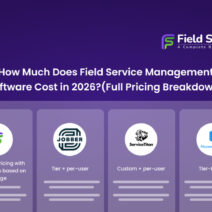
| Software | Pricing Model | User Limits | Feature Limits | Scalability Impact |
|---|---|---|---|---|
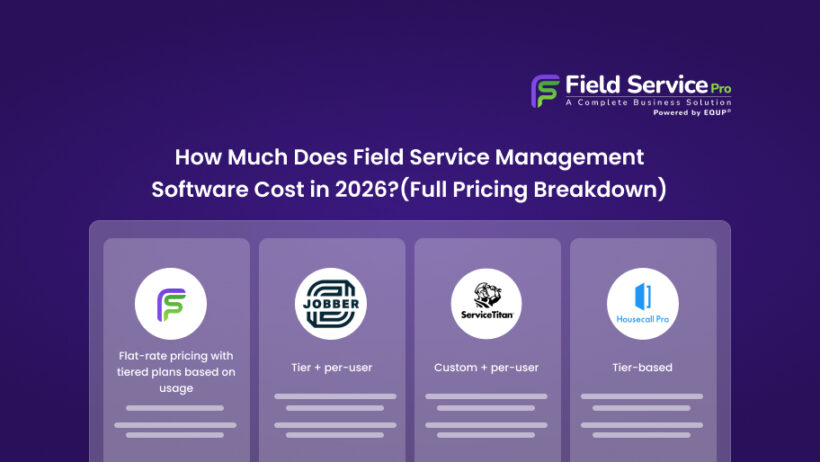
| FieldServicePro | Flat-rate pricing with tiered plans based on usage | ✅ Unlimited users | ✅ No feature restrictions | ✅ Predictable as you grow |
| Jobber | Tier + per-user | ⚠️ Limited by plan | ⚠️ Features locked by tier | ❌ Costs increase with team size |
| ServiceTitan | Custom + per-user | ⚠️ Scales with users | ⚠️ Feature-based pricing | ❌ High cost as operations grow |
| Housecall Pro | Tier-based | ⚠️ Limited users per plan | ⚠️ Advanced features gated | ❌ Frequent upgrades needed |
FieldServicePro
FieldServicePro takes a different approach compared to most field service software. Instead of charging per user or locking features behind multiple tiers, it offers flat-rate pricing with tiered plans based on usage.
This means businesses don’t have to constantly think about how pricing will change as they grow.
What Makes It Stand Out
Every plan includes:
- Unlimited users
- Unlimited client portal access
- Unlimited contacts and companies
- Unlimited jobs, scheduling, and dispatching
- Unlimited invoicing, estimates, and online payments
- Unlimited service tasks and job history
- Unlimited auto payments and appointments
- Unlimited job templates
There are no restrictions on core operations, which is where most other tools introduce limits.
Why This Matters
For growing teams, this removes a common concern: “Will my software cost increase every time I hire or take on more work?” With a flat structure, the cost remains predictable, making it easier to scale without re-evaluating software expenses at every stage.
Best Fit
Businesses that want:
- Predictable pricing
- No user-based cost increases
- Full operational access without feature gating
Jobber
Jobber is one of the most widely adopted tools in the small business segment, known for its clean interface and ease of use.
Pricing Structure
Jobber uses a tiered + per-user pricing model, where features and user limits vary depending on the plan.
Where It Works Well
- Simple onboarding for small teams
- Strong customer communication tools
- Well-designed mobile app
Where It Falls Short
- Costs increase as you add more users
- Key features are locked behind higher plans
- Lower tiers can feel restrictive as operations grow
For small teams, it works well initially, but as the business expands, pricing can scale alongside it.
ServiceTitan
ServiceTitan is built for large, established service businesses, especially in HVAC, plumbing, and electrical industries.
Pricing Structure
Custom pricing, typically high-cost and per-user based, with additional costs depending on features and business size.
Where It Works Well
- Advanced reporting and analytics
- Deep industry-specific features
- Enterprise-level automation
Where It Falls Short
- High entry cost (often not viable for smaller businesses)
- Complex setup and onboarding
- Pricing can increase significantly with team size
ServiceTitan is powerful, but it’s often more than what most small to mid-sized businesses actually need.
Housecall Pro
Housecall Pro targets home service businesses looking for an easy-to-use platform with booking and communication features.
Pricing Structure
Tier-based pricing with user limits and feature restrictions depending on the plan.
Where It Works Well
- Online booking and customer communication
- Review and reputation management
- Simple interface
Where It Falls Short
- Limited features in lower tiers
- Costs increase with additional users
- Advanced automation and reporting require upgrades
It’s a good starting point, but growing businesses often find themselves upgrading sooner than expected.
Cost Breakdown by Business Size
The cost of field service management software doesn’t just depend on features, it changes based on how your business operates and how quickly you plan to grow.
What works for a solo operator can become restrictive for a team of 5. And what seems affordable today can turn into a recurring expense that scales faster than your revenue.
Let’s see how pricing typically plays out at different stages of business growth.
Small Businesses and Solo Operators
At this stage, the goal is simple: move away from spreadsheets and manual coordination. Most small teams need:
- Basic scheduling
- Simple dispatching
- Invoicing
- A mobile app for field work
You’ll find many entry-level tools, and they do a decent job of covering these essentials. However, there’s an important detail many businesses overlook early on – how pricing behaves as soon as you grow.
What looks affordable for one or two users often comes with:
- User limits
- Feature restrictions
- Upgrade prompts as soon as usage increases
If you’re planning to expand even slightly, it’s worth considering tools that won’t require constant plan changes just to keep up with basic operations.
Growing Teams Needing More Automation
Once your team grows beyond a few technicians and job volume increases, operational gaps start to show up. Missed follow-ups, inefficient scheduling, and delayed invoicing directly affect revenue.
This is where most businesses expect:
- Automated scheduling and reminders
- Better reporting and job tracking
- Integrations with accounting tools
- Smoother communication with customers
The challenge here isn’t just choosing the right features but managing how pricing scales alongside your team. Many platforms in this range combine tier-based pricing with per-user costs, which means:
- Adding technicians increases your monthly bill
- Accessing key features often requires upgrading to a higher plan
- Costs can rise faster than expected as operations expand
This is where pricing structure starts to matter more than just the price itself.
A flat pricing model, on the other hand, removes that uncertainty. Instead of recalculating costs every time you hire or take on more work, your software expense stays consistent so that you can have more control over margins as you scale.
Large Businesses and Multi-Location Operations
At a larger scale, pricing becomes less about affordability and more about long-term efficiency. Businesses operating across multiple locations or managing large teams typically need:
- Advanced reporting and analytics
- Deeper integrations with other systems
- Industry-specific workflows
- Centralized control over operations
Enterprise tools often have custom pricing that increases based on users, features, and business size. At this level, the biggest risk is committing to a system where costs continue to rise as operations grow.
That’s why many businesses, even at scale, start paying closer attention to pricing models that offer:
- Predictable costs
- Fewer restrictions
- Full access to core features without constant upgrades
Because at the end of the day, software should support growth and not become a variable expense that needs to be recalculated every time the business expands.
Before evaluating cost, it also helps to understand what features you should expect from a modern platform, our breakdown of the 10 must-have features in service business management software can help you decide what’s worth paying for.
FAQs on Cost of Field Service Management Software
- What is the average cost of field service management software?
The average cost of field service management software ranges from $100 to $300 per month for small to mid-sized businesses, while enterprise solutions can exceed $1,000 per month depending on features and team size.
- Why does field service software pricing vary so much?
Pricing varies based on features, number of users, integrations, and whether the software uses per-user, tier-based, or flat-rate pricing models.
- What is the cheapest field service management software?
Some tools offer free or low-cost plans, but they usually have limited features, user caps, or usage restrictions.
- Is flat-rate pricing better than per-user pricing?
Flat-rate pricing is often better for growing teams because it keeps costs predictable and does not increase with each new user.
- Does field service management software include CRM features?
Yes, many field service platforms include CRM features such as customer management, job history, and communication tools.
Conclusion
Field service pricing in 2026 covers a genuinely wide range, from free plans that handle the basics to custom-priced enterprise platforms that cost more than some businesses’ monthly rent.
Neither end of that range is inherently right or wrong. What matters is the fit between the tool’s capabilities, your actual operational needs, and what the software costs when you add up everything beyond the headline subscription.
The cheapest option rarely stays cheap once you account for missing features, manual workarounds, and the time your team spends filling gaps that better software would have automated. The most expensive option is better when your business is genuinely large and complex enough to use what it provides.
Focus your evaluation on total annual cost against the specific problems you need solved. Get a realistic number that includes per-user fees, add-ons, payment processing, and onboarding. That’s the calculation that tells you what field service software is actually worth paying for.