

Running a field service business is a logistics puzzle that never fully stops. You’ve got technicians in multiple locations, customers expecting precise arrival windows, jobs that run longer than scheduled, invoices that need to go out same-day, and a dispatcher trying to hold it all together on a phone and a color-coded spreadsheet.
That spreadsheet breaks down faster than anyone wants to admit.
The top 10 field service management software tools on this list were built to replace that chaos with a system, one where jobs get scheduled, technicians get dispatched, customers get notified, and invoices go out without anyone having to manually track every moving piece.
Whether you’re running an HVAC company, a plumbing operation, an electrical contracting business, or a residential cleaning service, the right field service management system closes the gap between what your business can handle manually and what it can actually grow into.
What Is Field Service Management Software?
Field service management software is a platform that brings the operational pieces of a field service business into one system. Instead of managing jobs in a spreadsheet, dispatching through text message, invoicing in a separate billing tool, and tracking technician location through phone calls, everything runs from a single platform.
A complete field service management system typically handles:
- Job Scheduling: Creating, assigning, and managing service appointments in a calendar view. This includes recurring jobs, emergency bookings, and scheduling based on technician availability and location.
- Dispatch Management: Assigning the right technician to the right job and communicating that assignment in real time. Good field service dispatch software accounts for skills, proximity, and current workload before assigning a job.
- Technician Management: Giving field staff the job details they need on their phone, capturing job status updates, tracking time on-site, and collecting customer signatures or photos as job documentation.
- Customer Management: Storing contact history, service records, notes, and communication logs in a CRM for field service businesses, so every customer interaction builds on the one before it.
- Invoicing and Payments: Generating invoices from completed job data and processing payments on-site or remotely, which further reduces the billing lag that kills cash flow for many service businesses.
- Mobile Workforce Management: Giving technicians a field service software with mobile app access so they’re not dependent on office calls for job updates, and managers can track job progress without checking in manually.
Key Features to Look for in Field Service Software

Not all FSM software covers the same ground. Below is what actually matters when you’re evaluating options:
- Job Scheduling: The scheduling interface should let dispatchers create and modify jobs quickly, see technician availability at a glance, and avoid double-booking. Drag-and-drop calendar views, color-coded technician lanes, and automated conflict alerts save hours every week.
- Dispatch Management: Real-time dispatch means jobs reach technicians the moment they’re assigned. The best field service dispatch software notifies techs instantly, lets them accept or flag issues, and updates job status automatically as work progresses.
- Mobile Technician App: A mobile field service software app that actually works in the field with or without a strong signal is non-negotiable. Technicians should be able to view job details, update status, capture photos, collect signatures, and generate invoices from their phone.
- Customer Management: A built-in CRM tracks customer history, equipment records, and previous service notes. This is what separates a professional operation from one that has to ask customers to re-explain their problem every time they call.
- Invoicing and Payments: Invoicing from the field, such as pulling job details, parts used, and labor time directly into an invoice, removes the billing delay that many service businesses struggle with. Payment integration means you can collect on the spot.
- Route Optimization: For businesses running multiple jobs per day, route optimization reduces drive time, saves fuel costs, and lets technicians fit more jobs into a workday without burning out.
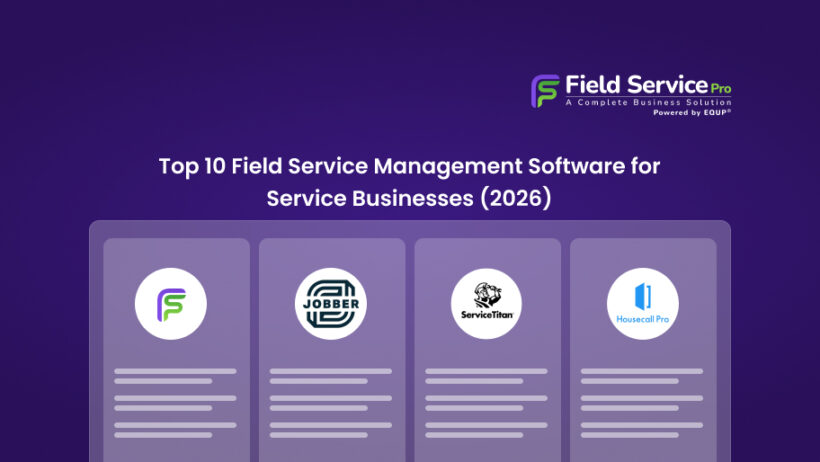
Top 10 Field Service Management Software in 2026
| Software | Best For | Key Features | Mobile App |
|---|---|---|---|
| FieldServicePro | Small to growing field service businesses | Scheduling, dispatch, CRM, invoicing, client portal, marketing tools, workflow automation | ✅ iOS & Android |
| Jobber | Small to mid-size service businesses | Job scheduling, dispatch, invoicing, client communication, GPS tracking | ✅ iOS & Android |
| ServiceTitan | Large HVAC, plumbing & electrical companies | Enterprise FSM, advanced reporting, marketing tools, automation | ✅ iOS & Android |
| Housecall Pro | Home service businesses | Online booking, dispatch, invoicing, review management | ✅ iOS & Android |
| ServiceM8 | Small trade businesses (Apple-focused) | Job management, dispatch, invoicing, Xero integration | ✅ iOS (limited Android) |
| FieldEdge | HVAC & plumbing contractors | Service agreements, flat-rate pricing, QuickBooks integration | ✅ iOS & Android |
| Kickserv | Budget-conscious small teams | Job tracking, scheduling, invoicing, basic CRM | ✅ iOS & Android |
| Zoho FSM | Businesses using the Zoho ecosystem | Work orders, scheduling, automation, Zoho integrations | ✅ iOS & Android |
| Salesforce Field Service | Large enterprises with complex operations | AI scheduling, deep CRM integration, advanced analytics | ✅ iOS & Android |
| Workiz | Service teams needing strong communication tools | Built-in phone, SMS, booking, dispatch | ✅ iOS & Android |
FieldServicePro
FieldServicePro is a field service management platform built for service businesses that want to manage scheduling, dispatching, invoicing, customer records, and day-to-day operations from one system. Its pricing model stands out because it uses flat-rate plans instead of charging per user, which makes it easier for growing teams to add staff without increasing software costs. The platform also includes sales, marketing, and communication tools alongside core field service features, giving businesses more than just basic job management.
Key Features
- Job scheduling and dispatching
- Mobile app for technicians
- Billing, invoicing, and online payments
- Client portal and customer management
- CRM, sales pipelines, and workflow automation
- Marketing tools including email, SMS, WhatsApp, and AI chatbot features
Best For
Small to growing field service businesses that want flat-rate pricing, unlimited users, and a broader mix of operations, CRM, and marketing tools in one platform.
Pros
Flat-rate pricing with unlimited users, broad feature set beyond job management, mobile app included, 15-day free trial, no extra platform transaction fees.
Cons
Lower-tier limits are based on service visits and usage volume, so larger teams may need to upgrade as operations grow.
Jobber
Jobber is one of the most widely used field service software for small business operations, and its reputation is well-earned. It covers the full workflow from quote to payment with a clean interface that doesn’t require weeks of training to navigate. For businesses that have outgrown spreadsheets but aren’t ready for enterprise-tier complexity, Jobber hits the right balance.
Key Features
- Drag-and-drop job scheduling and calendar management
- GPS tracking and real-time technician location
- Client hub for customer communication and approvals
- Automated follow-up emails and text reminders
- Quote and invoice generation with online payment options
- Mobile app for iOS and Android
Best For
Small to mid-size service businesses in landscaping, cleaning, plumbing, HVAC, and electrical.
Pros
Polished interface, strong customer communication features, solid mobile app, excellent onboarding support.
Cons
Reporting tools are limited on lower plans; some integrations require higher tiers.
ServiceTitan
ServiceTitan is the enterprise standard for FSM software for HVAC, plumbers, and electricians running large or multi-location operations. Its feature depth is unmatched, but so is its complexity and cost. For businesses generating significant revenue that need end-to-end operational control, it’s hard to beat. For a 3-person plumbing startup, it’s almost certainly overkill.
Key Features
- Advanced scheduling and dispatch board
- Sales and estimate tools with follow-up automation
- Detailed reporting and business performance dashboards
- Marketing ROI tracking and call recording
- Inventory and equipment management
- Full mobile technician app with offline capability
Best For
Established HVAC, plumbing, and electrical contractors with 10+ technicians and high monthly revenue volume.
Pros
Comprehensive, industry-specific features; excellent reporting; strong community and support resources.
Cons
Expensive with custom pricing; steep learning curve; significant implementation time required.
Housecall Pro
Housecall Pro is a favorite service business management software among home service companies that want a capable, user-friendly platform without paying ServiceTitan prices. It handles scheduling, dispatch, customer communication, and invoicing cleanly, and the mobile app is genuinely well-built. The onboarding process is smoother than most tools in this category.
Key Features
- Online booking through a branded customer portal
- Real-time technician GPS tracking
- Automated job reminders and follow-ups via text and email
- Instant invoicing with card-on-file payments
- Review generation tools built into the post-job workflow
- Integration with QuickBooks and other accounting tools
Best For
HVAC, electrical, plumbing, and cleaning businesses that want a full-featured platform with fast setup.
Pros
Clean UI, strong automation, excellent customer communication tools, quick to get running.
Cons
Reporting could be more granular; higher-tier features locked behind expensive plans.
ServiceM8
ServiceM8 is a cloud-based field service software platform with a strong following in the UK and Australia, though it’s used globally by small trades businesses. Its iPhone-first design philosophy shows that the mobile experience is genuinely excellent. If your technicians are primarily on iOS, ServiceM8 deserves a close look.
Key Features
- Job card system for full job history and documentation
- Real-time job tracking with map-based dispatch view
- On-site quoting, invoicing, and payment collection
- Automatic service reminders and customer notifications
- Integration with Xero and QuickBooks
- Staff scheduling with availability and leave tracking
Best For
Small trades businesses like electricians, plumbers, carpenters and for those using Apple devices.
Pros
Outstanding mobile app (iOS), clean interface, fast job card workflow, solid accounting integrations.
Cons
Android app is less refined than iOS; limited reporting compared to larger platforms.
FieldEdge
FieldEdge is purpose-built HVAC service software and plumbing contractors, with features specifically designed around how those businesses operate – service agreements, flat-rate pricing, equipment history, and maintenance scheduling. It’s not trying to serve everyone; it serves a specific type of contractor and serves them well.
Key Features
- Service agreement and maintenance contract management
- Flat-rate pricing built into the quoting workflow
- Equipment history tracking tied to customer records
- QuickBooks integration with real-time data sync
- Dispatch board with real-time technician status
- Mobile app for technician field operations
Best For
HVAC and plumbing contractors who run service agreements and need detailed equipment history.
Pros
Deep HVAC/plumbing-specific features, strong QuickBooks integration, great for recurring service agreements.
Cons
Custom pricing with no transparent tiers; less flexible for businesses outside its target industries.
Kickserv
For service businesses watching their software budget carefully, Kickserv is one of the most affordable field service management software options that still delivers the essential tools. It covers job management, scheduling, customer tracking, and invoicing without the pricing that makes enterprise tools inaccessible for smaller operators.
Key Features
- Job and lead management from a single dashboard
- Calendar-based scheduling with technician assignment
- Customer communication and status update notifications
- Basic invoicing and payment processing
- Mobile app for field technicians
- Integration with QuickBooks and Google Calendar
Best For
Small service businesses and sole operators who need core field service job management software without a large monthly commitment.
Pros
Genuinely affordable, easy to set up, covers the core workflow well.
Cons
Fewer advanced features than mid-tier competitors; limited automation.
Zoho FSM
Zoho FSM is the field service arm of the Zoho ecosystem, a strong choice for businesses already using Zoho CRM, Zoho Books, or other Zoho products who want their field operations in the same platform. As a standalone tool, it’s a solid field service management system with good customization options and competitive pricing for what it offers.
Key Features
- Work order and appointment management
- Technician scheduling with skills-based assignment
- Integration with Zoho CRM, Zoho Books, and the broader Zoho suite
- Customer portal for service requests and history
- Mobile app for field agents
- Service reports and analytics
Best For
Businesses already invested in the Zoho ecosystem, or those looking for a customizable software for managing service technicians at a fair price.
Pros
Strong Zoho ecosystem integration, flexible configuration, competitive pricing, good mobile app.
Cons
Takes time to configure correctly; customers unfamiliar with Zoho face a learning curve.
Salesforce Field Service
Salesforce Field Service is the enterprise-grade option for large organizations that already run on Salesforce and need technician management software built on that same foundation. The power here is in the depth of data, like connecting field operations with sales, marketing, and customer service data in ways that no standalone FSM tool can match.
Key Features
- AI-powered scheduling and optimization (Salesforce Einstein)
- Real-time technician tracking and job updates
- Deep Salesforce CRM integration across all departments
- Asset and inventory management
- Customer self-service scheduling portal
- Offline mobile functionality
Best For
Large enterprises with an existing Salesforce investment that want to bring field service operations into their broader CRM ecosystem.
Pros
Unmatched data integration, AI-powered scheduling, highly customizable.
Cons
Expensive and complex; not appropriate for small or mid-size businesses without a Salesforce admin on staff.
Workiz
Workiz is a job scheduling software for field service businesses that focuses on communication-heavy operations such as locksmiths, junk removal, appliance repair, HVAC, and cleaning services. Its built-in phone and SMS tools set it apart from most FSM tools that rely on external integrations for communication.
Key Features
- Built-in VoIP phone system with call tracking and recording
- SMS and email job notifications for customers
- Team scheduling with calendar and map views
- Online booking integration for websites
- Job management with photo documentation
- Invoicing and payment collection
Best For
Service businesses where phone-based lead capture is critical and team communication is high-volume.
Pros
Excellent built-in communication tools, strong online booking, visual dispatch board.
Cons
Pricing scales by team size; some features feel less polished than competitors at similar price points.
Conclusion
The right field service management software doesn’t just digitize your current process, but it also changes how efficiently your whole operation runs. Scheduling stops being a daily firefight. Dispatching becomes systematic. Technicians spend less time on admin and more time on billable work. Customers get communication they actually trust.
For HVAC companies, plumbers, electricians, cleaning services, and every other trade that keeps people’s homes and businesses running, the operational gains from switching to purpose-built service business management software compound quickly. Fewer missed appointments means better reviews. Faster invoicing means better cash flow. Real-time visibility means better decisions.
Whatever tool you choose from this list, the step from spreadsheets and manual processes to a proper field service management system is one most businesses say they wish they’d made sooner. Start with the tool that fits your size and budget today, you can always grow into something more complex as the operation demands it.
FAQs on Top Field Service Management Softwares
- What is field service management software?
It’s a software platform that helps service businesses manage scheduling, dispatch, technician tracking, customer records, and invoicing from one system, replacing the mix of spreadsheets, phone calls, and separate tools most businesses start with.
- What software do field technicians use?
Most modern FSM platforms include a dedicated mobile app for technicians. The best field service software with mobile app functionality lets techs view job details, update statuses, collect signatures, take photos, and generate invoices from their phone without needing to call the office.
- What is the best field service management software for small businesses?
FieldServicePro, Jobber, Housecall Pro, and ServiceM8 consistently rank as the best field service management software for small business operations. These offer strong core features at pricing that doesn’t require enterprise budgets.
- Does field service software include CRM features?
Most do. A good CRM for field service businesses within an FSM platform stores customer contact information, service history, equipment records, and communication logs. A CRM in FSP gives technicians and office staff the context they need before every job.
- Is there affordable field service software for startups and small teams?
Yes, FieldServicePro offers different plans with unlimited features. This affordable field service management software offers so many benefits at every stage of business growth.
FieldServicePro is not affiliated with or endorsed by any third-party brands mentioned. All trademarks, product names, and logos belong to their respective owners and are used for identification/comparison only. Details may change-verify on each vendor’s site.